 Software Development
 Security Services
 Cloud Services
 AI Services
 Other Services















 TechMagic Academy


Rewrite (documents)
Sometimes AI doesn’t need to generate something from scratch – it just needs to help you say it better. That’s where the rewrite feature comes in. When users highlight a chunk of text in a document, an AI prompt appear – often as a small popover or contextual menu.
This pattern feels lightweight but powerful. Instead of forcing users to leave the page or think of a new prompt from scratch, it meets them exactly where they are. The selection is the context. What makes this feature work is that it keeps the human in charge. Users can preview multiple rewrites, pick the one they like, or ignore them all and stick with the original. It’s not about replacing the writer – it’s about offering creative momentum, helping people polish faster, or overcome a bit of writer’s block.
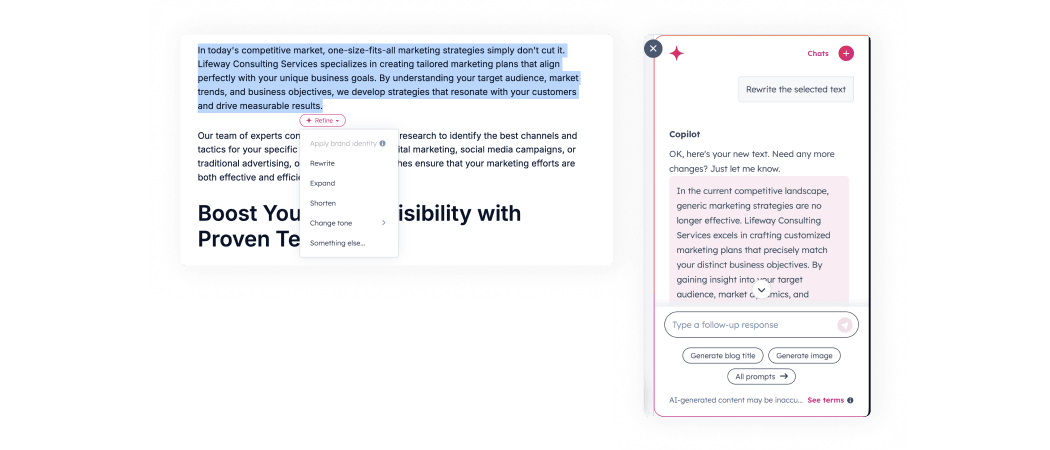
HubSpot shows rewrite options when text is selected. After selecting a specific option, a side panel with the AI Copilot appears, and the text is generated inside Copilot.
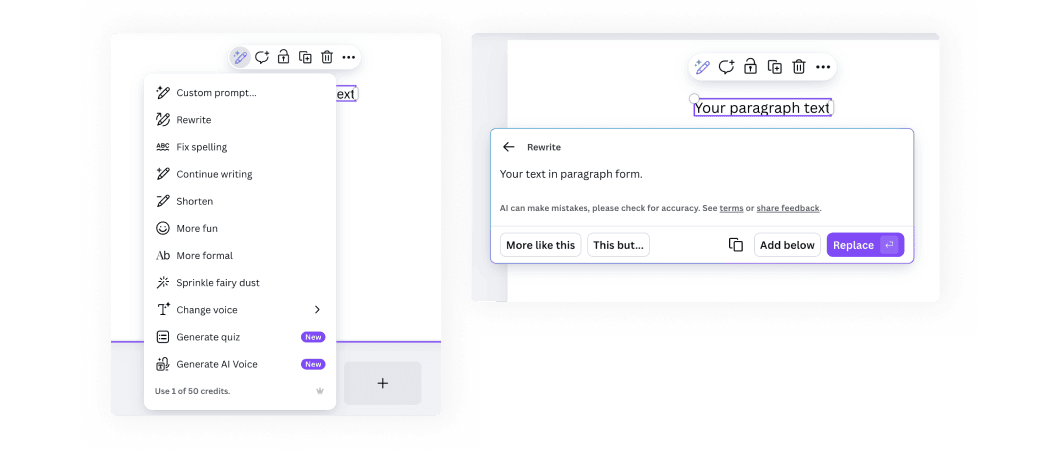
Canva shows rewrite options when text is selected. After selecting a specific option, a non-modal window appears.
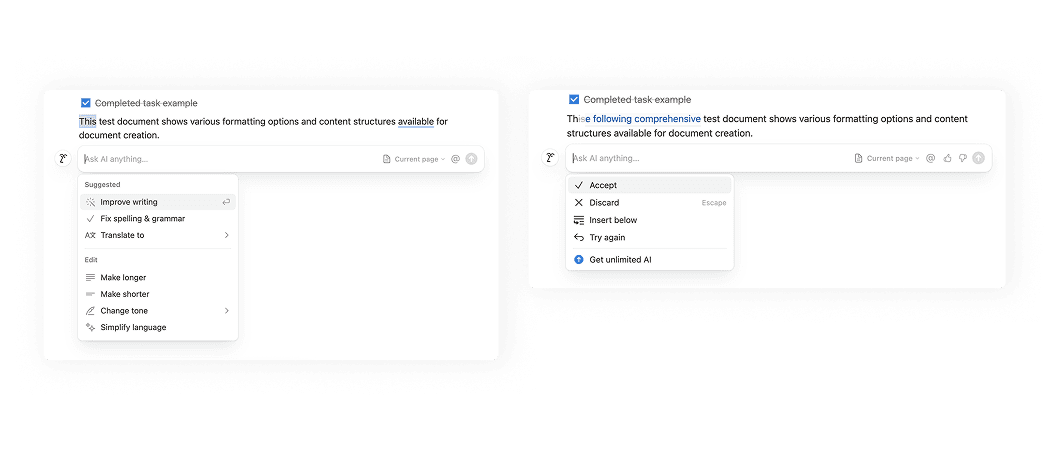
Notion shows rewrite options when text is selected. After selecting a specific option, it performs the action and shows the previous version with strikethrough, with the rewritten text in blue. It also provides the user with the ability to discard or accept the changes, along with other actions.
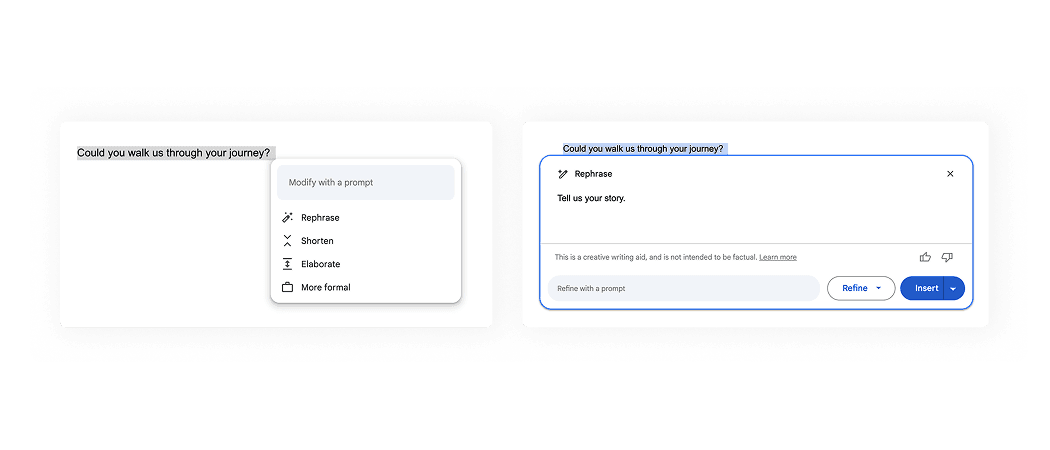
Google Docs shows rewrite options when text is selected. After selecting a specific option, a non-modal window appears.
AI patterns checklist
PDF, 220 MB