
 Software Development
 Security Services
 Cloud Services
 AI Services
 Other Services















 TechMagic Academy


How To Implement EHR in a Small Clinic Without Disrupting Patient Care
Last updated:3 December 2025


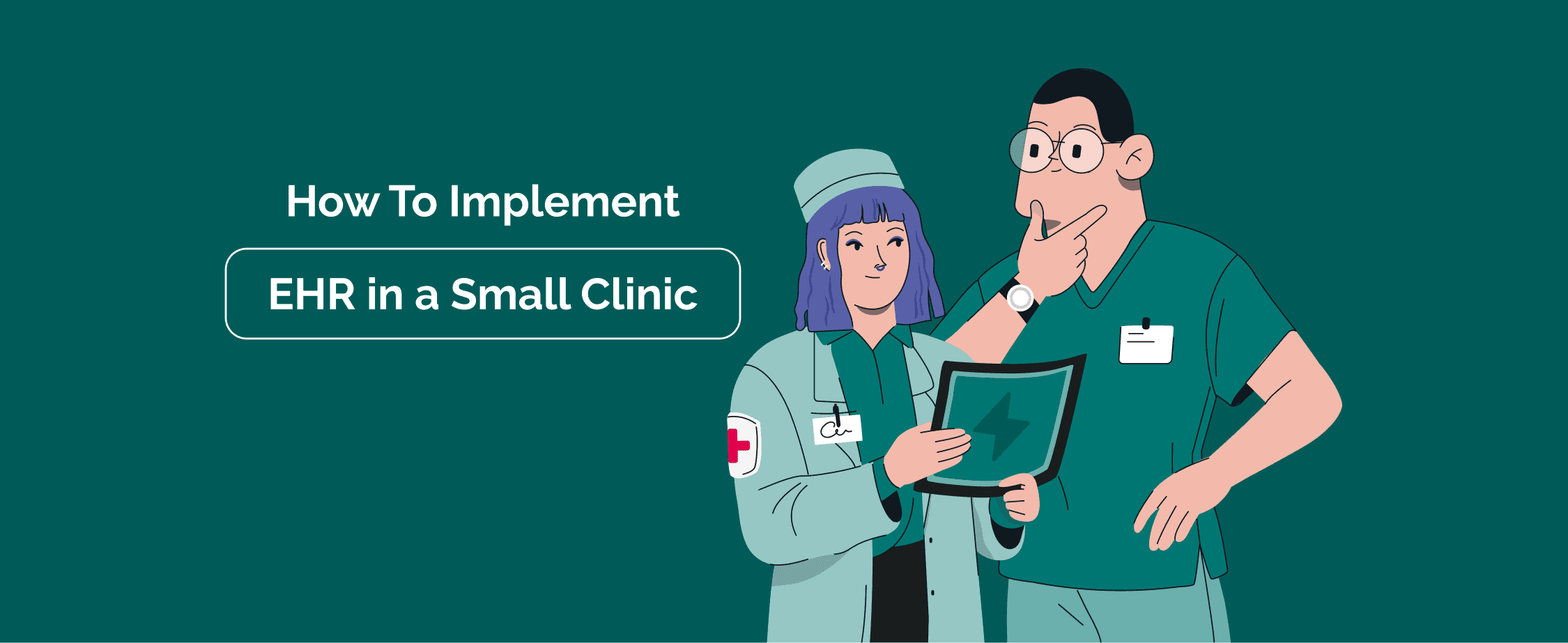
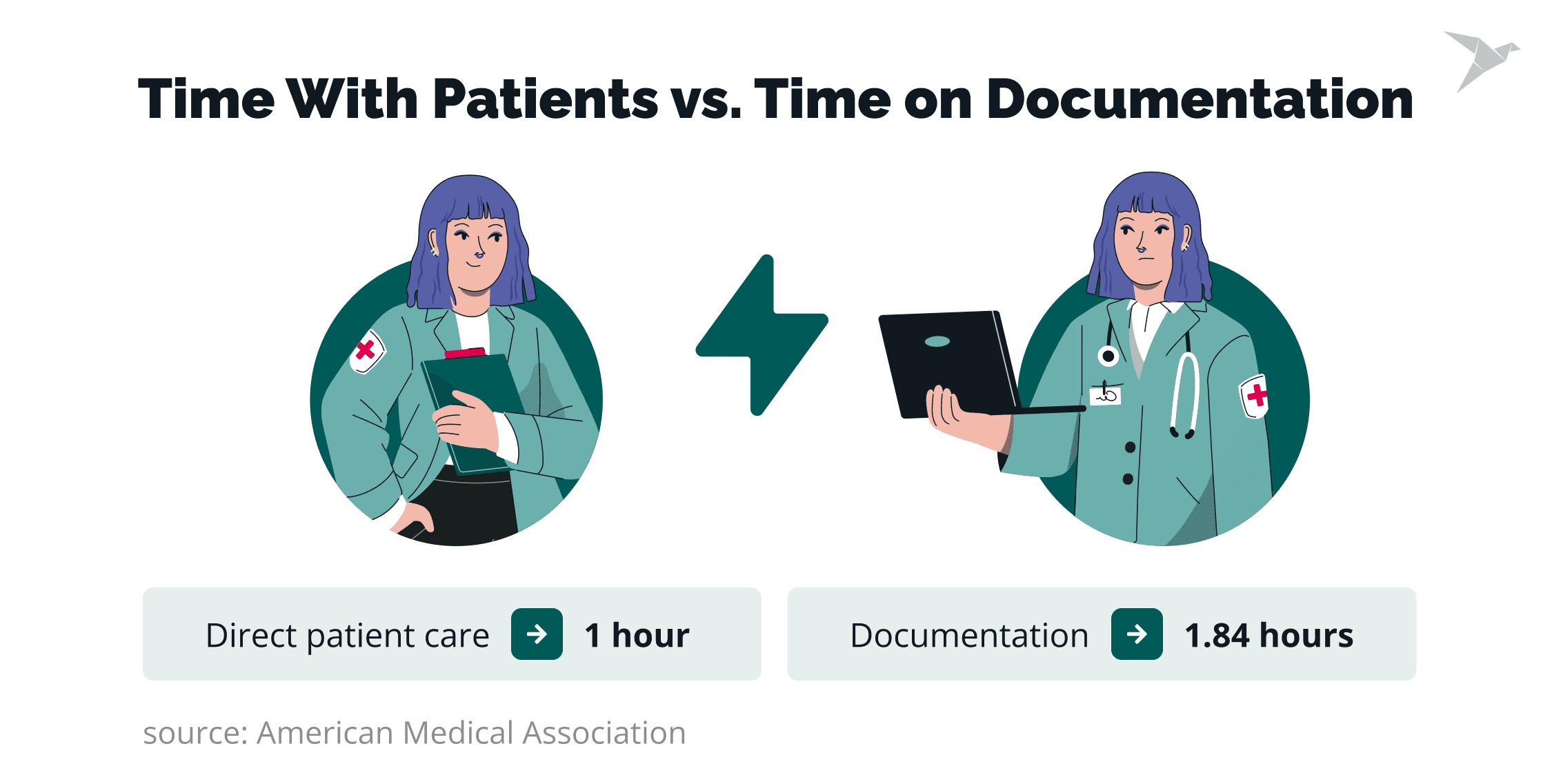
The American Medical Association found that clinicians spend nearly 1.84 hours on documentation for every hour of direct patient care. Most small clinics don’t lose time because they’re understaffed. They lose it because their tech isn’t equipped to match the day-to-day demands.
That imbalance says a lot. The key reason lies in tools that force clinicians to click, type, re-enter, and double-check far more than they should. When your team spends more time feeding the system than caring for patients, something is out of alignment.
If you’re here, you might be feeling that shift already. Daily workflows feel heavier. Scheduling and billing take longer than they should.
This guide will help you understand how to implement EHR in a small clinic without slowing down the care your patients rely on. We’ll walk through when it’s time to add tools, the challenges small clinics face with EHR adoption, and the practical steps that keep patient services running smoothly during the transition.
TechMagic has supported many small and mid-sized medical practices through EHR modernization, so you’ll also learn what works in real clinics like yours. Let's begin!
Key Takeaways
- Small clinics outgrow spreadsheets faster than they expect. When documentation, billing, and scheduling start slowing down care, it’s time to consider EHR implementation in a small clinic.
- A good EHR creates one source of truth. Cleaner, more consistent data helps clinicians make better decisions, reduces avoidable errors, and improves patient outcomes.
- Preparation makes or breaks the rollout. Clear needs assessment, workflow mapping, and early data cleanup are key stages before choosing a system.
- Phased implementation protects patient care. Starting with a pilot group, using short role-based training, and running both systems in parallel prevents disruption.
- The right EHR vendor matters. Small clinics should choose tools built for simplicity, interoperability, and fast setup.
- Success becomes clear in the small, daily moments. Faster charting, fewer errors, smoother scheduling, and improved staff productivity are strong signs the system is working.
- It’s interoperability that creates lasting value. Connecting labs, billing, imaging, and patient tools transforms workflows and prepares clinics for future innovation.
- Small clinics don’t have to handle EHR implementation alone. At TechMagic, we help implement, modernize, or integrate EHR systems, including cost-effective Medplum solutions, so clinics can focus on patient care.
Why Is EHR Implementation Crucial for Small Clinics?
Implementing an EHR system is crucial for small clinics because it reduces administrative load, improves care coordination, and gives teams a single, reliable source of patient information. With everything in one place, clinics work faster, make fewer mistakes, and save more time for patient care. Here’s why that shift matters.
Cleaner, complete patient data
When records live in different tools or formats, small details get lost. An EHR connects everything: labs, clinical notes, and medications, so doctors see the full picture at every visit. That means more effective clinical decision support, better patient safety, and smoother follow-ups.
More consistent daily workflows
Small teams rely on predictable processes. An EHR standardizes charting, intake, ordering, and billing. This reduces medical errors that often come from manual or inconsistent methods.
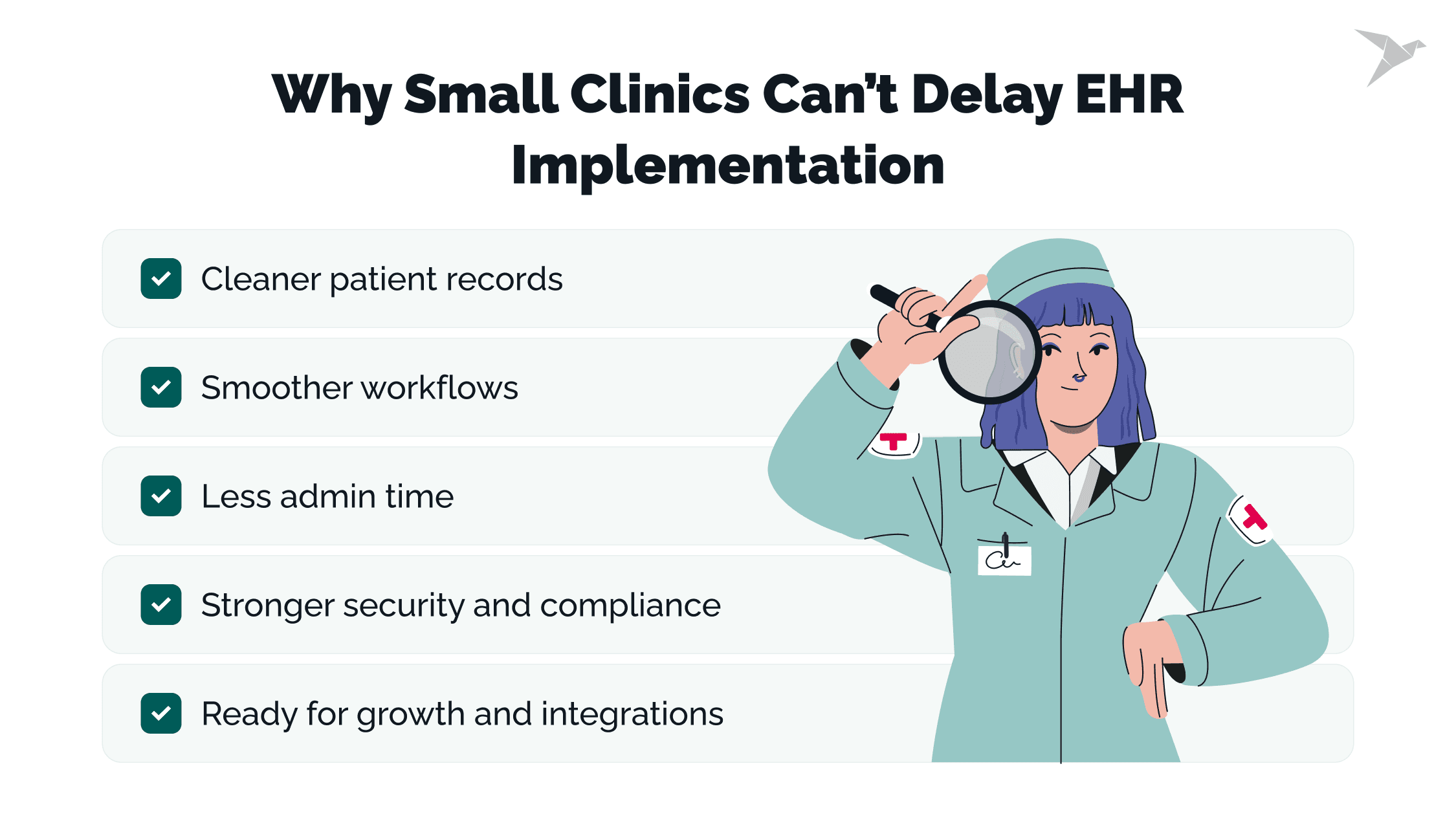
Less time spent on admin
Automated prompts, templates, and structured fields help clinicians and EHR users chart faster and cut down on repetitive tasks. Some of the small practices we’ve supported at TechMagic have reduced documentation time after optimizing their EHR software setup.
Better data security and simpler compliance
HIPAA compliance is tough without centralized systems. EHRs handle access permissions, audit trails, backups, and encryption in the background. This helps clinics stay secure without extra overhead.
Ready for interoperability and growth
As soon as a clinic needs lab integrations, electronic prescribing, or insurance workflows, spreadsheets stop working. EHRs make these connections possible and reliable.
And once those needs start showing up in day-to-day work, the next question arises: how do you know it’s time to move on from spreadsheets and switch to a proper EHR system? Let’s find out in the next section.

When Is the Time to Go From Spreadsheets to an EHR System?
You know it’s time to move from spreadsheets to an EHR when manual tools start slowing your clinic down, creating errors, or pulling clinicians away from patient care. Small practices usually feel these signs long before they make the switch. Recognizing them early helps prevent bigger operational issues. Let’s break these signs down.
Patient volume is no longer manageable manually
A few dozen patients a week might work in Google Sheets. But once volumes climb, simple tools fall apart. The average primary care physician handles 20+ patients per day, according to the CDC. At that pace, one missed update or duplicated entry can create ripple effects across the entire schedule.
Clinical workflows become inconsistent or error-prone
Different staff members use different formats, tabs, and naming conventions. What starts as “flexible” quickly becomes messy. In small clinics, even minor inconsistencies lead to real clinical risks: missing allergies, outdated vitals, or incomplete histories.
Data entry takes more time than patient care
If your clinicians spend more time typing than talking to patients, the system is the problem. Many clinics we work with realize this only when documentation spills into evenings or weekends. This is a sign that your tools are holding back care, not supporting it.
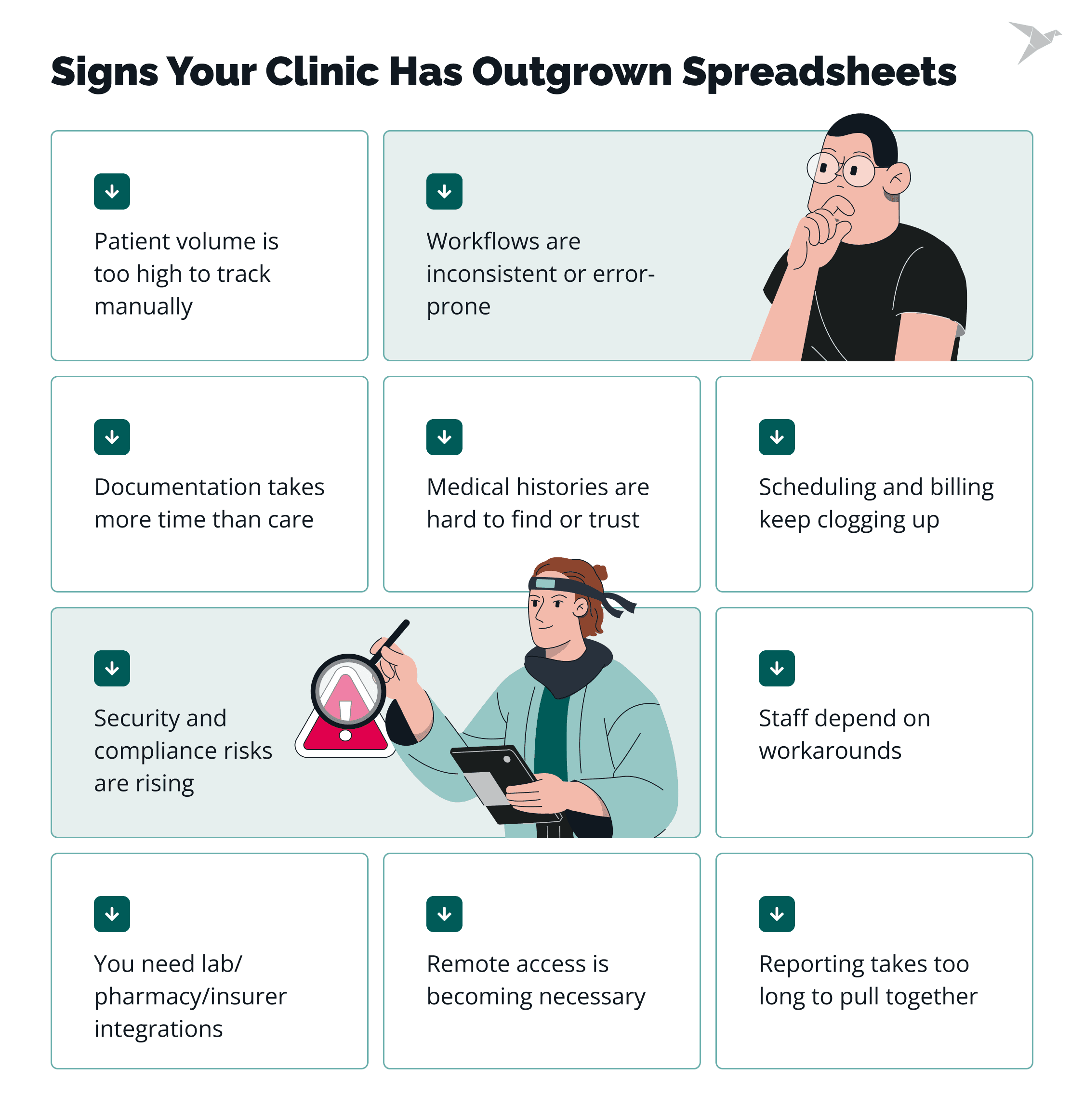
You struggle to track medical histories reliably
Spreadsheets can’t store structured data like labs, medications, allergies, or longitudinal notes. The result: important details live in different files, emails, or staff memory. EHRs turn that chaos into a single, searchable record. Understanding EHR vs PHR also helps clinics decide which patient information needs strict clinical oversight and which can be safely shared through patient-facing tools.
Scheduling and billing create frequent bottlenecks
As soon as a clinic gets busier, manual scheduling and billing become overwhelming. Double bookings, missed claims, delayed follow-ups… These inefficiencies hit small teams the hardest because there’s no buffer staff to absorb the load.
Staff rely on workarounds instead of one source of truth
If your team uses sticky notes, WhatsApp messages, personal calendars, or “temporary” files, that’s a sign the workflow has already outgrown spreadsheets. Workarounds feel helpful in the moment but create long-term risk.
Security and compliance risks start increasing
Healthcare is the most frequently breached sector, accounting for nearly 79% of all reported data breaches last year, according to HIPAA Journal. Spreadsheets offer no encryption, access controls, audit logs, or automatic backups, which leaves small clinics exposed.
You need interoperability with labs, pharmacies, or insurers
As clinics start ordering labs, sending e-prescriptions, or verifying insurance electronically, spreadsheets just can’t handle that pace or volume. EHRs are built for this kind of connection, securely and automatically. Reviewing the differences between EHR vs EMR ensures clinics select a system capable of true interoperability rather than a basic digital charting tool.
Remote access becomes essential for clinicians
If your physicians or coordinators work from home, rotate shifts, or support multiple locations, shared spreadsheets start holding the whole workflow back. EHRs offer secure remote portals and mobile access without risking patient data.
Reporting and analytics take too long to prepare
Creating monthly reports manually can take hours, sometimes days. EHRs generate dashboards and analytics instantly, which helps small healthcare organizations track revenue, visit volume, accurate diagnoses, and quality metrics without extra labor.
Capacity Comparison: Spreadsheets vs. EHR for Small Clinics
To make the difference even clearer, here’s a quick comparison of what small clinics can and can’t realistically manage with spreadsheets versus an EHR system:
When these signs start stacking up, the next challenge arises: small clinics know they need an EHR. However, the path to the implementation process often seems too complex. That's where the common obstacles begin, and understanding them early makes the transition much smoother. We cover them in the next section.
Learn about our expertise in the industry and what we have to offer
What Are the Common Challenges Small Clinics Face When Implementing EHR?
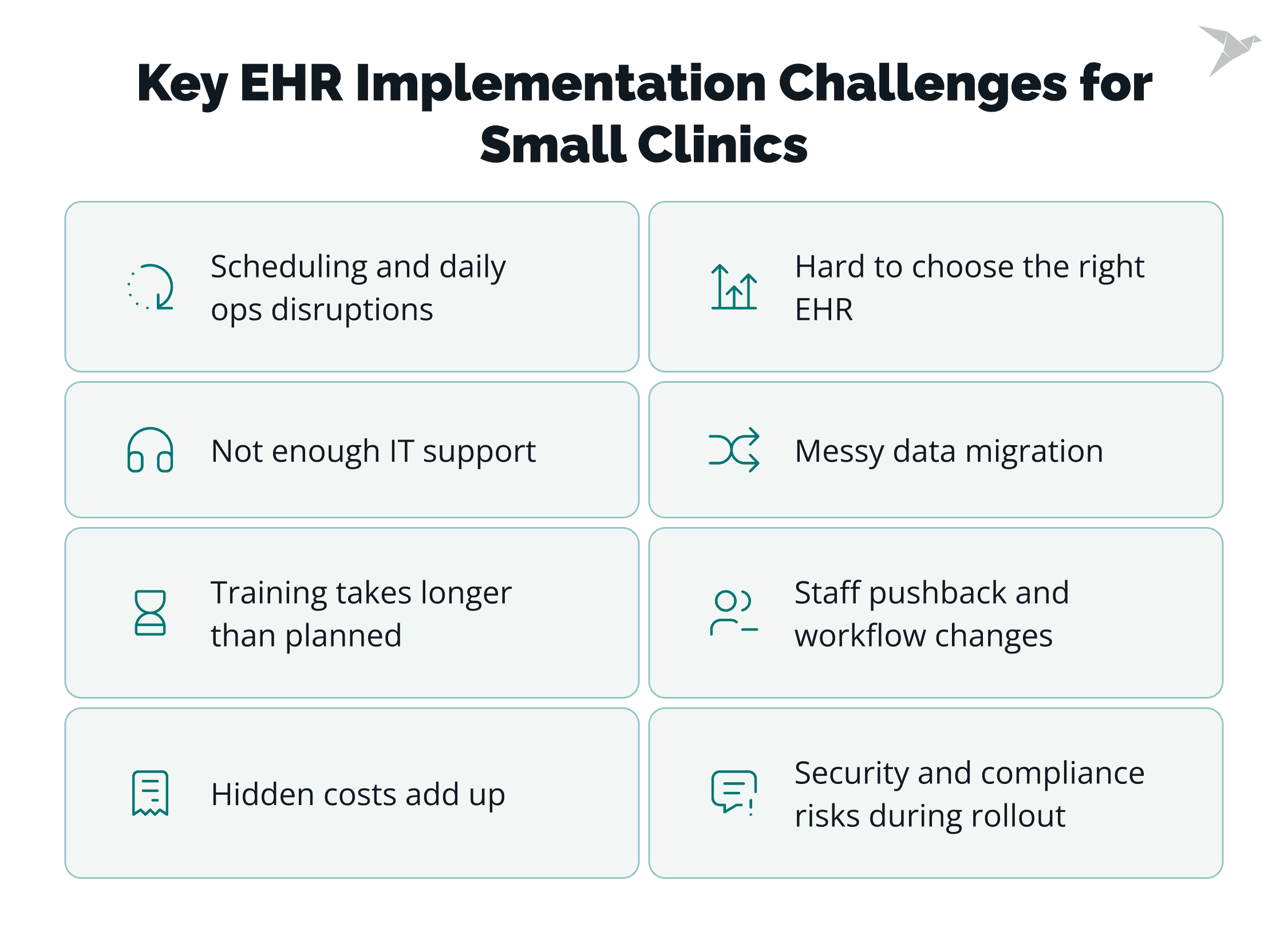
Small clinics face several predictable challenges during EHR implementation, including limited IT capacity and fears about workflow disruption and unplanned costs. These hurdles don’t mean an EHR shouldn’t be adopted. They simply mean the rollout must be planned with care. Let’s break down what clinics usually struggle with and why.
Limited internal IT resources to support the rollout
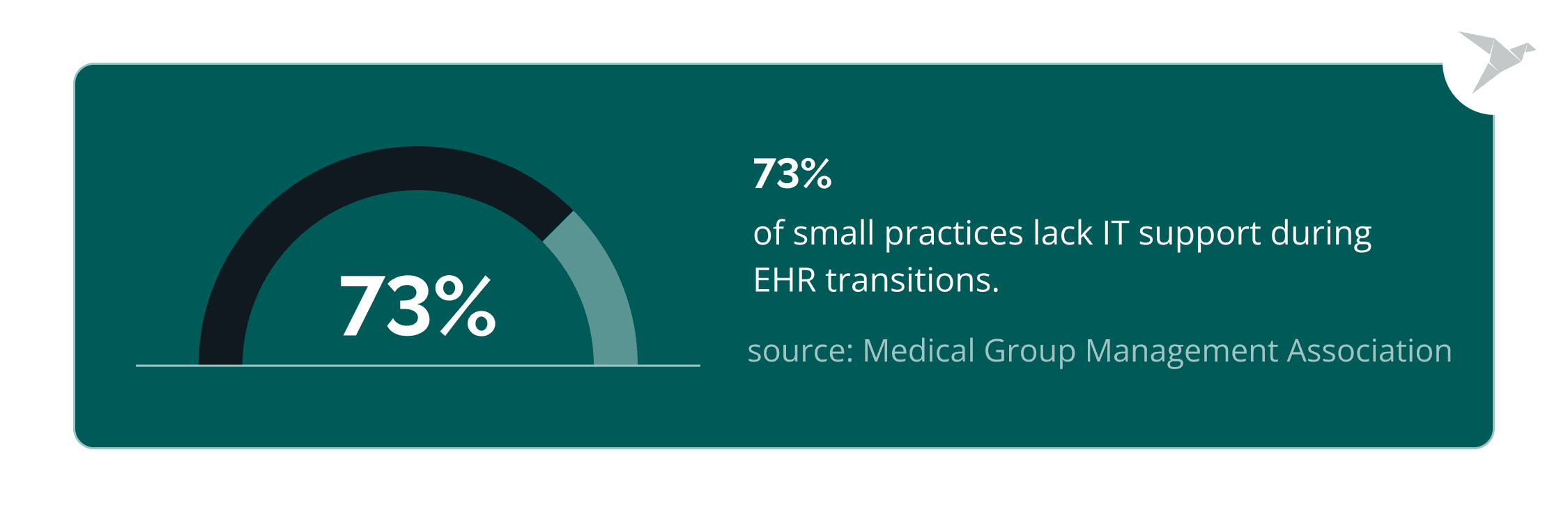
Most small practices don’t have an in-house IT team. Sometimes it’s one coordinator wearing many hats. That creates stress when new systems need configuration, troubleshooting, or integrations. According to MGMA, 73% of small practices report insufficient IT support during digital EHR transitions. It’s a common barrier and one reason clinics often lean on external partners like TechMagic early in the process.
Staff resistance due to workflow changes
Clinicians and administrators already operate at full capacity. Any change feels like more work. Staff worry that an EHR will slow them down, not speed them up. Resistance occurs due to the fear of losing workflow efficiency, autonomy, or familiarity.
Disruptions to patient scheduling and daily operations
The biggest fear we hear from small clinics is: “What if we can’t keep up with patients during the switch?” Without the right phased approach, go-live week can feel chaotic. Even minor delays in charting or scheduling can ripple across a full day of appointments.
Data migration from paper or spreadsheets is messy or incomplete
Moving years of patient charts, often scattered across folders, tabs, or inboxes, is rarely smooth. Spreadsheets don’t match EHR data structures, and scanning paper records consumes staff time. Clinics worry about losing important details during the transition, and that concern is valid.
Training takes longer than expected for some roles
Everyone learns at a different pace. Medical assistants may adapt quickly; physicians may need more hands-on time; front-desk administrative staff may get stuck on billing or scheduling flows. A study in JMIR Medical Informatics found that training time is one of the top three predictors of EHR adoption success. When time is tight, training becomes a real pain point. Setting aside small blocks of protected learning time helps clinics implement EHR system in a small practice with less disruption.
Choosing the right EHR for a small clinic’s needs
Not all EHRs are built for small practices. Some are too heavy, too expensive, or too complex. Others lack essential features like e-prescribing, templates, or lab connectivity. Clinics often feel pressured to pick fast but the wrong choice leads to more frustration later.
Hidden costs that exceed the initial budget
Beyond licensing, clinics face costs for add-ons, data migration, training, integrations, and ongoing support. For small practices with limited margins, unexpected expenses are one of the biggest fears during EHR implementation in a small clinic.
Maintaining compliance and security during the transition
During rollout, data lives in two places: the old system and the new one. That increases vulnerability. HIPAA requirements don’t pause during implementation, and clinics worry about accidental exposure or mismanagement. Without structured processes, this fear becomes a real risk.
These challenges are real, and small practices feel them more strongly because their teams are lean and their schedules are full. The good news: each one can be managed with the right preparation. And that’s exactly what the next section covers: how to build a solid foundation before the rollout even begins.
How to Prepare Your Clinic for EHR Implementation?
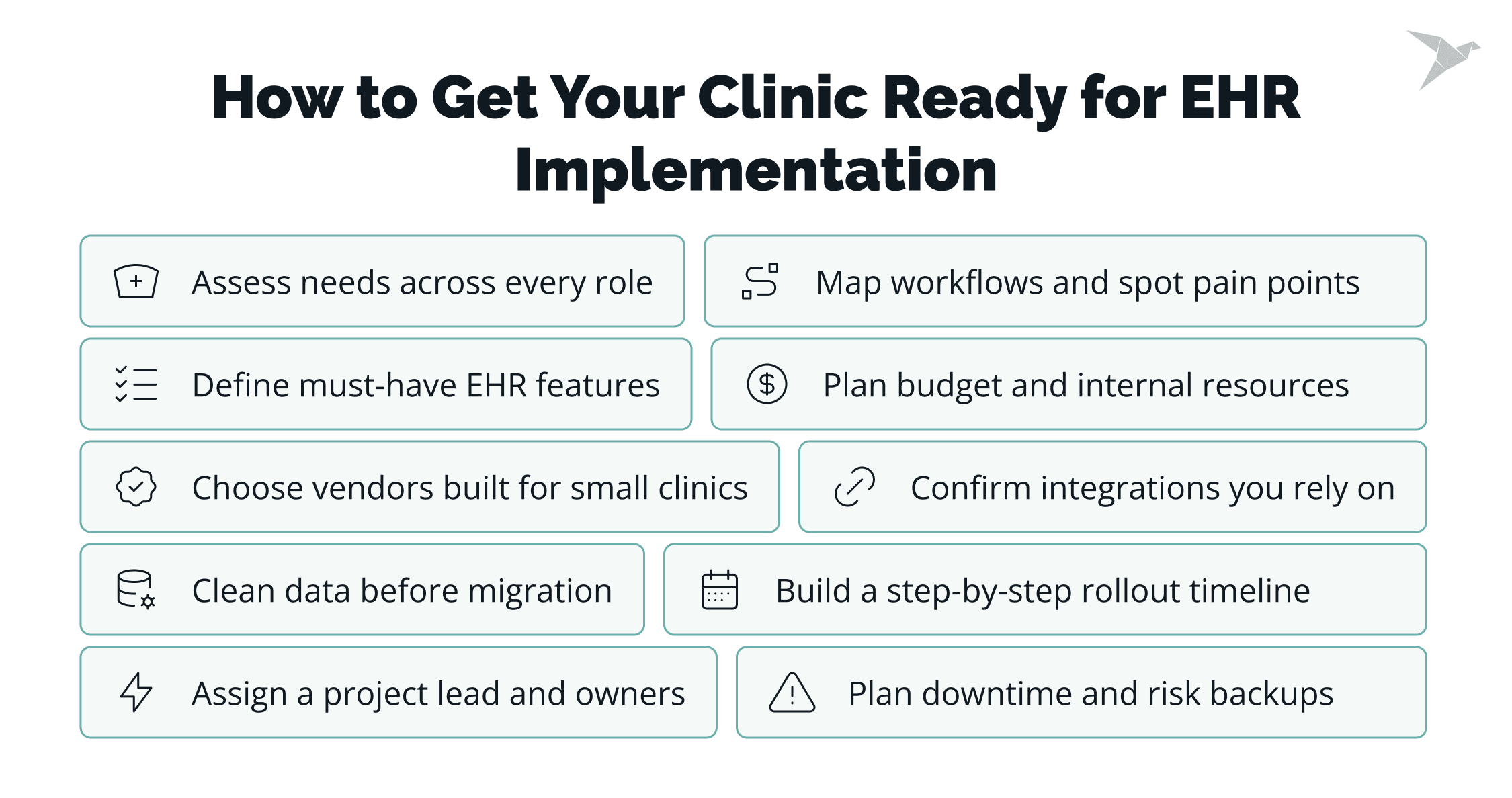
Preparing your clinic for EHR implementation starts with understanding your real needs, selecting the right system, and planning the rollout step by step. For small clinics, this preparation is what prevents downtime, budget surprises, or workflow chaos later. Now let’s break down what this preparation looks like in practice.
Start with a clear needs assessment across all roles
Talk to everyone: physicians, nurses, front-desk staff, billers, care coordinators. Ask what slows them down, what they struggle to track, and what an ideal workflow looks like. Small clinics have tight-knit teams, so every voice matters. The goal is simple: create a shared picture of what the clinic actually needs from an electronic health record system, not what vendors say you should want.
Map current workflows and identify pain points
Before choosing any system, map how work happens today: check-in → charting → ordering → billing → follow-up. Look for steps that cause delays or errors. When we help small practices at TechMagic, we often find that even simple workflow diagrams reveal hidden inefficiencies: duplicated data input, unclear responsibilities, or missing validation steps.
Define must-have features for a small clinic
Small practices shouldn’t overbuy. That’s a common mistake when deciding how to implement EHR system in a small clinic. Focus on essentials:
- Fast charting tools
- E-prescribing
- Scheduling
- Billing
- Templates for common visits
- Lab integrations
Nice-to-haves can wait until phase two. Must-haves must be clear from day one.
Set a realistic budget and resource plan
Budgeting isn’t just the licensing fee. Plan for:
- Implementation support
- Training time
- Data migration
- Integrations
- Extra hardware (if needed)
Small clinics often underestimate staff time during go-live, so include protected time for training and system testing. Budget alignment is one of the most overlooked steps in EHR implementation in a small practice.
Evaluate EHR vendors based on small-clinic requirements
Choose vendors that specialize in smaller practices or offer lightweight configurations. Look for short implementation timelines, intuitive interfaces, and transparent pricing. Don’t be afraid to ask about the total cost of ownership, including hidden fees, before signing anything.
Check integration needs with labs, billing, and imaging
Interoperability matters even for a 2-5-physician clinic and small physician practices. List every external system you rely on today and verify the EHR software can connect with them. Labs, pharmacies, practice management software tools, clearinghouses… all must work smoothly, or you’ll add more friction instead of reducing it. This is especially important when deciding how to integrate EHR in a small clinic that relies on multiple external systems.
Assess data quality before migration
If your spreadsheet records are inconsistent, duplicated, or incomplete, fix that now. Cleaning data before the move reduces migration errors and speeds up onboarding. Many small clinics skip this and regret it later when they discover mismatched patient histories or missing fields. Clean, consistent records make a major difference in how to integrate EHR in a small clinic smoothly.
Build a step-by-step implementation timeline
Break the rollout into phases (explore in detail in the next section):
- Setup and configuration
- Workflow mapping
- Data cleanup
- Migration
- Training
- Testing
- Pilot
- Full go-live
A clear timeline keeps the clinic organized and helps everyone understand what’s coming next.
Assign an internal project lead and responsibilities
Even small clinics need a point person. This could be an office or project manager, senior coordinator, or tech-friendly clinician. When we support EHR implementation in a small practice, having a strong internal lead makes the rollout significantly smoother. Their job: communicate with the vendor, oversee internal tasks, and keep the team aligned. Strong coordination is one of the most effective ways to implement EHR system in a small practice successfully.
Plan for downtime, backups, and risk mitigation
Small clinics can’t afford prolonged interruptions. Create a simple, realistic plan:
- Backup procedures
- Temporary paper workflows
- Downtime patient communication guidelines
- Who handles what if something fails
These safety nets in the EHR implementation plan help the team stay calm and keep patient care uninterrupted.
Small-Clinic EHR Requirements Checklist
Before choosing a vendor, it helps to map out the essentials your small clinic truly needs. The table below shows a practical checklist to guide that process:
Once your clinic is prepared, the next question is how to roll out the system in a way that doesn’t disrupt patients or overwhelm your staff, and that’s where the next section comes in.
What Steps Ensure a Smooth EHR Rollout Without Affecting Patient Care?
A smooth EHR rollout in a small clinic depends on a phased approach, focused training, and clear safeguards that keep patient services running without interruption. The goal is simple: introduce the new system gradually so your team can adapt without slowing down care. Here are the key industry best practices on how small clinics can do that effectively.
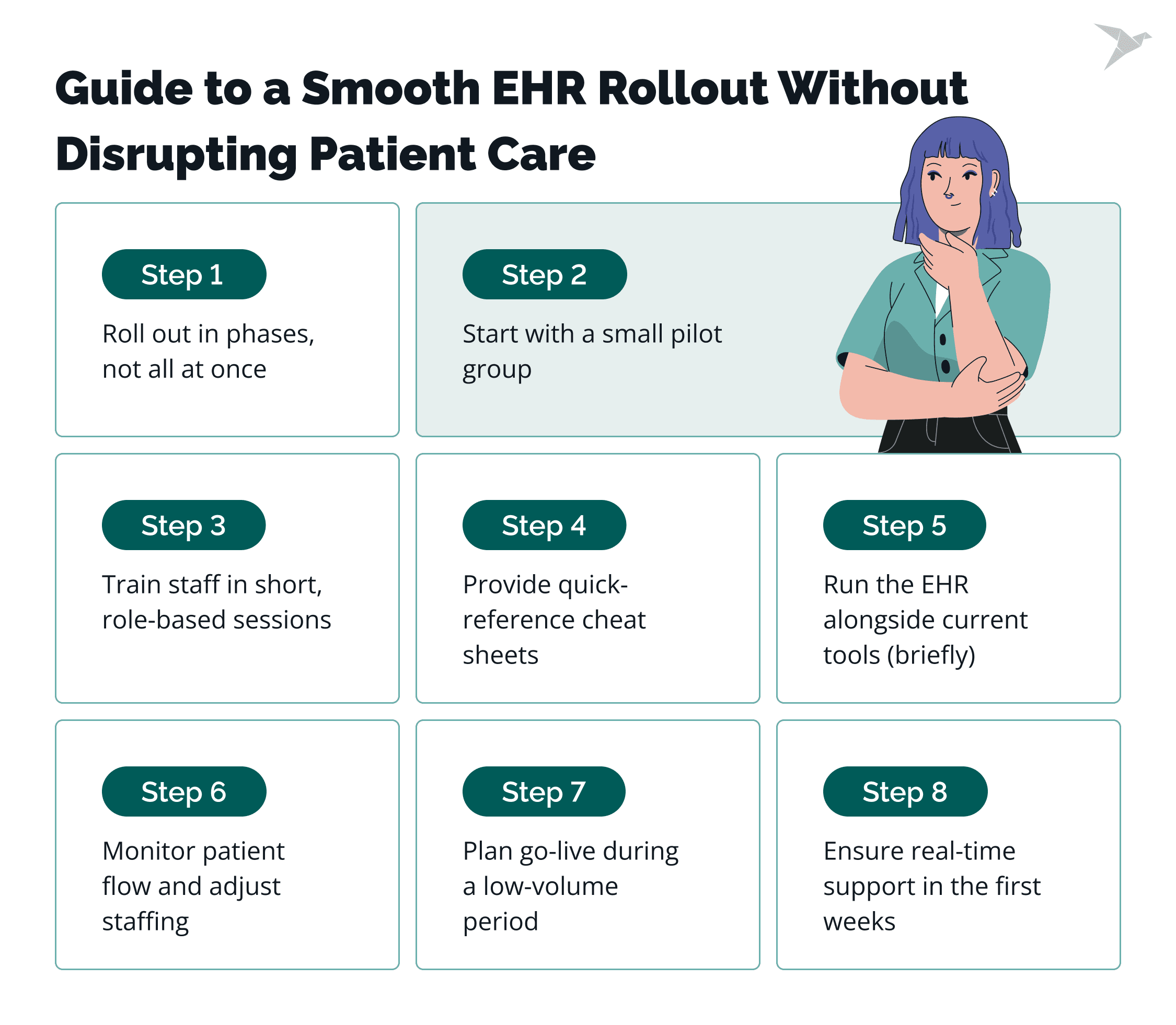
Adopt a phased rollout instead of a full switch
Small clinics don’t have the luxury of shutting down for a week. A phased rollout, starting with a few features or one department, keeps the clinic stable. It also gives your team time to learn the system in real conditions without pressure. This approach makes it easier to implement EHR system in a small clinic without overloading the team.
Start with a pilot group to validate workflows
Choose one clinician or a small care team to be the first, early adopters. They’ll test charting, prescribing, scheduling, and documentation in the new EHR. Their feedback helps catch issues early, before the entire clinic goes live. At TechMagic, this step often reveals small workflow tweaks that make the full rollout much smoother. Pilot testing provides critical insights into how to implement EHR system in a small clinic before expanding to all staff.
Train staff in short, role-specific sessions
Avoid long, generic training. Small clinics benefit from fast, focused learning:
- Front-desk: scheduling + check-in
- Clinicians: documentation + orders
- Billing: claims + coding
Short sessions respect your team’s time and reduce overwhelm.
Prepare quick-reference guides for daily tasks
Small teams rely on speed. Provide simple guides they can keep at their desks:
- How to chart a visit
- How to send a prescription
- How to check insurance
Healthcare professionals shouldn’t have to dig through manuals to find one answer.
Run the EHR alongside existing processes during transition
For a week or two, keep spreadsheets or paper notes as a backup. This dual approach reduces stress and gives everyone a safety net. It’s not forever, just long enough for your team to build confidence.
Monitor patient flow and adjust staffing if needed
During the first days of rollout, track how long appointments and check-ins take. If the flow slows down, add one more front-desk shift, stagger appointments, or reduce visit length temporarily. Small adjustments here prevent major frustration for both staff and patients.
Schedule go-live during lower patient-volume periods
Every clinic has quieter weeks: summer months, post-holiday periods, or days when certain specialties are off. Use that window. Fewer patients mean more space to adjust and fewer risks if something needs fine-tuning.
Ensure on-site support is available during the first weeks
Whether it’s your vendor, an IT partner, or a dedicated TechMagic specialist, someone should be on standby. Real-time troubleshooting keeps confidence high and prevents small issues from turning into backlogs or patient delays.
A structured rollout helps your clinic adopt the new system smoothly while keeping care uninterrupted. Once the dust settles, the next question is: how do you know the implementation is actually working?
What Metrics Show That Your EHR Implementation Is Successful?
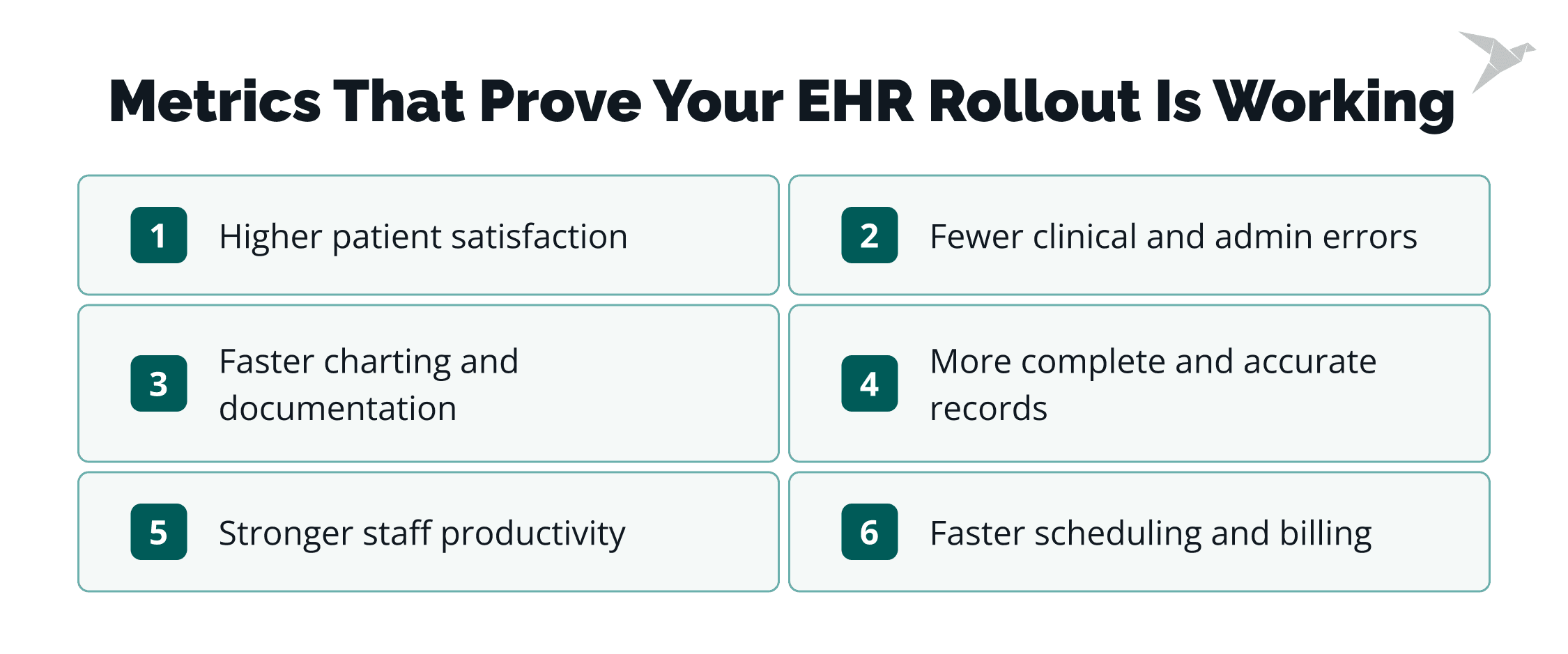
You can tell your EHR implementation is successful when documentation becomes faster, errors decrease, patients feel the improvement, and your team moves through daily tasks with less friction. These early indicators help clinics understand how to implement EHR system in a small clinic more effectively in future phases. Small clinics feel these changes quickly because even small gains have a big impact. Here’s how to measure real success.
Reduced documentation and charting time
This is often the first and clearest sign. When charting templates, automated fields, and structured workflows replace manual entry, clinicians reclaim time. In fact, well-optimized EHR workflows can cut documentation time by up to 25%, according to the Annals of Internal Medicine. If your team finishes documentation during clinic hours, not after, you’re on the right track.
Fewer clinical and administrative task errors
Errors usually drop when records become structured and consistent. Look for:
- Fewer missed allergies
- Fewer duplicate records
- Fewer billing rejections
- Fewer lost or incomplete charts
Small clinics often see this improvement fast because previously scattered information now lives in one place.
Higher patient satisfaction and feedback scores
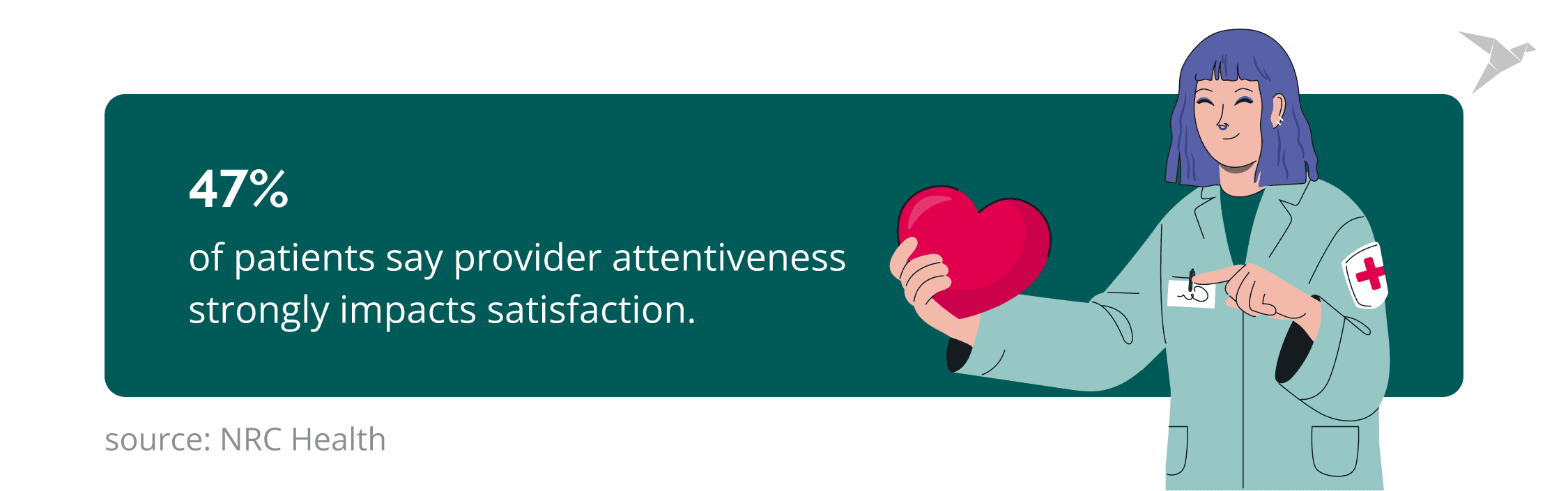
Patients feel the difference when scheduling is smoother, wait times shorten, and clinicians aren’t typing through the entire visit. According to NRC Health, 47% of patients say provider attentiveness strongly impacts satisfaction. When EHR tools free clinicians to be more present, satisfaction scores naturally rise.
Improved staff productivity across roles
Admin staff spend less time searching for files. Clinicians move faster through visits. Billers submit claims sooner with fewer corrections. Productivity metrics worth tracking include:
- Visits completed per day
- Claims submitted same-day
- Time spent on pre-visit prep
If those numbers go up, your EHR is doing its job.
Faster scheduling, billing, and check-in processes
Digital scheduling, automated appointment reminders, and integrated billing significantly reduce bottlenecks. Small clinics often notice:
- Shorter check-in lines
- Fewer no-shows
- Faster claim turnaround
- Less manual back-and-forth between roles
These improvements directly affect revenue and patient flow.
Better data completeness and record accuracy
A good EHR prompts staff to complete required fields, captures structured data, and reduces inconsistencies. Over time, you’ll see:
- More complete medical histories
- Cleaner medication lists
- Fewer missing labs or attachments
Accurate data improves clinical decisions and supports future interoperability needs.
Post-Implementation EHR Success Metrics
Once your EHR is live, these measurable indicators will show whether the system is doing its job and improving daily operations:
When these metrics start trending in the right direction, it’s a clear sign your EHR system implementation, whether in a small clinic or a growing practice, is delivering real value and setting the foundation for long-term improvement.
How TechMagic Can Support Your EHR Journey
If you’re trying to figure out how to implement EHR in a small clinic, you’re likely managing limited time, limited staff, and the pressure to keep patient care running smoothly.
We see this every day. Small clinics don’t have room for trial and error. They need a system that simply works, fits their budget, and doesn’t slow the team down.
That’s where TechMagic can help.
We work with small practices that are upgrading outdated systems, switching from spreadsheets, or trying to fix workflows that no longer scale. Depending on your needs, we can support you in several ways:
- EHR modernization when your existing system feels slow, fragmented, or overloaded.
- Custom EHR development if your clinic has specific workflows or specialty requirements that off-the-shelf tools can’t match.
- EHR integrations to connect labs, imaging, billing platforms, patient apps, or external partners so your data finally lives in one place.
For many small clinics prioritizing cost savings without losing efficiency, we also recommend exploring Medplum. It’s FHIR-native, secure, and far more cost-effective than most commercial systems. Our team helps clinics customize Medplum to support their daily workflows, improve documentation speed, and stay compliant without breaking the budget.
No matter where you are in the process: early planning, vendor selection, or fixing what isn’t working, we help you move forward with clarity. We know the goal: a new EHR system setup that feels made for your clinic, not something you’re forced to work around.

Wrapping Up: What’s Next for Your Clinic After a Successful EHR Rollout?
A successful EHR rollout changes the rhythm of a small clinic. Documentation becomes quicker. Workflows feel lighter. Patients move through visits with less waiting and more attention. And your team finally works from one reliable source of truth instead of juggling spreadsheets or paper notes.
The next stage is all about possibility. Once your data is structured and connected, interoperability becomes your clinic’s new advantage. Lab integrations, e-prescribing, automated billing, secure patient communication… all of it gets easier when your systems speak the same language.
And this interoperability sets the foundation for what’s coming next in healthcare: AI-assisted documentation, predictive insights, personalized care plans, richer patient portals, and smoother coordination across healthcare providers.
For a small clinic, this is where the real transformation begins. With a solid electronic health record in place, you’re not just catching up, but you’re preparing for a future where care is more data-driven, more proactive, and more centered on the patient experience. Your clinic becomes ready for the next wave of digital health innovation, one step at a time.
FAQ

Most small clinics complete EHR implementation in 8-16 weeks, depending on data migration, integrations, and training needs. Clinics with cleaner data and simpler workflows often finish faster. More complex setups, like multi-location private practices, may need extra time for testing and phased rollout.
The safest approach is a phased rollout with a pilot group, short role-based training sessions, and a temporary period where both the old and new systems run in parallel. Scheduling go-live during low-volume weeks and having on-site support available also keeps patient care uninterrupted. These safeguards form the foundation of how to implement EHR system in a small clinic without disrupting patient care.
Small clinics often run into trouble when they jump in without a clear needs assessment, underestimate how much data cleanup is required, or choose an EHR that’s more complex than they actually need. Another frequent issue is offering broad, generic training instead of short, role-specific sessions, which leaves staff confused and slows down adoption. And finally, switching everything at once, instead of using a phased approach, is one of the fastest ways to overwhelm a small team.
Costs vary widely, but most small practices spend $10,000-$50,000 for licensing, training, migration, and initial support. Customizations and integrations can increase the total. Open-source solutions like Medplum can lower costs significantly for clinics with tighter budgets or more specialized needs.