














A Step-By-Step Guide To Conducting an Effective Phishing Simulation
Last updated:27 August 2026


Phishing remains one of the most common and most damaging cyber threats in cybersecurity, and nothing newer has displaced it.
Cybercriminals pretend to be a legitimate entity, your bank, a colleague, the IT helpdesk, and deceive people into disclosing sensitive information: passwords, credit card details, other personal data. Most of it arrives by email, plenty as text messages, social media messages, or a phone call from someone who sounds like they work in finance.
Which raises the question every security lead ends up asking: what should my organization do to protect employees from phishing?
Preparation, through practice rather than information. Social engineering attacks work on people who already know phishing exists, so regularly conducting phishing simulations is what moves the number.
This guide covers planning, running and analyzing one, which tools are worth paying for, and what to do with the results, which is the step most organizations skip.
Key Takeaways
- Phishing succeeds through human error under pressure, so technical controls alone won't protect you.
- A simulated phishing test puts people in a safe environment where clicking teaches them something instead of costing you something.
- Run one phishing test and you get a baseline. Run them quarterly and you get changed behavior.
- Report rate and time-to-report predict how a real incident will go. Click rate on its own doesn't.
- The simulation is the cheap part. Relevant training built from the results is where the value sits.
- Vary your methods across email, text messages, QR codes and collaboration tools, or staff learn the test rather than the threat.
- Never punish the person who clicked. Publishing clicker names, for example, reliably kills your reporting rate.
Why Is a Phishing Attack Effective?
Because phishing attacks don't target your systems. They target the person operating them, human psychology, and hackers have got considerably better at it.
A well-built phishing attack borrows something you already trust: your CEO's name, your payroll provider's logo, the exact wording of a password reset you've clicked a hundred times.
Then it adds pressure. The invoice is overdue, the account locks in an hour, the file expires today. Under time pressure people stop evaluating and start complying. That's the whole mechanism, and it works on smart, trained, senior staff.
Two cases show the range.
The Google Docs phishing scam
In 2017, a fake Google Docs sharing invite spread to millions of accounts inside a couple of hours. What made it work was that the request looked exactly like the real thing, arrived from someone the recipient actually knew, and asked for a permission people grant every day without reading. No malware, no exploit, no stolen credentials at the point of entry. Just an authorization dialog that people had been
The Sony Pictures hack
The 2014 Sony Pictures breach started with credential phishing aimed at employees and ended with internal email, unreleased films and personnel data in public. The messages impersonated Apple ID verification requests, which was enough to harvest credentials the attackers then reused inside the network.
Neither of those was a technical failure. Both were a person doing what the message asked.
Which is why security awareness training that only explains what phishing is doesn't move the needle. Everyone already knows what phishing is. Almost nobody has practiced recognizing it at 4:50pm on a Friday with forty unread emails.
The Long-Term Consequences of Phishing
The initial click is rarely the expensive part.
What follows is: attacker access to a mailbox, which becomes access to whatever that mailbox can reset. Money moved through a fraudulent payment instruction that looked internal. Customer data exfiltrated quietly over weeks. Ransomware deployed from a foothold that started with one credential. Then comes the regulatory tail: breach notification, an investigation, fines under GDPR or whichever regime applies to you, and the disclosure obligations that follow.
The reputational damage lasts longest and is the hardest to quantify. Enterprise clients ask about your last incident during procurement. They ask for years.
Being aware is vital: Why you should read on
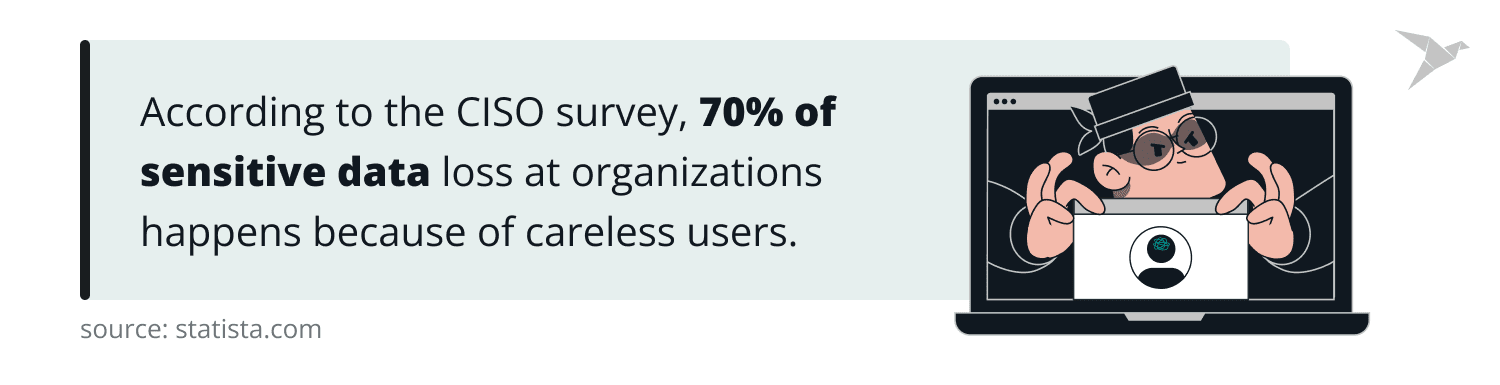
Proofpoint's 2025 Voice of the CISO report, based on 1,600 CISOs across 16 countries, found 66% naming people as their organization's greatest security risk. That figure has been stable for years, which tells you the problem isn't awareness of the problem. The gap is between knowing and doing. Closing it takes practice under realistic conditions, and that's what the rest of this guide is about.
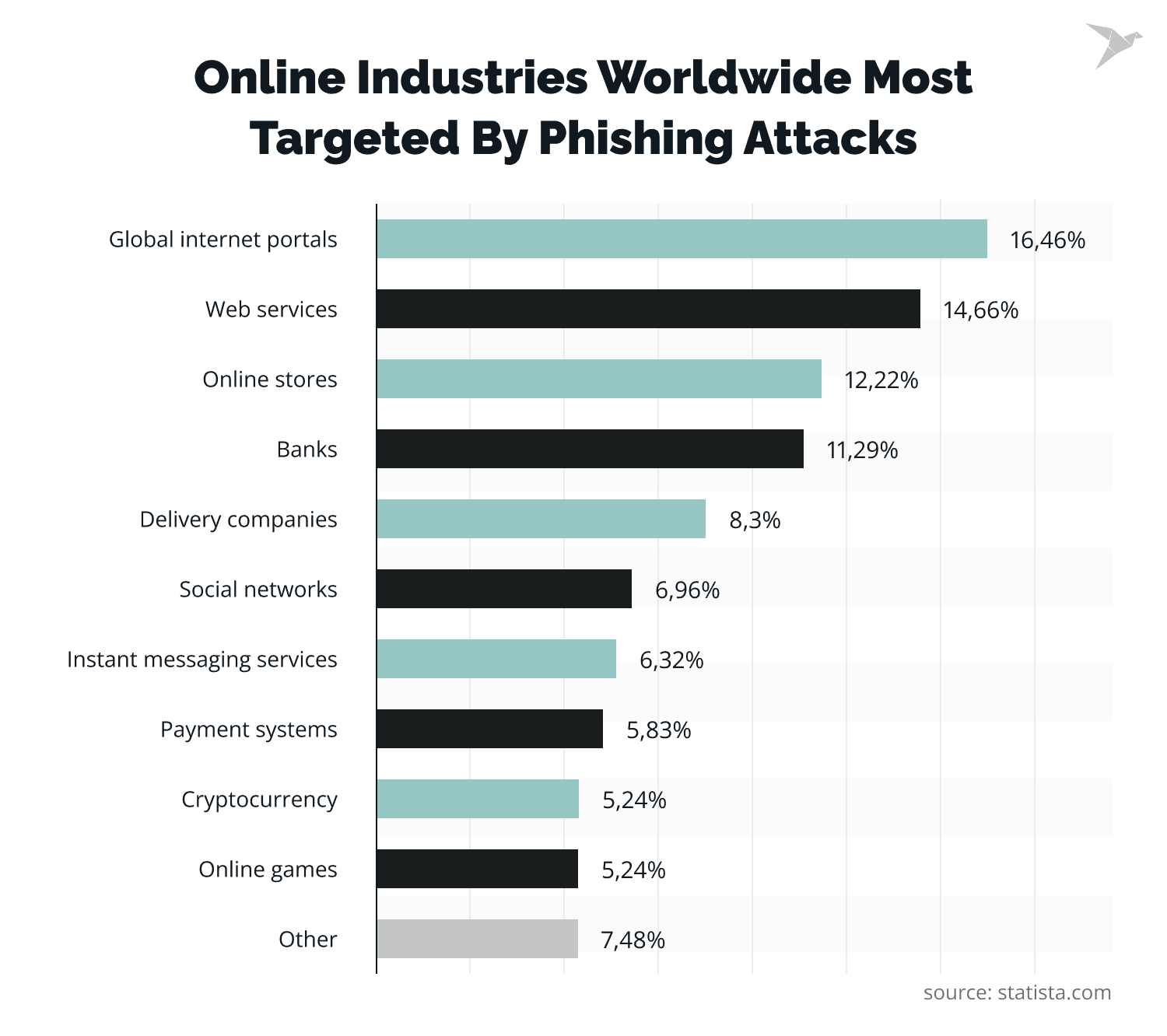
Understanding a Phishing Simulation
A phishing simulation is a controlled, authorized simulated phishing attack you run against your own people to see what actually happens.
Concretely: you send simulated phishing emails that mimic a real phishing attack. A password expiry notice from IT, a shared document, a delivery notification, a text message about a failed payment. Anyone who clicks lands on a training page instead of a credential harvester. The page tells them what just happened and what the tell-tale signs were. Nothing is stolen, and every action is logged.
What you get back is data on real user behavior rather than opinion: who clicked, who entered credentials, who reported it, how long the report took, and which departments and which pretexts performed worst. That's enough to identify where the actual exposure sits.
One point worth stressing. The purpose is never to catch people out. If your simulated phishing tests feel like a trap, staff learn to distrust the security team rather than the email, and your reporting rate falls through the floor. That's the metric that actually protects you. Tell people in advance that simulations happen. It doesn't reduce the click rate, and it preserves the relationship you need.
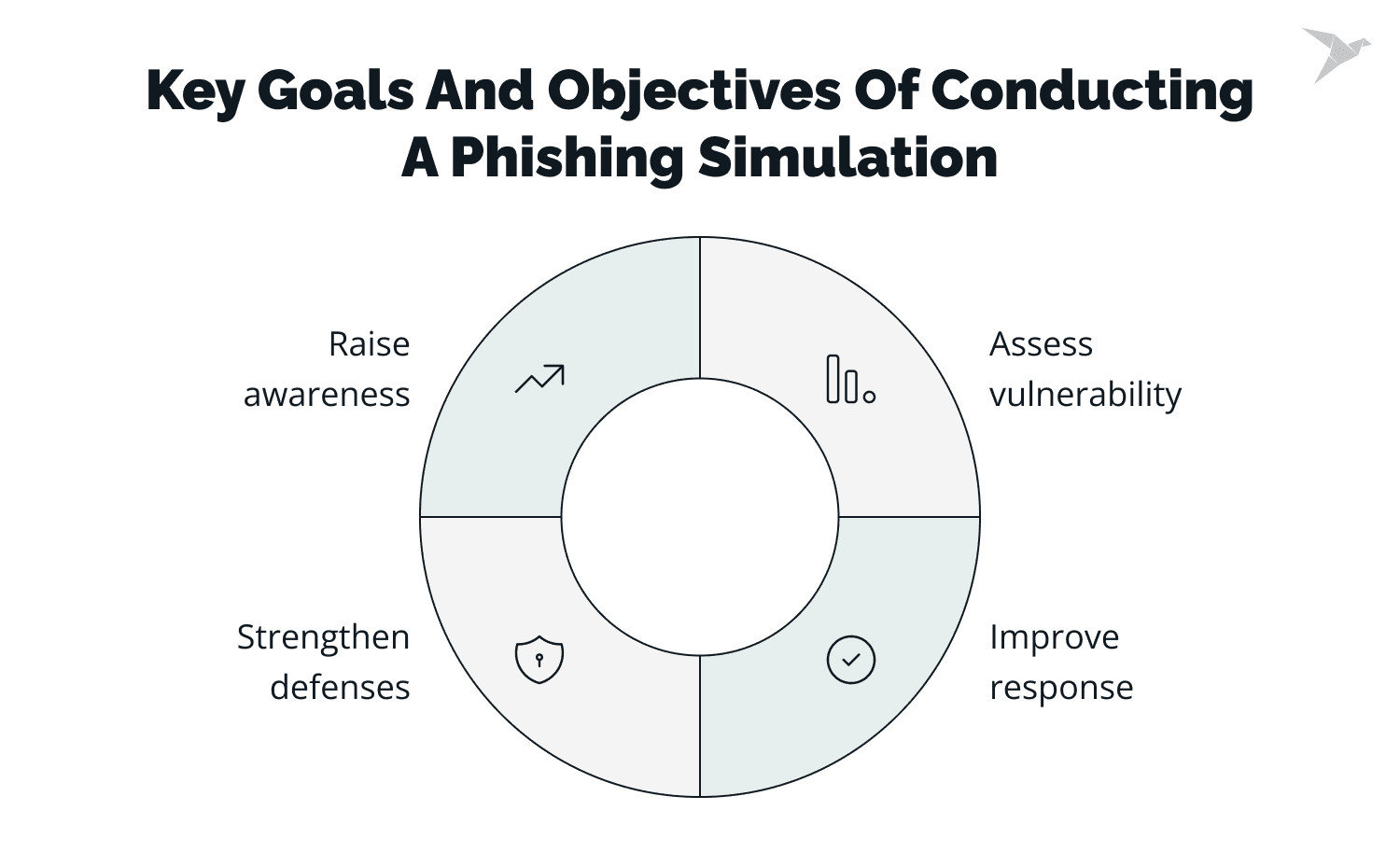
Key Goals and Objectives of Conducting a Phishing Simulation
Four things, in order of how much they matter.
Measure real exposure. Not what people say they'd do in a survey. What they do when a plausible message arrives. Until you have that number you're guessing about your own risk. Build recognition through repetition. Spotting a phishing attack is a skill, and skills need reps. A single annual session doesn't produce them.
Test the reporting path, not just the users. This is the one organizations underweight. If someone reports a suspicious email in thirty seconds and it sits in an unmonitored inbox for two days, your users passed and your process failed. Simulations test both.
Find where to spend the training budget. You can't prevent phishing attacks from arriving, so the budget goes on what happens next. Results tell you which teams and which pretexts need attention, so security awareness training lands where it's needed rather than on everyone equally.
A financial services client of ours runs monthly simulations across the whole company. Monthly is more than most need. In their case the threat model justified it, and after a year their finance team had the best reporting rate in the business. That's the group attackers target hardest.
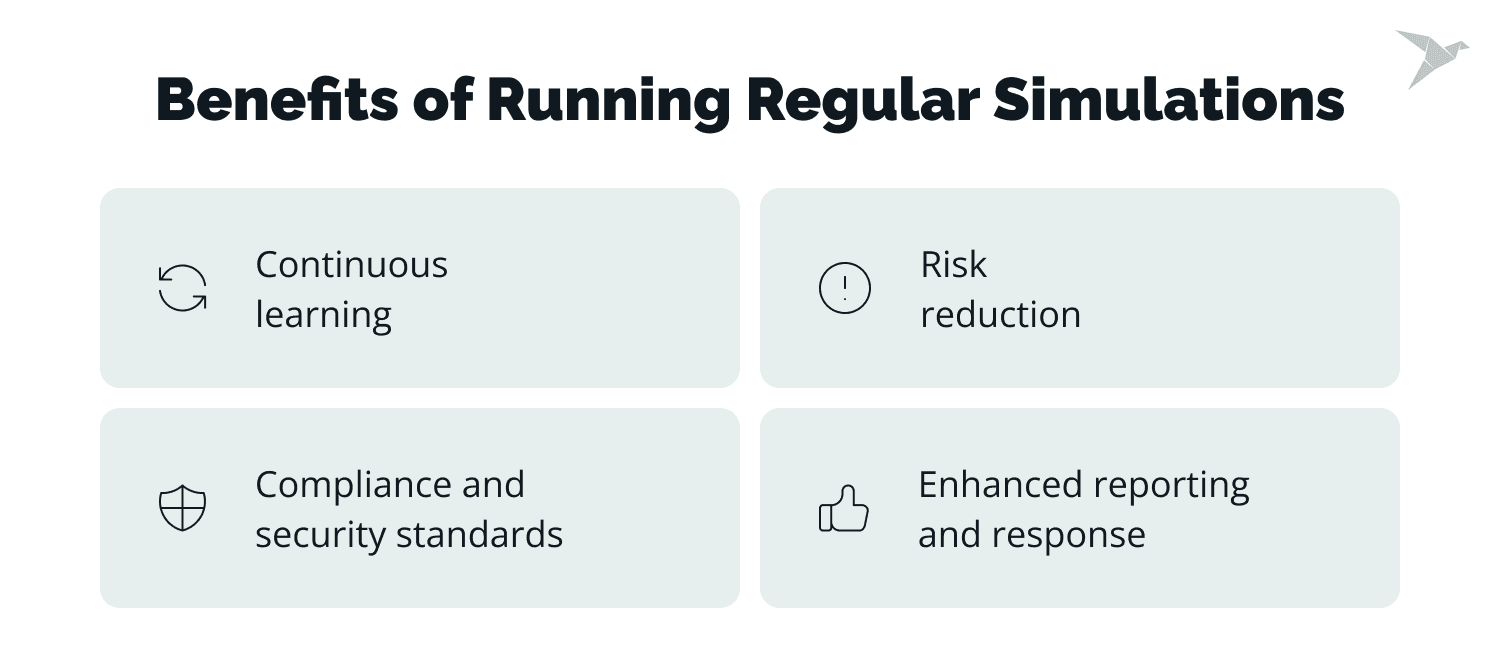
Benefits of Running Regular Simulations
Regular is carrying most of the weight in that heading. One simulation gives you a baseline. A program gives you a change in behavior.
Continuous learning
Every simulation is a short lesson delivered at the exact moment it lands. That timing matters more than the content. A person who has just clicked a simulated phishing email and been shown why remembers it in a way that no slide deck reproduces.
Example: Someone in finance clicks a fake invoice reminder and lands on a page pointing out that the sender domain was one character off the supplier's real one. That thirty seconds sticks better than a scheduled session three months later.
Risk reduction
The numbers here are unusually clear. KnowBe4's 2026 Phishing by Industry Benchmarking Report puts the baseline Phish-prone Percentage for untrained users at 33.2%. After 90 days of phishing simulation training it drops to 20.1%, and after twelve months to 4.2%, an 87% reduction.
Example: One retail business started at a 20% click rate and reached 5% within six months. Another company moved from 25% to 10% over a comparable period. Neither did anything exotic. They ran simulations consistently and followed up on the results properly.
Meeting compliance and security standards
ISO 27001, SOC 2, PCI DSS and most cyber insurance policies expect documented security awareness training with evidence that it happened and evidence it worked. Simulation results give you that evidence with dates attached, which is considerably easier to hand an auditor than an attendance sheet.
Example: A company preparing for a SOC 2 audit can produce twelve months of campaign results showing dates, participation and completion, rather than a signed attendance list from one training day.
Enhanced reporting and response
The metric worth optimizing isn't click rate. It's the ratio of people who report to people who click, and how fast the first report arrives. A workforce that reports a live phishing campaign within minutes gives your security team time to pull the message from every other mailbox before anyone else opens it. That's the outcome the whole program exists to produce.
Example: A real phishing email reaches 200 mailboxes. Three people flag it within four minutes, security removes it from the rest, and nobody else ever sees it. That result depends entirely on the reporting habit simulations build.
Penetration testing for Coach Solutions web application
In-House Phishing Simulation vs External Providers
There's no universal answer, and the honest version depends on whether you have someone whose job this can genuinely be.
In-house phishing simulation
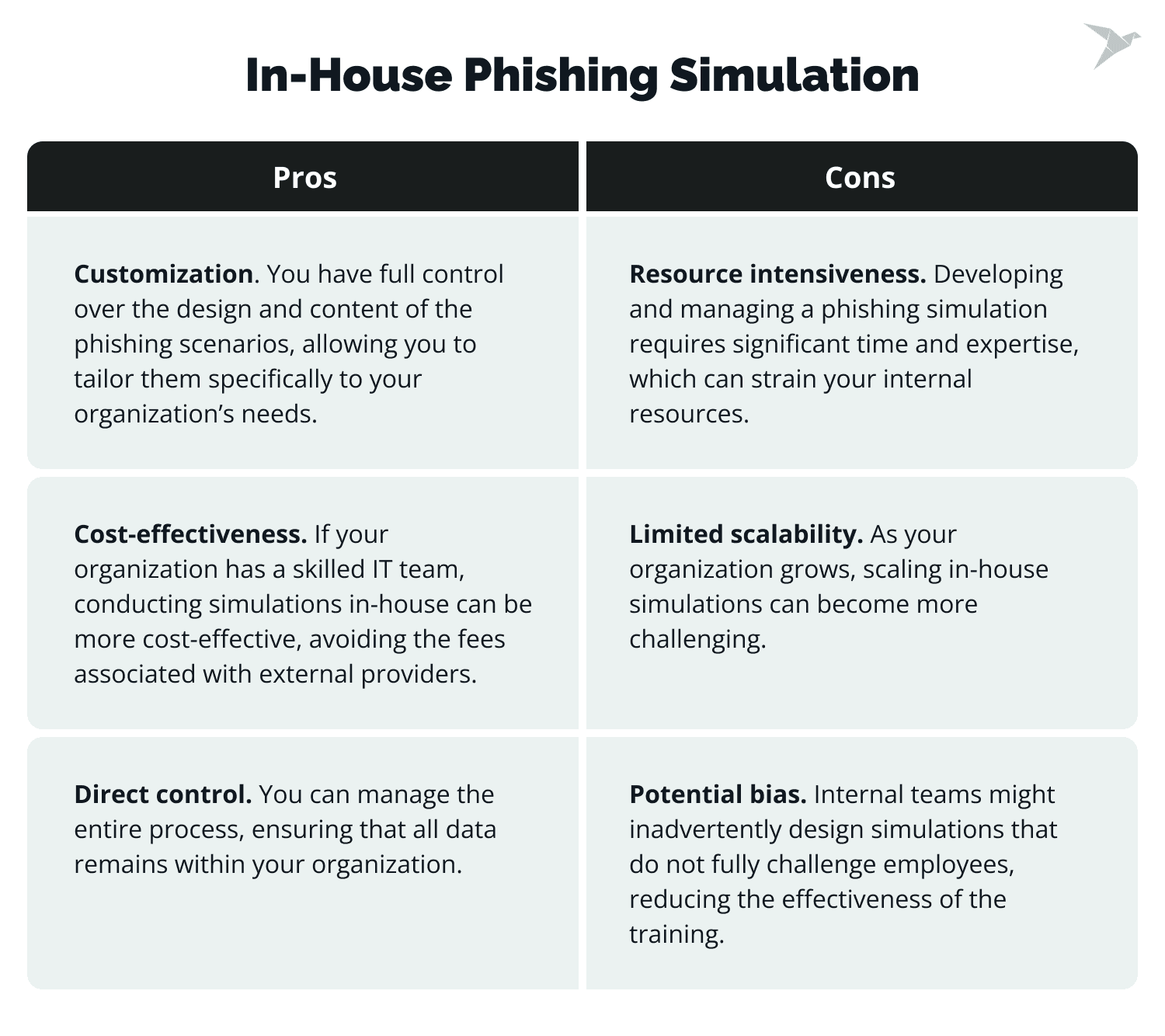
You keep full control over phishing templates, timing and tone, and you can build pretexts that reference your own systems, your own vendors and your own internal language. That's exactly what a real attacker targeting you would do. Nothing leaves your environment, which resolves the data question before it's asked. Costs are lower on paper.
The catch is that it consumes a person. Somebody has to write the templates, manage sending infrastructure and deliverability, keep the content current with what attackers are actually doing, build the training pages and analyze results. Done at 20% of someone's attention, an in-house program usually degrades into the same three templates on repeat, and users learn the pattern rather than the principle.
Using external providers
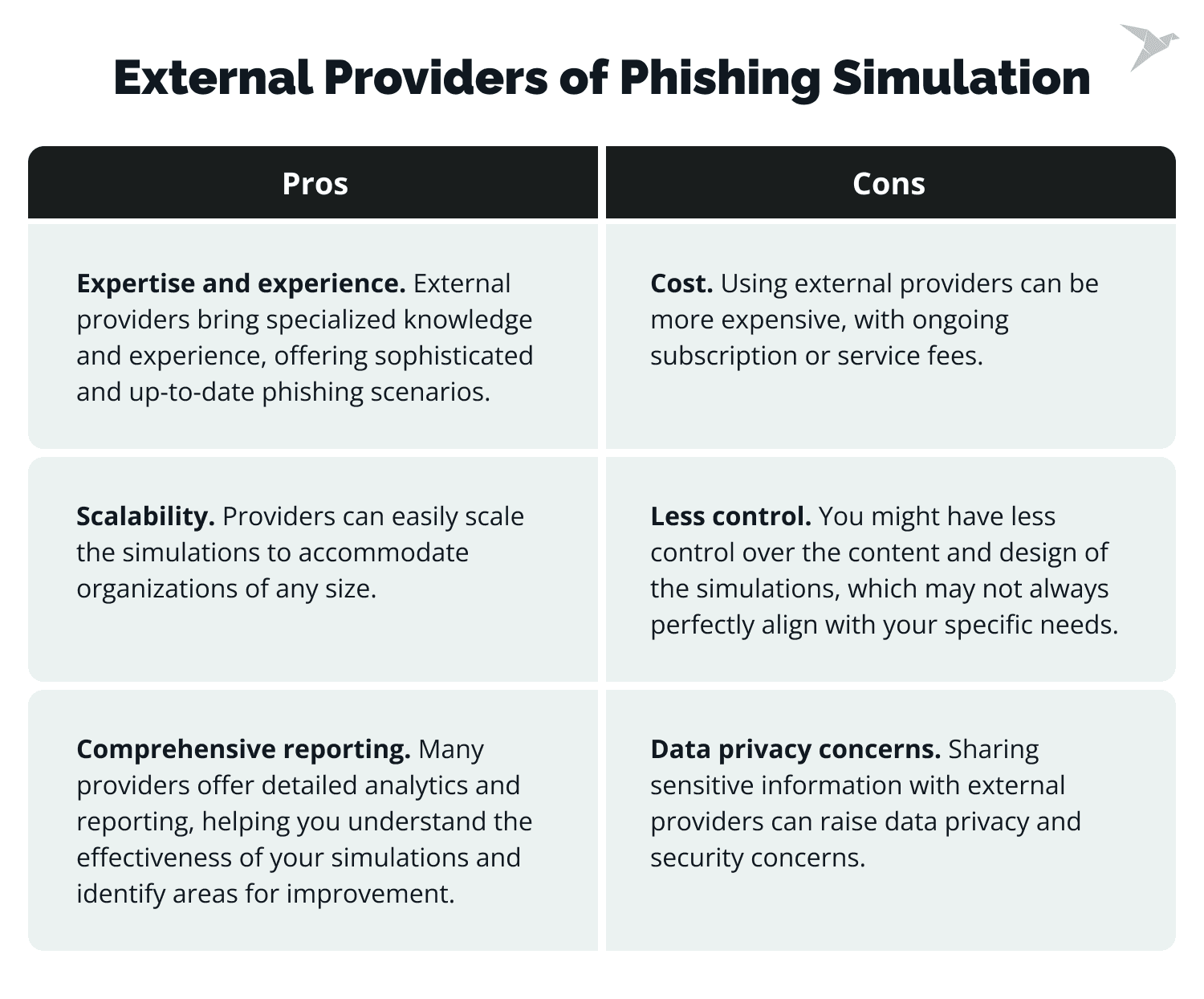
You get a maintained library of phishing templates that track current attacks, reporting built for the purpose, and integrations with your directory so enrolment isn't manual. Scaling to a few thousand users costs you configuration rather than headcount.
The trade-offs are real. You're paying per user per year, you're handing employee data to a third party, and off-the-shelf templates are generic by nature. They'll teach general vigilance without testing the specific pretext that would actually work against your company.
Our usual advice is to start external, get a program running and a baseline established, then add a small number of custom, high-fidelity scenarios of your own once you know where you stand. The hybrid does more than either alone.
Evaluating Popular Phishing Simulation Providers
Provider comparison criteria
Phishing simulation tools all demo well. Before comparing the best phishing simulation software on features, check four things.
Template quality and how often it's refreshed. Attackers changed tactics this quarter. A library that didn't is training your staff on last year's threats.
Directory integration. If enrolling and removing users is manual, the program dies when someone leaves the team that owns it.
Reporting depth. You want click rate, report rate, time-to-report and repeat-offender tracking, segmented by department. Anything less and you can't target follow-up training.
Whether it includes a report button. A one-click add-in for Outlook or Gmail that lets staff flag suspicious emails does more for your actual security posture than any simulation feature, because it works on real phishing emails too.
Pricing is usually per user per year with volume tiers, and reviews are worth reading for the support experience more than the feature list.
Top Providers Overview
Four phishing simulation software providers we see most often, with what each is genuinely good at.
CanIPhish
Self-service, quick to set up, with a free tier that's usable rather than a demo. Pre-built templates, and integration with Google Workspace and Azure AD. The strongest option for a small team that wants a baseline this month without a procurement cycle.
HookSecurity
Leans on gamified training content and behavioral analytics, with integrations across the common directory providers. Worth a look if you've already run simulations and hit the wall where people are bored of the training rather than unaware of the threat.
KnowBe4
The largest template library on the market, the deepest reporting, and AI-assisted scenario creation. It's also the most expensive and the most complex to configure. The benchmarking data it publishes is genuinely useful whether or not you buy it. Best fit for larger organizations with someone who owns the program properly.
PhishingBox
Straightforward setup, LMS integration for training delivery, and the KillPhish™ add-in for email protection and reporting. A sensible middle option for mid-sized companies that want training and simulation in one place without KnowBe4's overhead.
Providing Feedback and Security Awareness Training Program
Here's where most programs fall apart. The simulation runs, a report gets generated, the report gets filed, and nothing changes. The simulation is the cheap part. What you do afterwards is the whole product.
Individual feedback
Private, immediate, and free of blame. Someone who clicked should hear about it from the training page within seconds, and from a human only if there's a pattern.
Notifying employees of their performance
Tell people how they did, including the ones who got it right. Reporters especially. A short thank-you to the person who flagged it first costs nothing and does more for your report rate than a policy reminder.
Highlighting mistakes and providing corrective actions
This is where phishing training either transfers or evaporates. Show the specific email, with the specific signals marked: the display name that didn't match the sending domain, the link that didn't resolve where it claimed, the urgency in the subject line. Generic advice about "checking the sender" doesn't transfer. Annotated examples from your own campaign do.
Group training sessions
Short and specific. Fifteen minutes walking through the campaign that just ran beats an hour of general cybersecurity awareness, and attendance is better.
Training based on common weaknesses
Let the data pick the topic. If 40% of clicks came from a fake HR message about benefits, that's your next session. Teams differ, and finance, HR and engineering are all attacked with different pretexts.
Tailoring future training programs
Move people who repeatedly fall for simulations into more frequent, shorter training rather than the same annual module. Repeat clickers are a small group and they carry most of the residual risk.
Reinforcing security awareness
Awareness decays. Measurably, and within about a quarter in our experience. Whatever cadence you choose, the gap between touches is what determines whether the training holds.
Integrating cybersecurity into daily practices
The goal is that verifying an unexpected request becomes normal rather than paranoid. That means leadership has to model it. If the CFO is annoyed when someone calls to confirm a payment instruction, no training program will survive that.
Regular awareness campaigns
Short reminders through the channels people actually read, tied to real events. When a phishing campaign targets your industry, that's the moment a two-line internal message lands.
Recognition and rewards programs
Recognise reporters publicly. Never publish clicker names. Programs that shame people produce silence, and silence is what you were trying to eliminate.
The Importance of Continuous Improvement
A phishing simulation program that doesn't change becomes a test people learn to pass rather than a measure of real risk.
- Regularly updating simulation scenarios
Cyber threats move faster than training calendars, so vary the pretext, the channel, the sender and the difficulty between phishing campaigns. Include text messages and voice-based attempts alongside email, since attackers moved to those channels precisely because awareness training didn't cover them.
- Keeping up with new phishing tactics and trends
The pretexts that work now include AI-generated messages with no spelling errors and correct internal terminology, QR codes that move the victim to an unmanaged phone, multi-factor prompt bombing, and attacks arriving through collaboration tools rather than email. Any of these will beat a workforce trained to look for bad grammar.
- Ensuring simulations remain challenging and relevant
If your click rate has been under 5% for three consecutive campaigns, your simulations have become too easy. Raise the difficulty. A program that only reports good news isn't measuring anything.
- Measuring long-term effectiveness
Track click rate, report rate, time-to-first-report, repeat clickers and per-department results. Report rate and time-to-report are the two that predict how a real incident goes.
- Tracking improvement over time
Compare the same cohort across campaigns rather than campaign against campaign, since difficulty varies and headline numbers move for reasons that have nothing to do with your users. Real progress shows up in the trend over a year. A single result tells you almost nothing.
- Adjusting strategies based on ongoing results
Let the numbers direct the effort. Rising click rate in one department means targeted training there. Flat report rate despite falling clicks usually means the reporting process is too awkward, and that's a fix you make to the process rather than to the people.
Summing Up
Recap of the importance of phishing simulations
Phishing works because it targets people, and people can be trained. Through practice, though, rather than through information. Simulations give you an honest measurement of exposure, a safe way to build recognition, and the evidence to direct training where it's needed. The industry benchmark of 33.2% down to 4.2% over twelve months, and our own clients moving from 20% to 5% and 25% to 10%, are the same finding from different directions.
Why integrate simulations into regular security practices
Treat this as a standing practice rather than a project. Quarterly is the right cadence for most organizations; monthly if you're in financial services or another heavily targeted sector. What matters more than frequency is that it doesn't stop.
Fostering a culture of cybersecurity awareness
Lecturing people about the dangers of phishing achieves very little. The end state you want is a company where reporting a suspicious email is unremarkable, where checking an odd payment request is expected rather than awkward, and where nobody is embarrassed to ask. You get there by making reporting easy, thanking people who do it, and never punishing the person who clicked.
Keep Learning, Keep Improving
Attackers iterate constantly, so a defense that doesn't iterate falls behind by default. Run the simulations, act on the results, change the scenarios, and measure the trend rather than any single campaign.
If you'd like an outside view of how your people would hold up against a targeted attempt, that's what our social engineering testing services are for. We build the pretexts the way an attacker actually would, using your real vendors and your real internal language, then hand you the findings and the training plan that follows from them.
Discover our comprehensive Social Engineering Testing Services
FAQ
Phishing is a social engineering attack where someone impersonates a trusted sender to get you to reveal sensitive information such as passwords, credit card details, or access to internal systems, or to run something harmful. It's significant because it bypasses your technical controls entirely by targeting the person authorized to use them, and because it's the entry point for most ransomware and business email compromise incidents.
It's an authorized, controlled phishing campaign against your own staff. You send simulated phishing emails that imitate a real phishing attack; anyone who clicks reaches a training page rather than an attacker's site. Everything is logged, so you learn who clicked, who submitted credentials, who reported it and how quickly. Nothing is stolen and nobody is put at risk.
Because recognition is a perishable skill. Untrained users fail phishing tests at around 33%, and consistent simulation training takes that under 5% within a year. Awareness decays without reinforcement, though. Regular simulations also test your reporting process, keep training aligned with current attacker tactics, and produce the documented evidence auditors and insurers ask for.
Maintained template libraries that track current attacks, purpose-built reporting, directory integration so enrolment scales without headcount, and industry benchmarks to compare yourself against. The trade-offs are per-user cost, sharing employee data with a third party, and templates that are generic rather than tailored to your company. Most teams do best starting with a provider and adding custom scenarios once they have a baseline.