
 Software Development
 Security Services
 Cloud Services
 AI Services
 Other Services















 TechMagic Academy


Models selection
Model selection supports custom needs, becouse each model has slightly different capabilities. Some are faster, some are more creative, some are better at reasoning or coding. Some users – especially developers, researchers, or AI enthusiasts – want to optimize request for specific needs (e.g., faster speed, better reasoning). Offering model choice gives them the flexibility to customise performance.
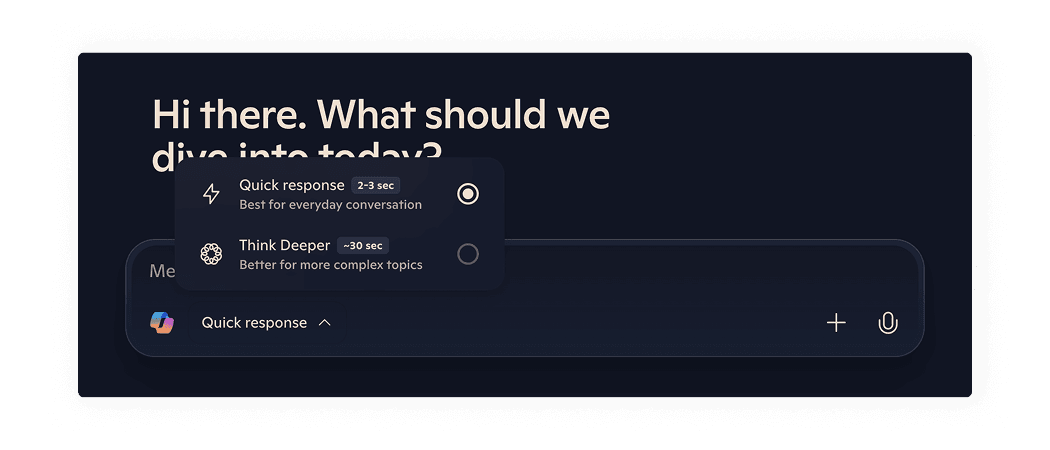
Microsoft Copilot doesn't overwhelm users with technical model names. Instead, it uses human-readable naming and provides additional hints for each model's suitable tasks. In addition, it shows an approximate time estimate for generation with each model and icons to speed up visual recognisability.
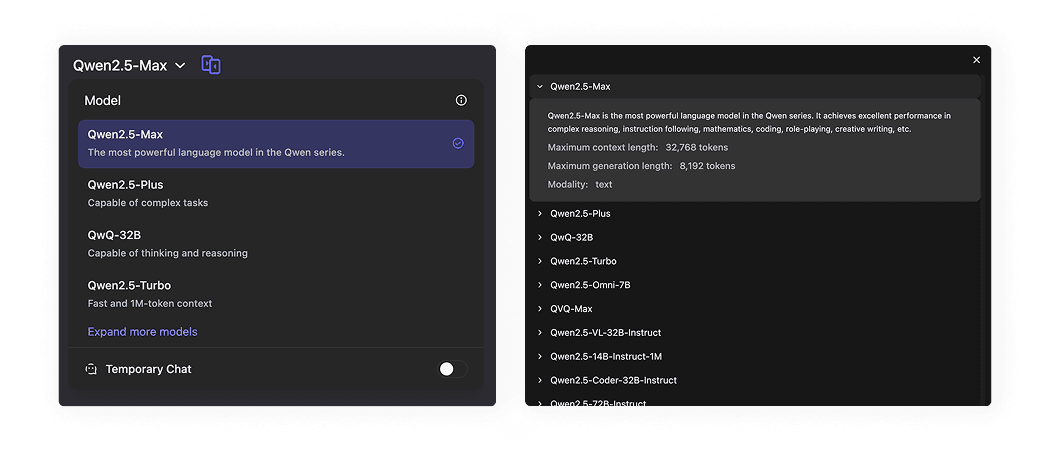
Qwen uses technical naming for models, which might be confusing for non-technical users, to prevent such confusing it provides one sentence hint for each model. For more tech users it provides “Information” icon which trigger modal window with text details about each modal.
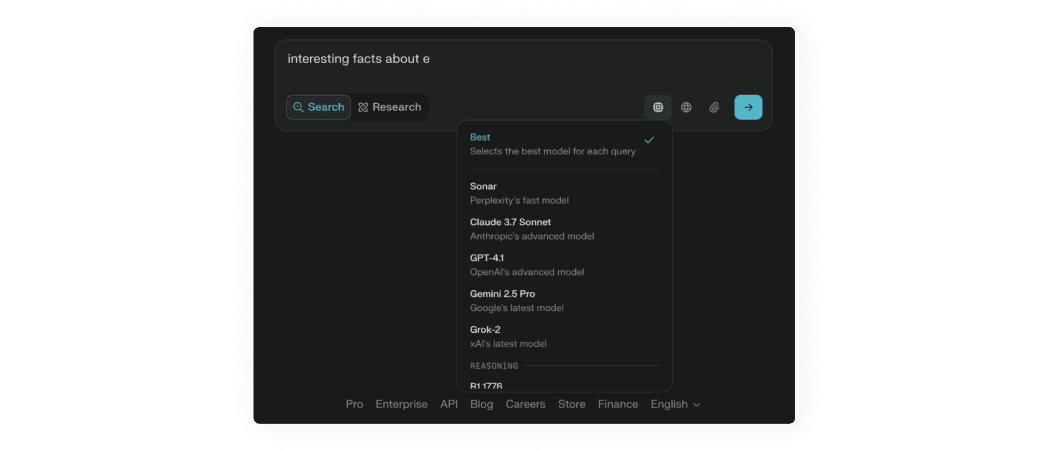
Perplexity uses original naming for models. Some users might not understand which model is the best for their task. Perplexity has an “Best” option, which allows Perplexity to select the model based on your input.

ChatGPT uses technical naming for models, which might be confusing for non-technical users, to prevent such confusing it provides one sentence hint for each model. Some users might not understand which model is the newest. ChatGPT has an “Auto” option, which allows ChatGPT to select the model based on your input.
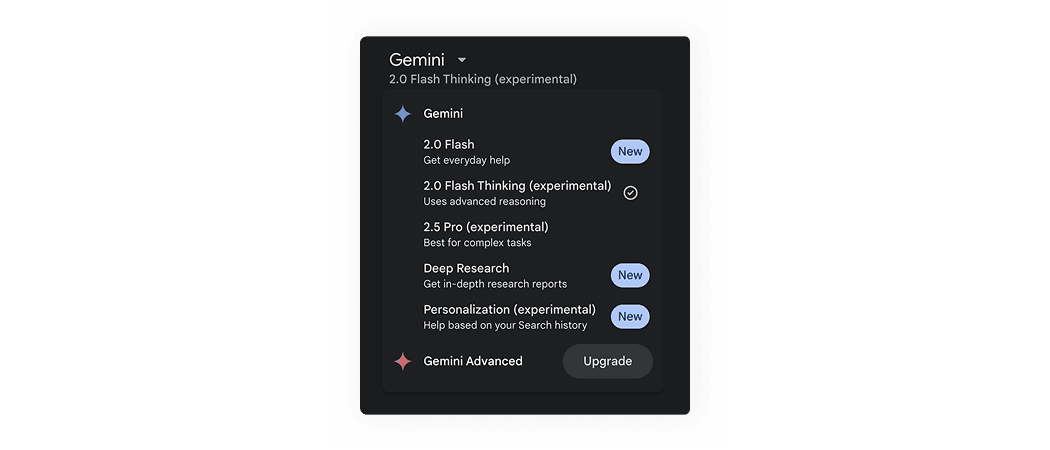
Gemini visually emphasizes new models with tags and provides a short hint about which tasks each model is suitable for.
AI patterns checklist
PDF, 220 MB