 Software Development
 Security Services
 Cloud Services
 AI Services
 Other Services















 TechMagic Academy


Cloud Application Security Testing: 10 Best Practices
Last updated:2 March 2026

Keeping our data safe in the cloud is a big concern for companies, no matter their size. Sensitive data protection, ensuring compliance, and safeguarding against malicious threats have become imperative tasks, especially in cloud environments where the traditional boundaries of networks are blurred.
Cloud security testing works differently once your systems span multiple cloud environments. Our new article explains the practices and techniques that actually hold up in production.
Key Takeaways
- With early testing, you can catch risks before they turn into misconfigurations and breaches.
- It finds security vulnerabilities across distributed systems and keeps you compliant.
- Done right, testing runs continuously. It keeps visibility high and the gaps between environments small.
- A structured process, starting with assessment and ending with remediation and monitoring, catches issues faster and shortens your response time.
- The right cloud testing tools let you automate scans, run pen tests, and bake security into your CI/CD pipeline.
- The more your business runs on the cloud, the more proactive testing protects your infrastructure, apps, and data.
What is Cloud Security Testing?
Cloud security testing is exactly what it sounds like: it involves testing your cloud infrastructure for the risks and gaps an attacker could exploit.The goal is to confirm the defenses hold, and to find the weak spots before someone else does.
This type of testing examines a cloud infrastructure provider’s security policies, controls, and procedures and then attempts to find vulnerabilities that could lead to data breaches or security issues. Cloud-based application security testing is often performed by third-party auditors working with a cloud infrastructure provider, but the cloud infrastructure provider can also perform it.
Cybersecurity specialists perform security testing of cloud computing services using a variety of manual and automated testing methodologies. The data generated by this testing type can be used as input for an audit or review. Not only this, but cloud security testing can also provide in-depth analysis and the risk posture of the security risks of cloud infrastructure.
Cloud security testing matters even more in multi-cloud security environments, where you're running different cloud platforms and have to keep protection consistent on every one.

Think of it as the check that tells you whether your cloud setup is actually safe and fits what your organization needs. By the end of this article, you'll know how to run that check properly and what to expect from froviders.
What are the advantages of cloud testing security?
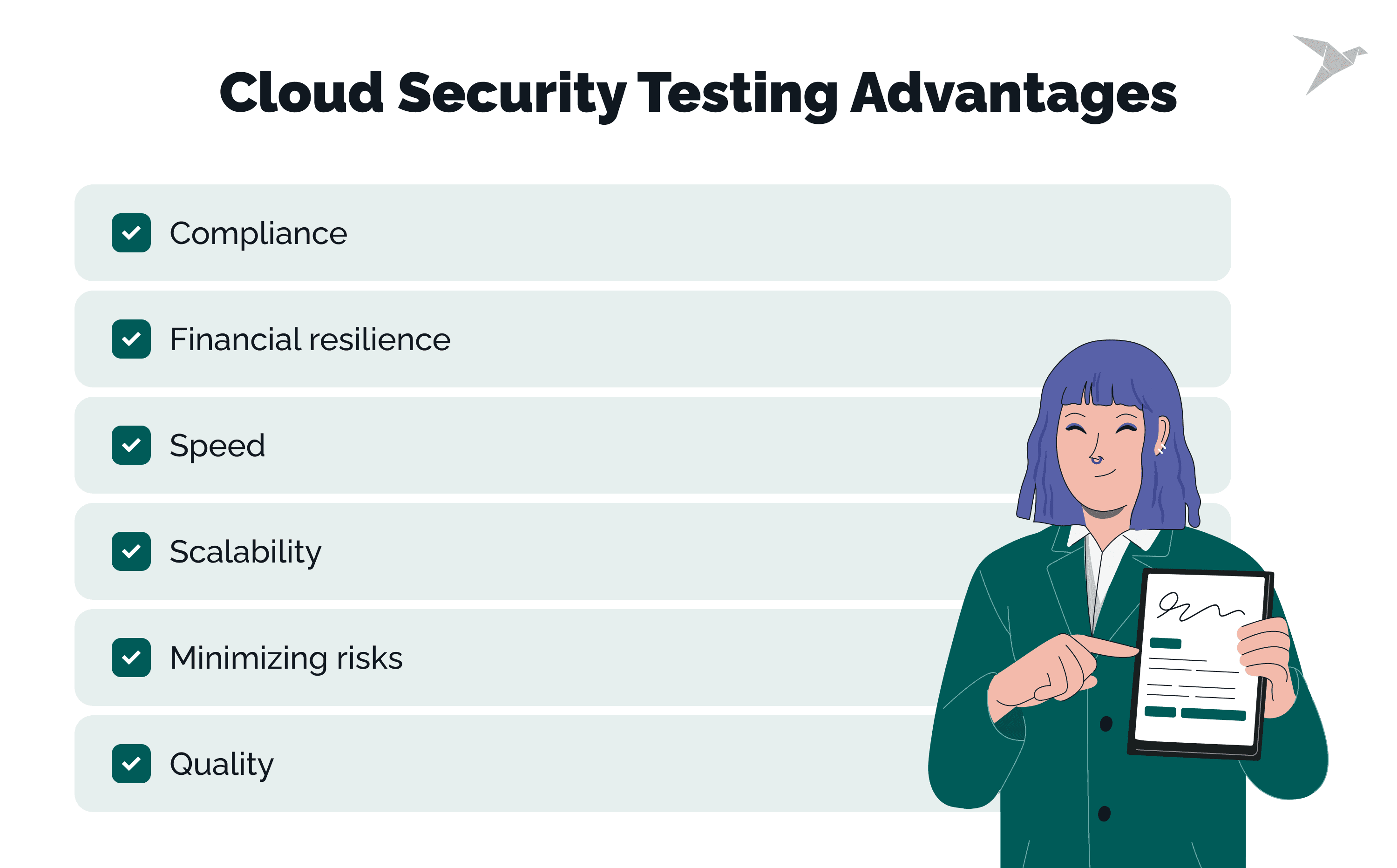
- Compliance: Testing keeps you compliant and secure at the same time. This, in turn, shields you from penalties. You get confirmation that you're meeting the legal and regulatory requirements without letting security standards slip.
- Financial resilience and cost efficiency: It is far cheaper to catch vulnerabilities early than clean up after the breach.
- Speed: Good cloud testing platforms run scans in parallel across locations, which cuts the time a full security check takes.
- Scalability: In-house build or vendor tool, cloud testing scalability has to keep pace as your testing demands grow.
- Quality: You get accurate test results, readable enough to act on.
- Minimizing risks: A good testing strategy finds, sorts, and addresses risks before they turn into incidents.
Why Do You Need Cloud Security Testing?
Securing a cloud environment takes more than stretching your old security measures over it. The cloud brings complications that call for a genuinely different approach.
On-premises, security usually centers on the perimeter: firewalls and network defenses holding off outside threats. In the cloud, that line between inside and outside blurs. Virtualized resources, multi-tenant setups, and workloads that shift by the minute make the old idea of a perimeter almost meaningless.
The cloud also runs on DevOps: fast development, frequent deployment, and, what is no less important, continuous integration. That speed is great for agility, but it opens security gaps the moment attention slips. When things change this fast, your security has to change with them rather than sit still.
Why is all of this important? Well, picture this: the cloud is a bit like a busy city street. Lots of people are sharing the same space, and that can lead to new kinds of problems, like unlocked doors (misconfigurations), secret passageways (shared vulnerabilities), and intruders sneaking in (unauthorized access). As more and more folks move their digital stuff to the cloud, the city's getting busier, and the chances of something going wrong are rising.
Attackers aren't standing still. They keep finding new ways into cloud systems, and cloud security testing catches the weak spots before they do.
We find the numbers that back that up. Thales' 2024 Cloud Security Study found that 44% of organizations have experienced a cloud data breach at some point, with 14% reporting one in just the past year. The cost keeps climbing too. IBM's 2025 Cost of a Data Breach Report puts the global average at $4.44 million, and breaches that span multiple environments at once (public cloud, private cloud, and on-premises together) cost more: $5.05 million on average, per the same report.
Check out these numbers:
- 65% of organizations say locating and fixing SaaS misconfigurations is still one of their biggest security challenges, according to the Cloud Security Alliance’s 2025 CISO survey.
- 25% of respondents said they experienced a SaaS security incident in the past two years, a much more defensible 2025 figure than the older “95%” claim.
- The global average cost of a data breach in 2025 is $4.44 million, and breaches involving public cloud environments average $5.17 million.
- 40% of breaches involve data spread across multiple environments, such as public cloud, private cloud, and on-prem systems, and those incidents take longer to contain and cost more than $5 million on average.
What Are the Main Threats Affecting Cloud Security?
- Insecure APIs: A weak API leaks sensitive data and hands attackers a way in. Skip proper validation, authentication, and monitoring, and a single one can turn into a large-scale breach.
- Server misconfigurations: Overly broad permissions, weak encryption, a blurred line between public and private data, small setup mistakes like these leave systems wide open. It's one of the most common problems on cloud platforms.
- Outdated software: Delay an update or switch off automatic patching, and the system gets easier to break into. Regular maintenance, plus performance testing, catches these before they grow.
- Insecure coding: Sloppy code introduces the classics, SQL injection, cross-site scripting (XSS), cross-site request forgery (CSRF). Good testing tools surface those earlier in development, when they're cheap to fix.
- Malware: Malicious software steals data, interrupts services, and disrupts the business. Stress testing shows you how the system holds up under an attack or heavy load.
- Data loss: Lose business or customer data and you're looking at financial damage, legal trouble, and lost trust. Solid backups and regular load testing lower the odds of a failure at the worst possible moment.
- Weak identity and access management: When access controls are loose, the wrong people reach sensitive systems. The right testing tools help you review access flows, permissions, and the risks hiding in them.
Effective Cloud Security Testing Checklist
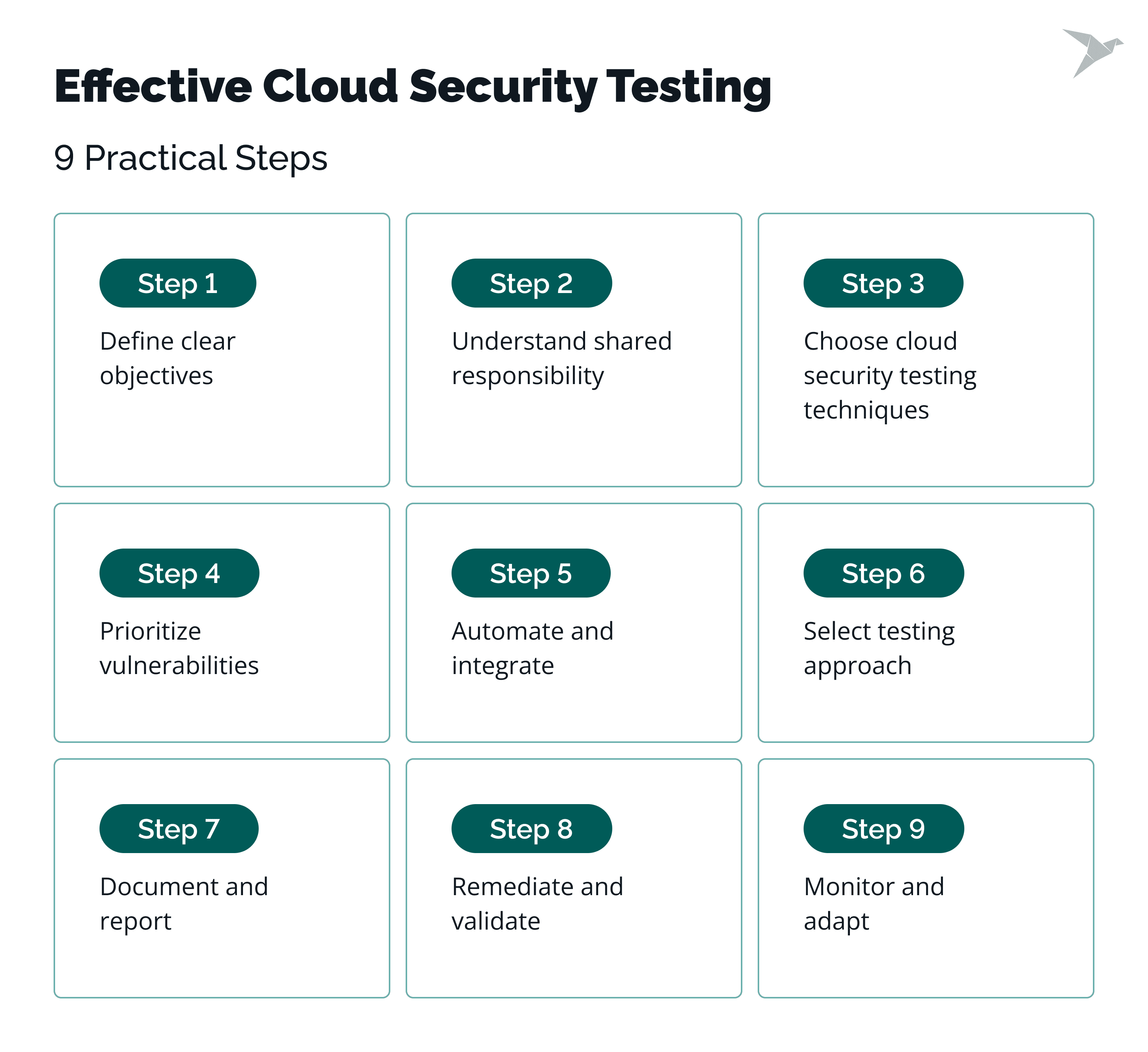 To ensure effective cloud security testing, follow this comprehensive checklist.
Step 1. Define clear objectives
Start with a clear picture of what the testing is for. Set specific goals that line up with your wider security strategy, and lean on an existing framework like OWASP SAMM or AWS CIS to plan the fixes and track progress.
AWS's own security best practices are a good backstop for the infrastructure layer itself. From there, define the scope, the assets, applications, and data you'll evaluate, and set clear boundaries so nothing important slips through.
Step 2. Understand shared responsibility
Get clear with your provider on the shared responsibility model, since that's where a lot of gaps hide. Then name who owns cloud security internally, because someone on your testing teams has to test the controls on a schedule.
Step 3. Choose cloud security testing techniques
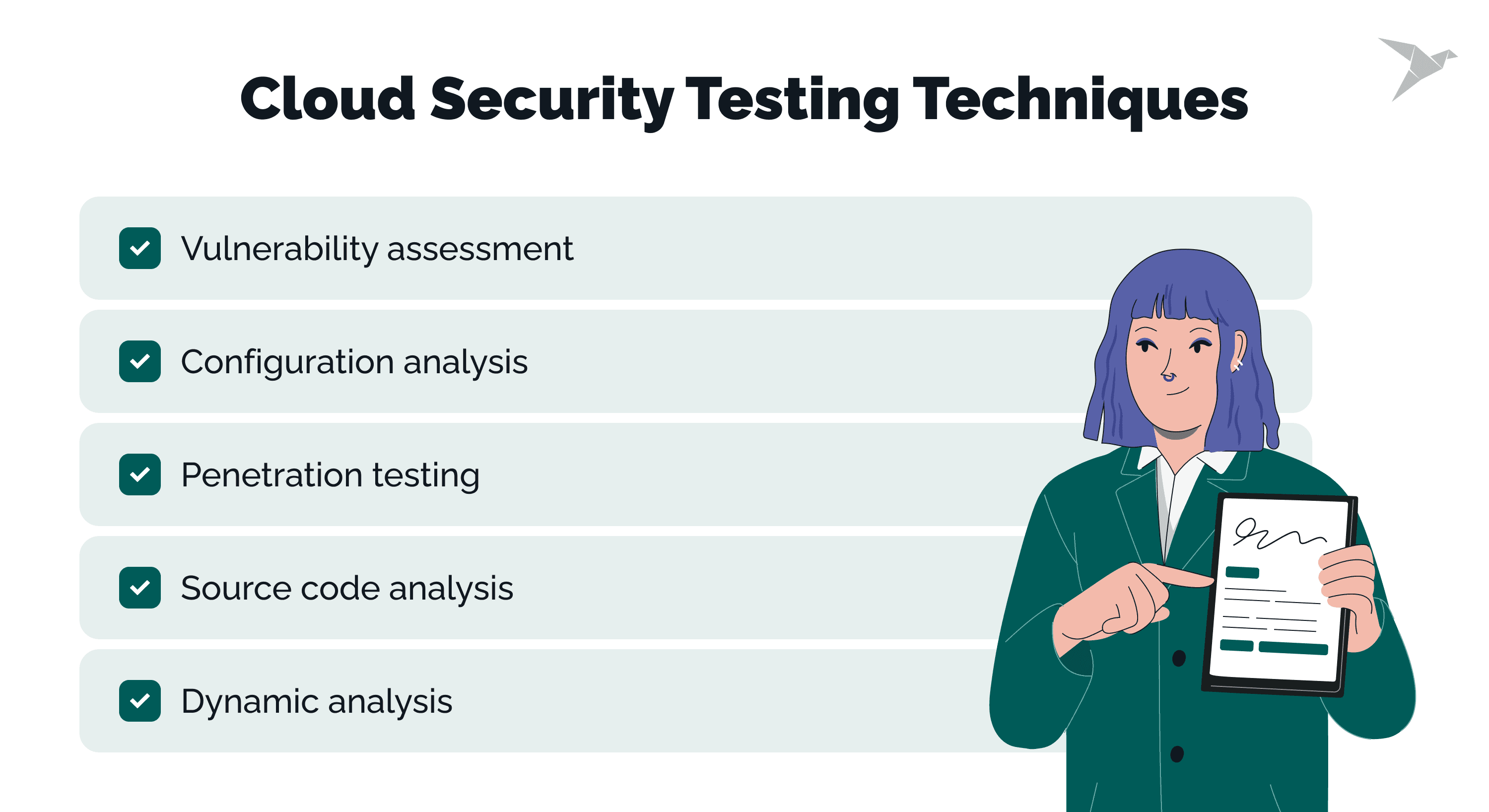 Here, we need to choose the most suitable option (or options) from five techniques:
- Vulnerability assessment: Automated tools scan for known weaknesses and misconfigurations. It's the foundation of cloud-based testing, and the cheapest way to catch issues before they turn into breaches.
- Cloud pen testing: A controlled attack that shows how far someone could actually get. It validates your defenses across platforms and finds the attack paths that really work.
- Source code analysis: Reading the code catches flaws like injection risks and weak input handling before they ever ship. It's especially useful for teams building on cloud-native services.
- Dynamic analysis: Watch the application while it runs, so you catch the issues that only show up in real use. It gives you a truer read under both normal and stressed conditions.
- Configuration analysis: Check the settings themselves (open ports, access rules, encryption) for gaps attackers could use. This matters even in a private cloud, where an internal misconfiguration can be just as dangerous.
Step 4: Select testing approach
We use all three approaches in practice. The choice highly depends on your systems, existing security posture, testing goals, and so on.
- Black box testing: The tester attacks with no inside knowledge, exactly like a real outside attacker. It measures your external defenses and your incident response directly. The catch is that without context, the tester can miss the subtler flaws.
- Gray box testing: This is a middle path. The tester gets limited information, enough to act like an insider threat while keeping things realistic. It's the sweet spot for fine-tuning, especially in complex setups where handing over full access could disrupt normal operations.
- White box testing: The tester works with full knowledge of the infrastructure and applications, so they can assess every control and find vulnerabilities with real precision. The trade-off is realism, since a security team may not think the way an attacker does. Use it for critical cloud systems, where thorough analysis matters more than surprise.
Step 5. Automate and integrate
We recommend wiring automation into your cloud testing environment so testing runs continuously. Automation tools for vulnerability scans, code analysis, and configuration checks give you consistent coverage and fast feedback. Push all of it into your CI/CD pipeline, and this way you catch vulnerabilities while the code is still fresh.
Step 6. Prioritize vulnerabilities
Best practice here is to rank what you find by risk, exploitability, and business impact. For each weakness, we always ask how far it could spread through your infrastructure, which matters even more in a hybrid cloud setup.
Step 7. Document and report
Now, you can write down everything: the vulnerabilities, the misconfigurations, the attack paths you found, and so on. In our work, we pair each with a clear fix and a short summary for stakeholders, so the team can act on it as quickly as possible.
Step 8. Remediate and validate
At this stage, we need to fix the high-priority issues first, then retest to be sure they're actually closed. That retest matters most for cloud-based applications running across shared, complex environments.
Step 9. Monitor and adapt
Of course, keep watching: continuous monitoring, log analysis, and threat intelligence catch new risks early. From our experience, it only gets more important as testing spreads across cloud-based resources and connected services.
Step 10. Continuous improvement
After each cycle, look back, note what you learned, and tighten the process. Cloud security testing can't stand still the way traditional testing sometimes does; the threats, the deployments, and the attack surface all keep shifting under it.
What Are the Types of Cloud Security Testing?
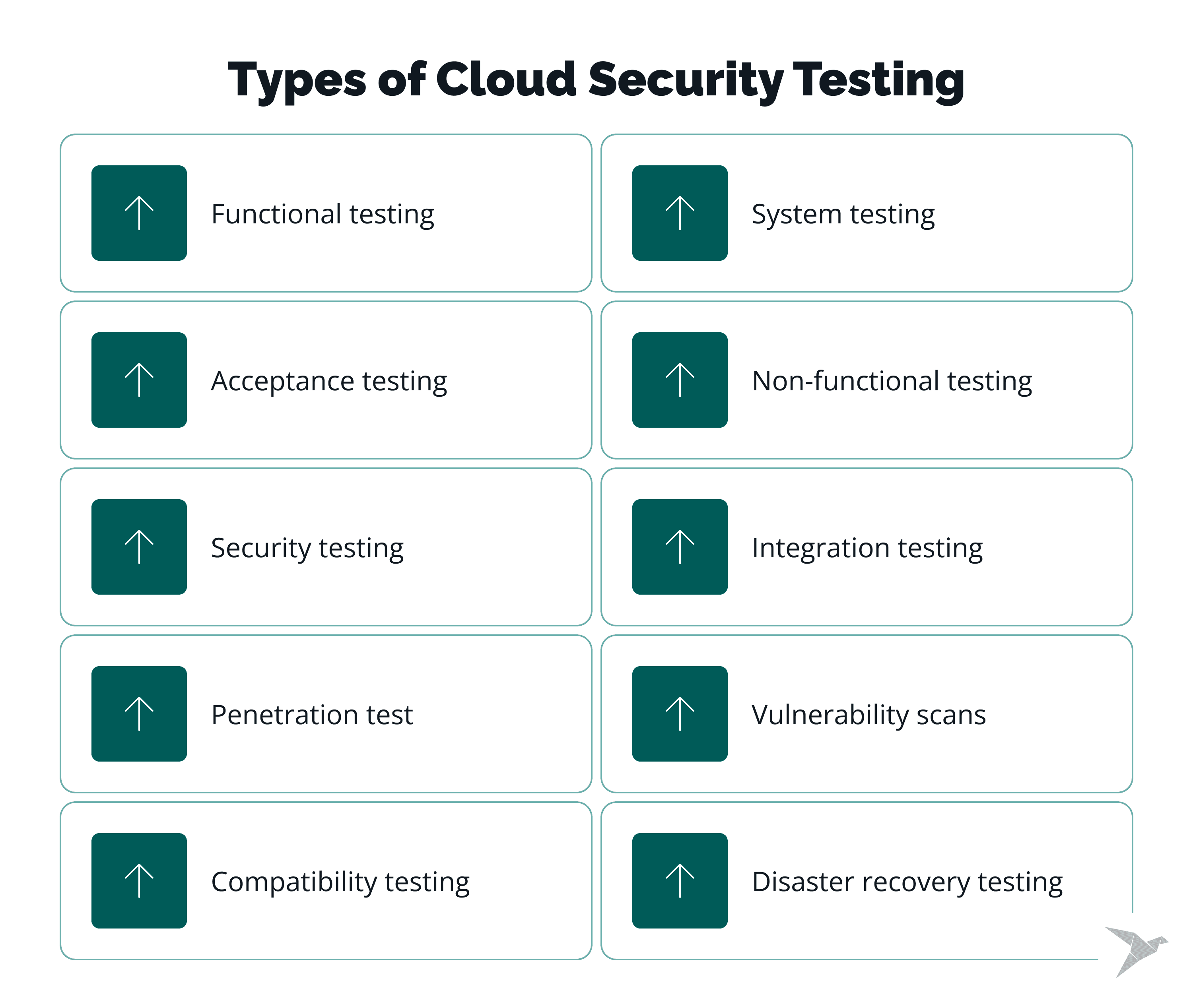
Functional testing
Functional testing confirms each feature does what it's supposed to and matches the requirements. It's the baseline check that every function returns the right result.
System testing
System testing looks at the whole application working together as one. It checks integrations, workflows, and supporting pieces to confirm it all runs correctly end to end.
Acceptance testing
Acceptance testing is the final sign-off: does the application meet the business requirements, and is it ready to ship? It's the check that the solution performs reliably before it hits production.
Non-functional testing
Non-functional testing covers the qualities behind the features, performance, reliability, usability, response time. These matter most when an app has to hold steady under many users at once.
Compatibility testing
Compatibility testing checks that the app behaves across devices, browsers, operating systems, and environments. This matters most in multi-cloud work, where you're spanning different cloud technologies, network setups, and sometimes older physical infrastructure.
Disaster recovery testing
Disaster recovery testing asks a simple question: when something breaks, how well does the app come back? It measures recovery time, limits data loss, and keeps services available when things go wrong.
Vulnerability scans
Vulnerability scans use automated tools to flag known weaknesses in systems, apps, and configurations. Run them continuously and you catch risks early, before they turn into an incident.
Penetration testing
Penetration testing simulates real attack attempts to reveal weaknesses that automated scans may miss. In most of our work cases, it's a core part of app testing, especially for complex systems where a single scan won't catch everything.
Integration testing
Integration testing checks how modules, services, and tools behave together. It confirms the connected pieces actually exchange data the way they should.
Security testing
Security testing measures how well an application holds up against threats: unauthorized access, data leaks, plain misuse. It usually mixes scans, attack simulations, and web app tests, so security validation happens continuously throughout development.
Best Practices for Implementing Cloud Security Testing from Our Experience
A handful of practices do most of the work in cloud security. This is the checklist we keep coming back to:
Access management
Once the policies exist, access management is what enforces them, deciding who gets in and what they can do. The usual tools are role-based access, two-factor authentication, and secure VPNs. They also keep your testing infrastructure safer to work with.
Backup and data recovery
Backup and recovery are your safety net when something fails. They bring lost data back and return services to normal with as little disruption as possible. Recovery speed is really a business-continuity question, which is why it belongs in availability testing.
Regular penetration tests
Penetration tests find the weaknesses before an attacker does. By simulating a real break-in, they show where the defenses are thin and what to fix first. They pair well with on-demand testing when you need quick validation after a change.
Cloud-based firewalls
Cloud-based firewalls guard the traffic, users, and workloads inside your cloud. They scale far more easily than traditional setups and flex with changing usage. That's especially handy with a provider built for dynamic infrastructure and distributed systems.
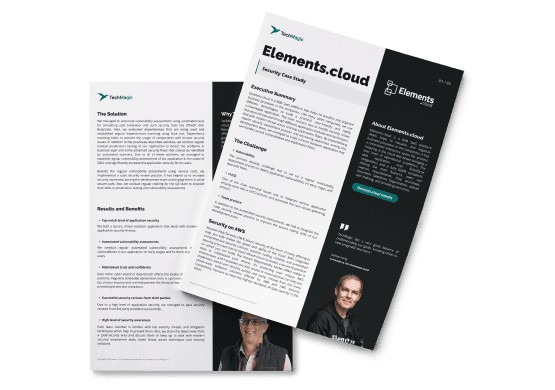
Learn how we helped Elements.Cloud set up cybersecurity for their product
Intrusion detection
Pick a security tool with strong intrusion detection. These use Machine Learning to watch activity and flag unusual patterns as they happen. The moment something looks off, it alerts your team, and a fast response is what stops a breach.
Regular vulnerability checks
Run vulnerability assessments often, so you find the weak points first. Pair automated scans with manual review to catch both configuration issues and software flaws. Alongside browser performance testing, they keep an app secure and stable for the people using it.
Strengthen your cloud security with TechMagic
When it comes to cloud resources, one-size-fits-all approach doesn't hold up here. Cloud threats are specific to your setup, so the response has to be too. Security testing is the systematic part of that response: find the vulnerabilities, weigh the risks, and shore up the defenses.
Testing in the cloud has to account for how fluid cloud architecture is, and for the shared responsibility split between provider and user. It should span several methods, from reconnaissance to vulnerability assessment to penetration testing, and beyond. Cover the whole picture and you can actually find the vulnerabilities, weigh the risks, and protect your cloud assets before they're targeted.
TechMagic is more than a security testing services provider. We work as a hands-on partner in protecting your cloud environment, bringing testing that stays proactive and grounded in real engagement work, so your defenses get genuinely stronger.
Get in touch with TechMagic, and let's put your cloud security testing on solid ground.

FAQ

Regular vulnerability assessments keep you ahead of the weaknesses in your systems. You find the gaps before an attacker does, which is really the whole point, and security posture of your cloud solutions improves with every round.
Yes. Our team runs cloud penetration tests, simulates real attacks on your infrastructure to surface the vulnerabilities and hand you clear, workable fixes.
We offer a range of security testing services, shaped to what you need: vulnerability assessments, penetration testing, data encryption and access-control analysis, private cloud testing, ongoing security monitoring, and much more. Our services cover the main angles of cloud security instead of a single piece, so you can be sure that you use your cloud computing resources wisely.