
 Software Development
 Security Services
 Cloud Services
 AI Services
 Other Services















 TechMagic Academy


What It Really Takes to Switch EHR Systems Without Putting Care at Risk?
Last updated:21 January 2026


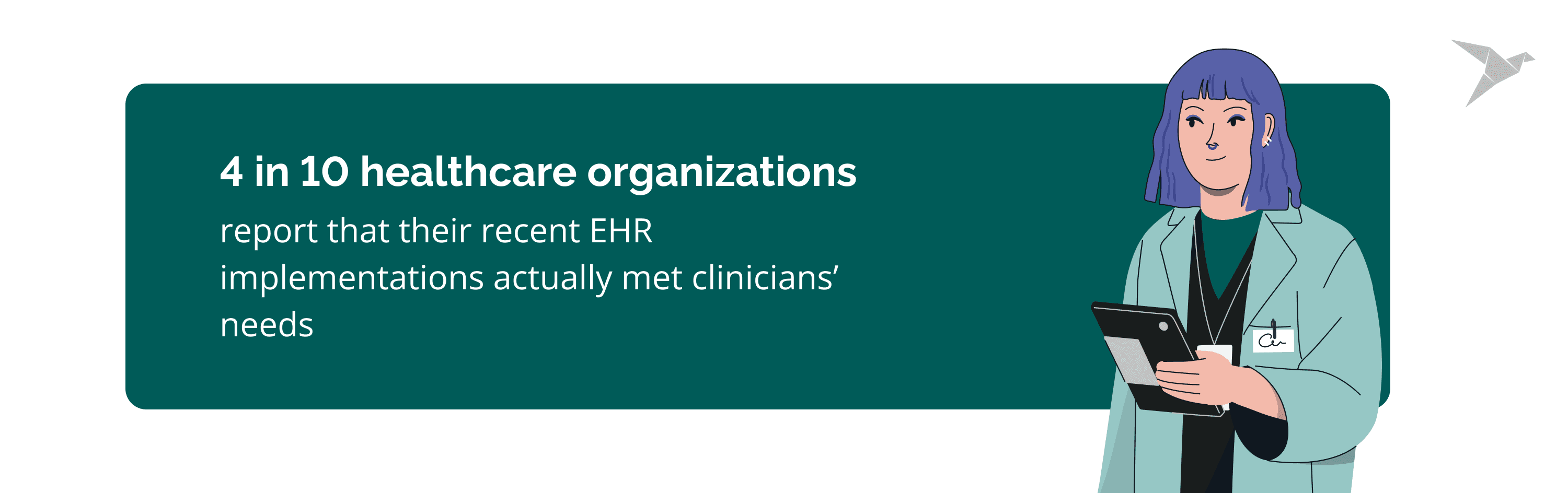
An EHR switch can either fix daily friction or quietly create new risks. In 2025, fewer than four in ten healthcare organizations report that their recent EHR implementations actually met clinicians’ needs, even as digital records are nearly universal.
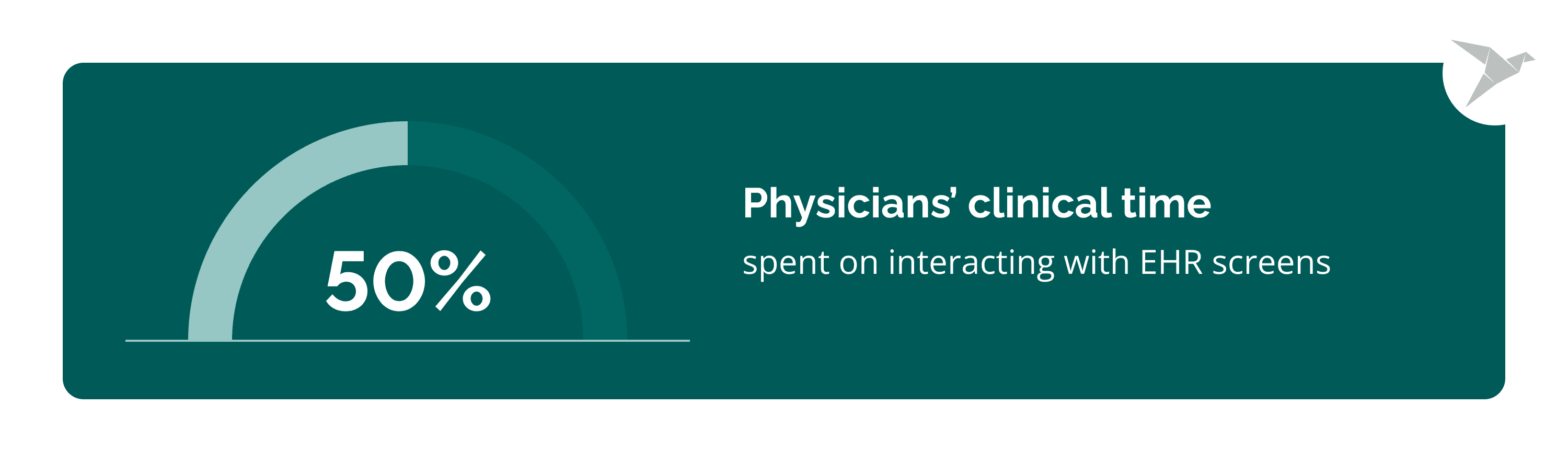
At the same time, physicians still spend roughly half their clinical time interacting with EHR screens, which adds to stress and burnout and pulls focus away from patient care. These figures show why decisions about changing systems matter: the impact goes beyond tech stacks into clinician wellbeing and patient outcomes.
In our new article, we discuss what actually makes an EHR transition work and what usually breaks it. You’ll learn how to redesign workflows around real clinical practice, migrate data without losing meaning, and drive adoption without months of chaos. We also show a practical approach with key steps on how to switch EHR systems without losing data while keeping care delivery stable.
Key takeaways
- Switching an electronic health record (EHR) from a legacy system to a new one is a clinical and operational transformation, not a software swap.
- Poor workflow alignment and weak adoption planning create more risk than technical issues. They affect patient satisfaction, patient engagement, general internal medicine, and patient communication.
- Data migration failures are often about lost context, not missing records.
- Early involvement of clinical leaders and key stakeholders is the strongest predictor of adoption of a new electronic health record system.
- A phased, workflow-first approach reduces disruption, speeds stabilization, and ensures a smooth transition. All while maintaining data integrity and involving health system leaders.
What Does It Mean to Switch an EHR System?
Switching an EHR system means replacing the core clinical and administrative platform that supports care delivery, documentation, billing, and reporting across the organization. It affects how clinicians work, how data moves between systems, how decisions are made, and which software is used.
EHR migration is also where teams should align on terminology (for example, EHR vs EMR) so scope, integrations, and reporting expectations are consistent.
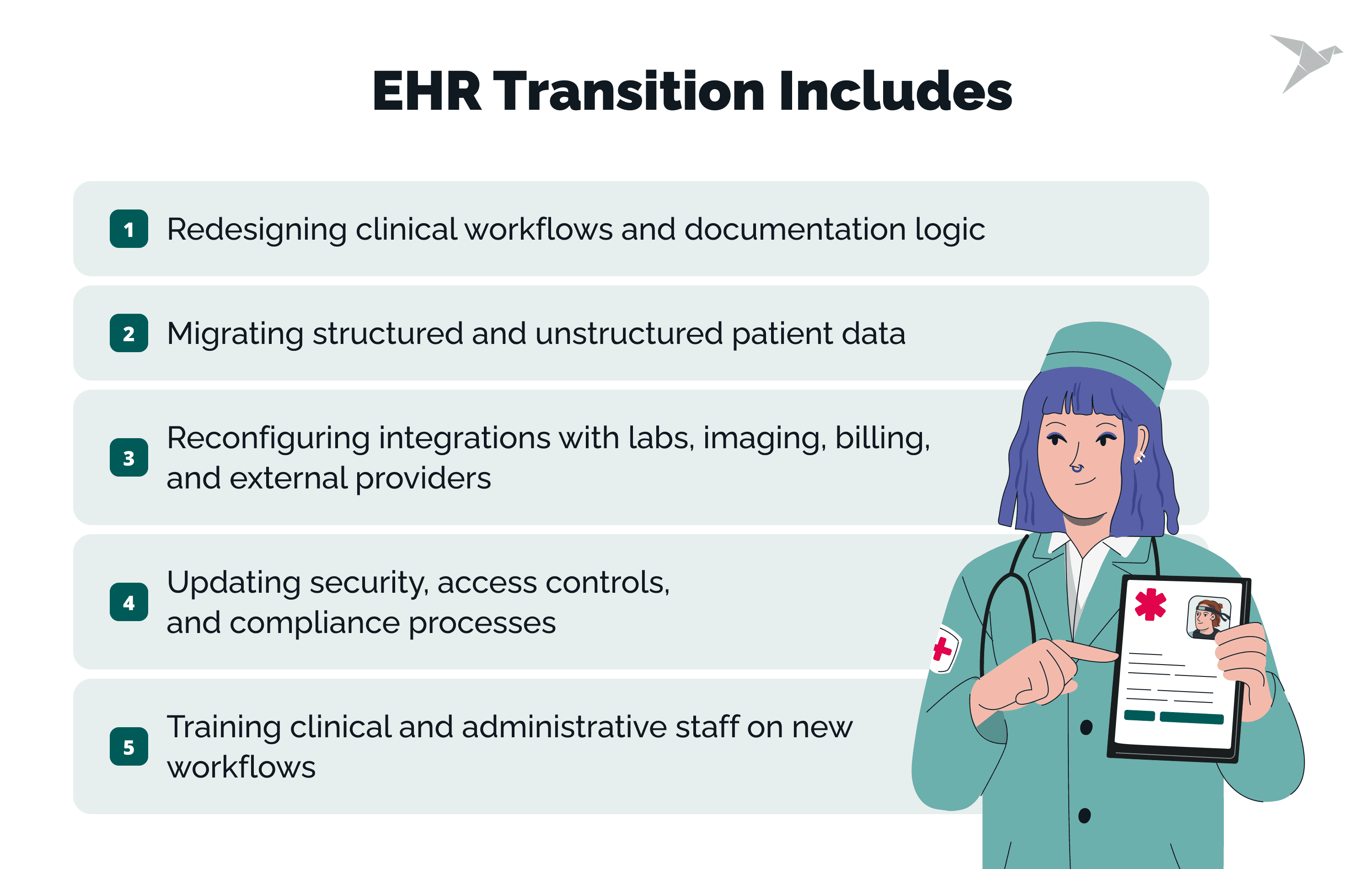
An EHR transition goes far beyond installing a new application. It typically includes:
- Redesigning clinical workflows and documentation logic.
- Migrating structured and unstructured patient data.
- Reconfiguring integrations with labs, imaging, billing, and external providers.
- Updating security, access controls, and compliance processes.
- Training clinical and administrative staff on new workflows.
From our experience, when these changes are treated as secondary to the technical rollout, adoption suffers and risk increases.
Why is switching an EHR not just a software replacement?
An electronic health system encodes clinical practice, changing it reshapes daily work for nearly every role in a healthcare organization. Order entry paths, clinical decision support, handoffs, and reporting rules are all embedded in the system’s configuration.
If a new EHR does not reflect real clinical workflows, users create workarounds. That leads to data gaps, safety risks, and inconsistent reporting. Technical success without workflow alignment often results in operational failure.
We‘re here to validate your workflows, data migration, and adoption readiness before go-live

Why Do Healthcare Organizations Decide to Switch EHR Systems?
Healthcare organizations decide to switch EHR systems when the current platform no longer supports clinical work, operational scale, or regulatory demands. These decisions are usually driven by daily friction and long-term risk, not feature comparisons or vendor positioning.
Poor usability and clinician burnout
Poor usability becomes a reason to switch EHR systems when clinicians spend more time managing screens than caring for patients. Complex navigation, excessive clicks, and rigid documentation flows slow down clinical work and increase cognitive load.
Outdated interfaces also limit how well teams can adapt templates, order sets, and notes to real clinical practice. Over time, this leads to workarounds, incomplete documentation, and rising frustration across care teams.
Limited interoperability and integration
Limited interoperability is a common trigger for EHR replacement decisions. When systems cannot reliably exchange data with labs, imaging, pharmacies, payers, or external providers, care coordination breaks down. Interoperability planning also benefits from clarifying EHR vs PHR, especially when patient-facing apps and data-sharing workflows are part of the target state.
Organizations often reach a point where manual reconciliation and duplicate data entry become the norm. This affects not only patient care but also billing accuracy and reporting consistency.
Compliance and reporting constraints
Compliance risk increases when an EHR cannot keep up with regulatory changes or reporting requirements. Older systems may lack audit-ready access controls, structured data models, or flexible reporting logic.
As regulations evolve, healthcare organizations may find that adapting their current EHR introduces more risk than replacing it. In these cases, switching becomes a way to reduce exposure rather than add new capabilities.
Growth, mergers, and multi-site expansion
Growth often exposes structural limits in an existing EHR. Multi-site operations, acquisitions, and service line expansion require shared data models, consistent workflows, and scalable governance.
Organizations may also be forced to change platforms due to mergers or vendor consolidation, especially when standardization is required across entities. In these cases, leaders focus on how to change EHR systems without disrupting care delivery across locations.
HIPAA-compliant portal for secure medical data records and exchange
What Are the Biggest Risks When Switching EHR Systems?
In our practice, the biggest risks we see when switching EHR systems come from underestimating how deeply the system is embedded in daily care delivery. These risks affect patient safety, staff workload, and operational continuity.
Clinician resistance and low adoption
Clinician resistance happens when the new EHR does not match real clinical workflows. If documentation, order entry, or decision support feels misaligned, clinicians slow down or avoid using parts of the system.
Low adoption leads to uneven data entry and informal workarounds. That creates gaps in patient records and raises the chance of errors during handoffs and follow-up care.
Data loss or data integrity issues
Data risk is not only about missing records after migration. It also includes missing context, broken links between related data, and changes in how historical information is stored or displayed.
If migration validation is weak, medication histories, allergies, problem lists, and clinical trends can become incomplete or inconsistent. When clinicians do not trust what they see, they re-document information or avoid relying on the record.
Workflow disruption and productivity drop
Workflow disruption is common when the new system changes task sequences or removes shortcuts teams relied on. Even small shifts in where clicks happen can add time to routine encounters.
Productivity drops when workflows are not tested in real clinical scenarios. This can reduce appointment throughput, slow documentation turnaround, and create backlogs for clinical and administrative teams.
Underestimating time and resource requirements
Time and staffing are often underestimated because planning focuses on go-live, not stabilization. Training, testing, data reconciliation, and workflow refinement continue well after launch.
A practical approach to how to switch EHR is to plan for extended support, clear escalation paths, and phased optimization after go-live, so issues are handled before they affect patient care and staff workload.
How Do You Prepare the Organization for an EHR Transition?
Here is our short guide on preparation. Pay attention: these are common actions; in most cases, we adapt and transform the process according to the client’s specific business objectives and needs. So it may be different.
Define clear goals
Set goals that reflect what must improve in daily clinical work and operations, then translate them into measures that the organization can verify after go-live. If goals stay vague, teams make inconsistent design choices, and stakeholders judge "success" differently.
Keep success criteria focused on a small set of outcomes such as documentation efficiency, data completeness for core clinical fields, interface stability, and reporting accuracy.
Engage clinical leaders early
Bring clinical leaders in before workflows are built. They can flag what will cause unsafe workarounds, identify specialty-specific needs, and clarify what cannot change during the transition.
Clinical leaders are also the most credible messengers for adoption. When they help shape decisions, frontline clinicians are more likely to treat the new workflows as the standard way to work.
Build a cross-functional transition team
Form a cross-functional team with the authority to resolve trade-offs quickly across clinical operations, IT, revenue cycle, compliance, and training. Without shared decision-making, issues get pushed into go-live, where fixes are harder, and disruption is higher.
Define ownership early:
- Who approves workflow changes and standardization decisions?
- Who signs off on data migration validation and integration readiness?
Assess workflow and readiness gaps
Map the workflows that are most likely to break, then test them end-to-end, including exceptions and handoffs. This is where organizations usually discover hidden dependencies, such as informal "shadow processes" that the EHR currently supports.
Run readiness checks that mirror real operations. Include downtime procedures, cutover rehearsals, and training that uses realistic patient scenarios. This reduces confusion at go-live and shortens the stabilization period afterward.
What Is the Step-by-Step Guide to Switching an EHR System?
A step-by-step approach helps organizations move through an EHR transition without losing control of care delivery, staff workload, or data quality. Each phase builds on the previous one and should be completed before moving forward.
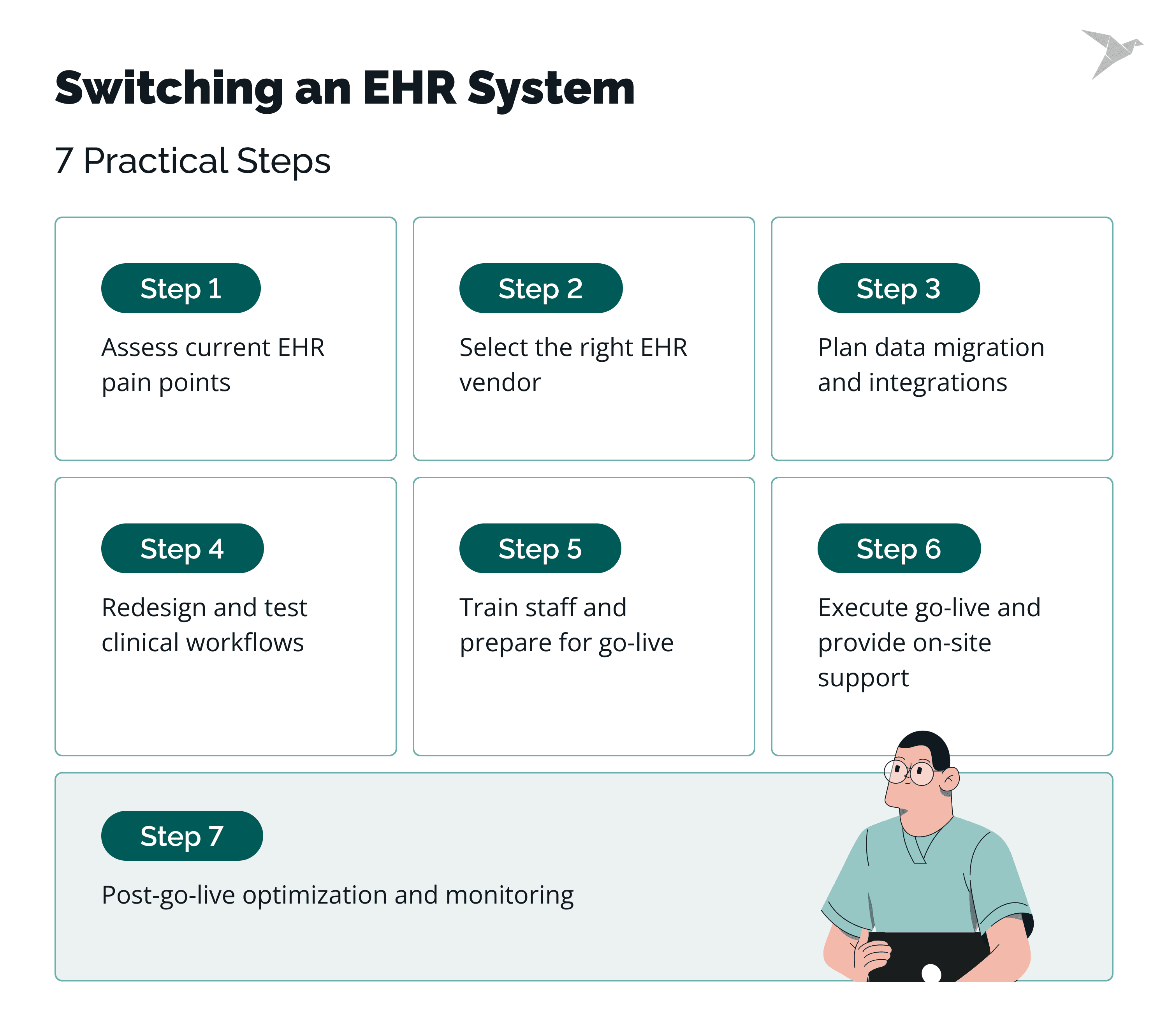
Assess current EHR pain points
Start by documenting where the current EHR fails to support clinical, operational, or compliance needs. Focus on issues that affect daily work, such as documentation delays, data gaps, reporting limits, and integration failures.
Use input from clinicians, administrators, and IT to separate system limitations from local configuration issues. This prevents replacing one set of problems with another.
Select the right EHR vendor
Vendor selection should be based on how well the system supports required workflows, interoperability, and regulatory needs. Avoid focusing only on feature lists or demos.
Validate assumptions through reference checks, workflow walkthroughs, and integration scenarios. This reduces the risk of discovering gaps late in the project.
Plan data migration and integrations
Define what data will be migrated, archived, or retired, and how integrations will be rebuilt or replaced. This includes clinical data, billing data, reporting feeds, and external connections.
Planning at this stage should include data validation rules, security controls, and downtime procedures to protect continuity of care.
Redesign and test clinical workflows
Redesign workflows to match how care is actually delivered, not how the old system worked. Involve clinical leaders to ensure safety, efficiency, and usability.
Test workflows end-to-end using realistic patient scenarios. This helps uncover issues with handoffs, exceptions, and decision support before go-live.
Train staff and prepare for go-live
Training should be role-based and focused on real tasks rather than system navigation alone. Staff need to understand how their daily work will change.
Preparation also includes scheduling adjustments, support planning, and clear communication about what to expect during go-live.
Execute go-live and provide on-site support
Go-live requires active support where care is delivered. On-site or readily available support helps resolve issues quickly and prevents unsafe workarounds.
Track issues, prioritize fixes, and communicate updates clearly to maintain trust during the transition.
Post-go-live optimization and monitoring
After go-live, monitor system performance, workflow efficiency, and data quality. Early feedback highlights where adjustments are needed.
Optimization continues as teams adapt to the new system. Addressing issues promptly helps stabilize operations and supports long-term adoption.
How Should Data Migration Be Planned and Executed?
Data migration should be planned as a clinical safety and continuity task, not just a technical transfer, especially when moving from a legacy EHR or current EHR system to modern EHR systems and one electronic health record. A careful approach protects patient records, supports clinician trust, and avoids disruption after go-live during the transition process.
Deciding what data to migrate vs archive
Not all data needs to move into the new EHR. The goal is to migrate information that supports active care while archiving data required for legal, regulatory, or reference purposes across interconnected healthcare systems.
Clinical teams usually need current problems, medications, allergies, immunizations, recent results, and active care plans available in the new system, including complete patient information. Older or inactive records can often be archived in read-only formats, provided they remain accessible for audits, legal requests, and continuity of care.
Clear decisions at this stage prevent cluttered charts and reduce the risk of misinterpreting outdated information, while also limiting unnecessary manual data entry later in the transition process.
Data mapping and validation
Data mapping defines how fields from the old system align with the new one, and it should be owned jointly by the EHR transition team and operational stakeholders, such as revenue cycle management. Differences in data models, terminology, and structure make this step critical for accuracy.
Validation must confirm not only that data appears in the new EHR, but that it behaves correctly in workflows, decision support, and reporting. This includes verifying units, reference ranges, code sets, and relationships between data elements.
Using recognized interoperability standards such as HL7 FHIR helps reduce translation errors and supports future data exchange across healthcare systems.
Managing historical and legal records
Historical records must be handled in a way that preserves integrity and access. Legal retention requirements, audit needs, and patient access rights still apply after the transition and throughout the transition process.
Organizations often maintain a secure archive of legacy data alongside the new EHR. This approach reduces risk while keeping the live system focused on current care and supports data security expectations.
Security controls, access logs, and retention policies should be reviewed to ensure continued compliance with HIPAA and ONC certification requirements, including controls aligned with data security standards and reinforced through initial training for staff who will access archived records.
Testing data accuracy before go-live
Testing should confirm that migrated data is complete, accurate, and usable in real clinical scenarios. This includes chart reviews, workflow walkthroughs, and edge cases such as complex medication histories or chronic conditions.
Testing also helps teams answer a common concern: how to change EHR systems without losing data. Running multiple validation cycles before go-live builds confidence and allows issues to be corrected before they affect patient care.
Data migration often takes several months, depending on system complexity and data volume. Planning for this timeline and not compressing testing reduces risk during transition and stabilization.
When Should You Involve External EHR Implementation Partners?
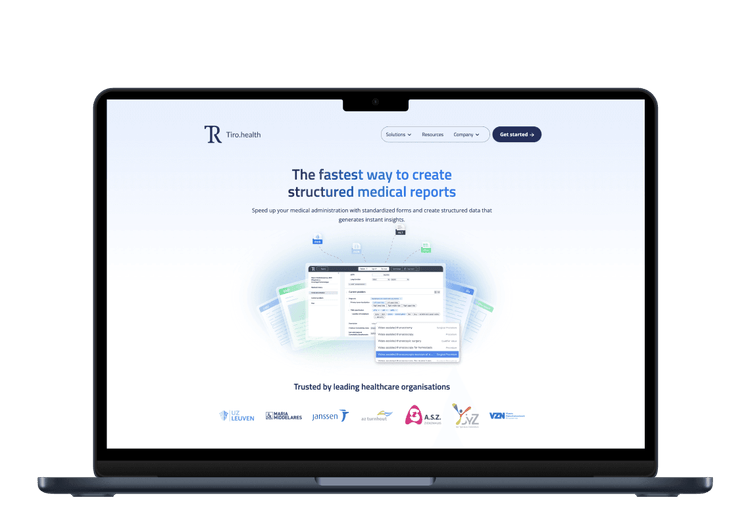
You should involve external EHR implementation partners when the scope, risk, or timeline of the transition exceeds what internal teams can realistically manage. Used correctly, external support helps protect patient care, reduce staff strain, and shorten stabilization while supporting the patient experience.
Complexity and scale considerations
Large organizations, multi-site operations, and environments with many integrations are hard to manage alongside day-to-day work. Differences in integration capabilities, high data transfer volume, and interface dependencies add coordination overhead, especially when moving a health record to another system.
External partners bring experience from similar transitions and help keep critical paths visible, including decisions about the right ehr solution.
Internal skill gaps
Internal teams often know the current system but have limited experience with large transitions. Gaps usually show up in migration planning, integration redesign, testing coordination, and the validation process needed to confirm accurate data transfer and reduce exposure to data breaches.
External partners add capacity without long-term hiring, supported by knowledgeable team members who have done this before.
Independent workflow and adoption expertise
External partners can challenge assumptions shaped by legacy workflows and help design training and adoption strategies that reflect real use, support the patient experience, and improve patient engagement.
Avoiding vendor bias
Vendors focus on their own platforms and standard paths. External partners are not tied to a single product and can help organizations make decisions based on fit and risk for the selected EHR solution, including how to move a health record to another platform and validate secure data transfer.
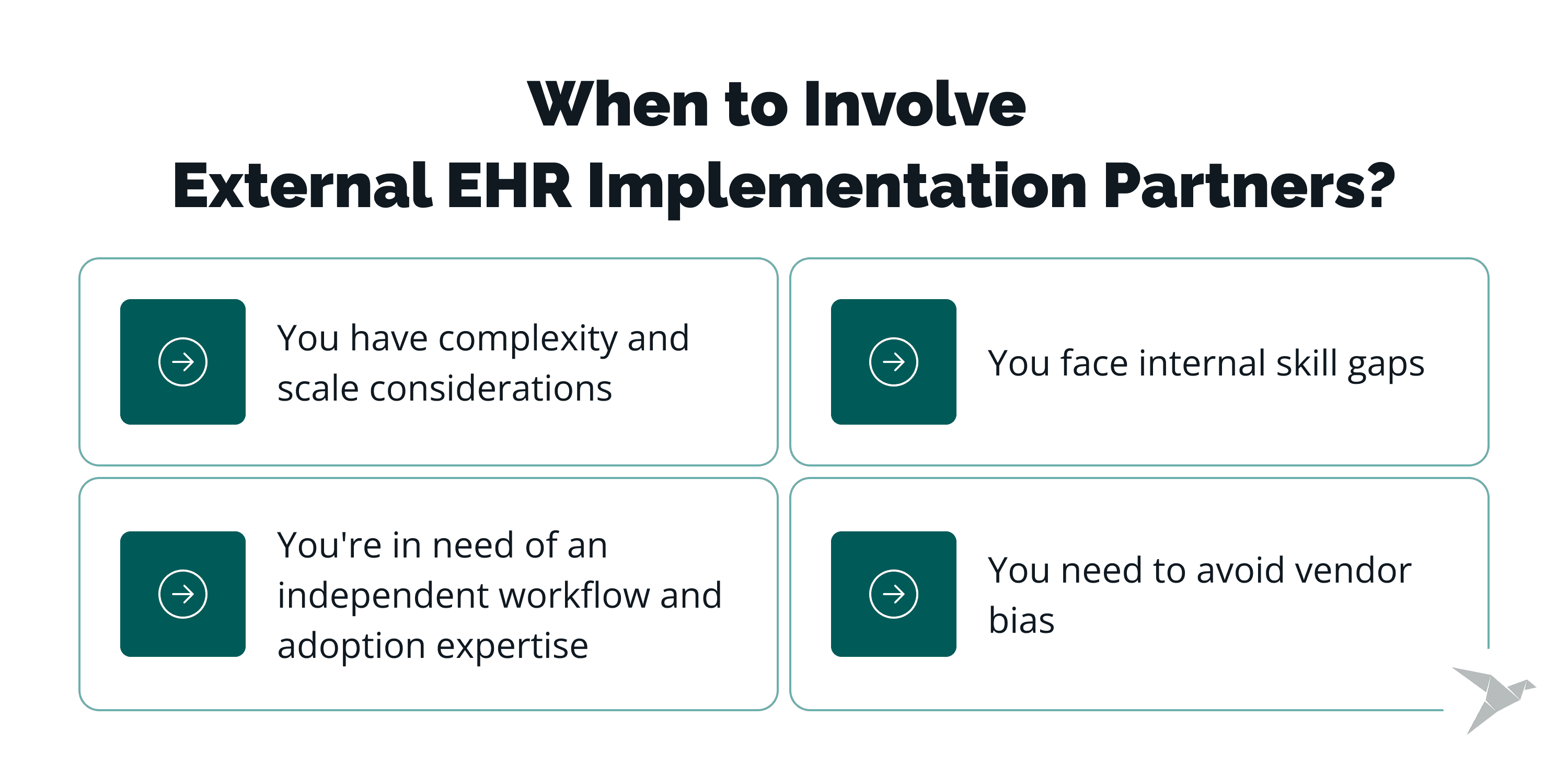
digital platform for medical form management
How Can We Help You Switch EHR Systems?
We work with a strong focus on safe transitions, strong adoption, and minimal disruption to daily operations.
Healthcare-first delivery, not just IT execution
We understand how EHR changes affect clinicians, clinical ops, revenue cycle, and reporting. We plan and run the work with patient care and continuity in mind.
Workflow and adoption support
We work with clinical leaders to redesign and test workflows before go-live, then support training that reflects real tasks. This reduces workarounds and speeds up stabilization.
Data migration and integrations you can trust
We help define what to migrate vs archive, map and validate data, and rebuild integrations so teams don’t lose context or spend months fixing downstream issues.
Independent, practical guidance
We are not tied to one EHR vendor. We help you make trade-offs based on fit, risk, and long-term operability, then stay involved through go-live and optimization.
When an off-the-shelf configuration isn’t enough, we can also support targeted customization and integration work through our EHR development services.
Let’s find the safest path forward

Final Thoughts
Switching an EHR system is one of the most complex changes a healthcare organization can make. As our practice shows, success depends less on software selection and more on preparation, workflow alignment, data integrity, and sustained support after go-live to enable a seamless EHR transition and a transition to a new EHR software.
Organizations that treat EHR change as a clinical and operational transformation, not an IT project, are more likely to maintain care quality and staff trust across EHR platforms and existing systems.
Clear governance, early clinician involvement, realistic timelines, and disciplined data migration consistently separate stable transitions from disruptive ones, while protecting medical records and billing records and supporting practice management.
Looking ahead
EHR transitions are likely to become more frequent, not less. Industry consolidation, regulatory compliance, and the growing need for interoperability continue to push organizations toward change.
Studies consistently show that large EHR transitions take 12–24 months end-to-end, with data migration alone often spanning 4–6 months for complex environments and system maintenance constraints in existing systems. At the same time, healthcare leaders are under pressure to reduce clinician burden and improve data usability, not just system uptime.
Over the next few years, we expect three trends to shape EHR transitions, informed by implementation research and tighter expectations for regulatory compliance:
- stronger emphasis on workflow-first design over feature breadth across ehr platforms and practice management needs;
- increased reliance on interoperability standards such as FHIR to reduce migration risk for medical records and billing records;
- longer post–go-live stabilization phases built into project plans, supported by ehr training, ongoing training, and ongoing support.
For leadership teams, the key question is no longer whether change is needed, but how to change EHR in a way that protects patient care, supports staff, and leaves the organization stronger than before.
Planning for adoption, not just implementation, is what makes that outcome possible, along with clear EHR training, sustained ongoing training, and reliable ongoing support for teams managing EHR software and day-to-day system maintenance.
FAQ

Most electronic health record transitions take 12 to 24 months from planning to stabilization. Timelines vary based on data volume, number of integrations, clinical complexity, and how much workflow redesign is required. EHR data migration to a new system alone often takes 4–6 months in complex environments.
The most common cause is treating the transition as a technical rollout instead of a clinical and operational change. When workflows, training, and adoption planning are under-scoped, the new ehr system goes live but is not fully used or trusted.
Clinician resistance is reduced by involving clinical leaders early, designing workflows around real practice, and providing role-based training focused on daily tasks. Clear communication about what will change and when also helps build trust.
Yes, but only with a clear data strategy. Active clinical data should be migrated and validated, while older records can be securely archived and kept accessible for legal and clinical reference. This approach answers a core concern about how to switch EHR systems without compromising patient safety or compliance.