














Lab Integration Software: LIS, LOINC, and Results Delivery Done Right
Last updated:1 September 2026



A national survey of health information exchanges found that 80% make laboratory results available to the organizations they connect. In the same survey, 36% reported that a laboratory had sought to limit or refuse access to electronic health information. Of the exchanges that hit that wall, 96% hit it with an independent or commercial lab. Availability and a working connection are two different things.
You feel the difference on the day a launch stops moving. Results arrive in a format your system does not expect, a partner lab’s codes do not line up with yours, or someone starts re-keying results by hand to keep a client live. Lab integration software closes that gap, and the projects that go well treat it as three separate problems: connecting to the Laboratory Information System (LIS), coding results with LOINC, and delivering them downstream without silent failures.
In our new article, we cover what connecting to a LIS actually takes, why LOINC coding decides whether a result means the same thing on both ends, how to streamline workflows and deliver results reliably once the connection is live, and the mistakes that stall these projects.
Key Takeaways
- Lab integration software connects a Laboratory Information System to the systems that need its data, so results move without manual transcription and re-entry or format mismatches.
- In some cases, lab integration software can boost efficiency and reduce turnaround times by 62%.
- LIS integration usually means agreeing on an HL7v2 message format and transport, then validating that what the lab sends matches what your system expects.
- LOINC gives every lab test a single unambiguous code, which is what lets results be matched, trended, and displayed correctly across systems.
- Reliable delivery means results reach the right place in the right format every time, with a way to catch and resolve failures.
- Most projects stall because the connection is treated as a one-time task instead of an ongoing mapping and validation relationship.
What Does Lab and Diagnostics Integration Actually Involve?
It is the structured connection between a Laboratory Information System and the systems that need its data: an electronic health record (EHR), a patient app, or a partner platform. Done right, results move across that connection without manual re-entry and without format mismatches.
A LIS is the software a laboratory runs its own operations on. It receives orders, tracks specimens, and stores results. Some labs call theirs a laboratory information management system, or LIMS, and the terms are often used interchangeably. Everything outside the lab has to ask that system for data in a form it can use.
The alternative is manual data entry, which is where transcription errors enter the record. Every result someone re-keys by hand is a chance for human error that no downstream system can detect.

What laboratory integration actually connects
Three connection points cover most work. LIS to EHR puts results in the correct patient chart for a clinician. LIS to patient app or patient portals delivers results to the person who took the test. LIS to partner platform moves data between a lab and a health-data network or a downstream product.
A fourth layer sits beneath them. Inside the lab, analyzers and benchtop devices feed the LIS, which is the job of lab instrument integration software. That layer replaces manual entry at the bench with automated data capture, converting machine output into a standard format such as XML or JSON before it reaches the laboratory systems above it. Middleware solutions often sit in the gap when older lab instruments cannot speak a modern format directly.
That layer is the lab’s own responsibility, and it still matters to you: unstandardized data entering the LIS is unstandardized when it reaches you. It also has its own payoff on the lab’s side, where instruments spend less time idle and the same equipment carries more throughput.
Where interoperability fits in
This is what healthcare data interoperability looks like in a lab context: separate systems exchanging data and interpreting it the same way. That piece covers the standards in general. Here we stay on the lab-specific application.
How Do You Connect to a Lab Information System (LIS)?
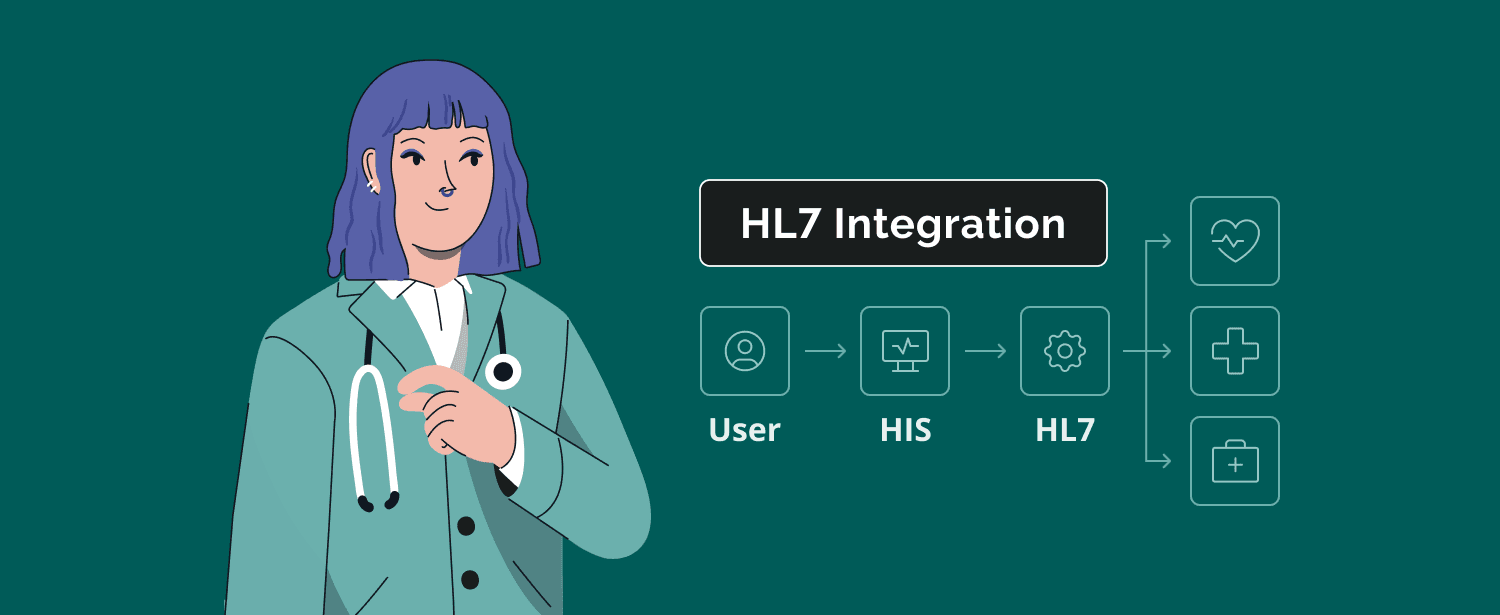
Connecting to a LIS means agreeing on a message format, usually HL7v2 for lab orders and results, agreeing on a transport method, then validating that what the LIS sends matches what your system expects. The agreement is the easy half. The validation is where the schedule goes.
What a typical LIS connection looks like in practice
The lab sends an HL7v2 result message when a test completes. Your system parses the segments carrying the patient identifier, the test code, the value, the units, and the reference range, then writes the result to the right record. Orders flow the other way in the same format.
Transport is usually a secure file transfer, a message queue, or an HTTPS endpoint. Each lab has a preference, so a lab software integration project often supports more than one.
Once the connection runs both ways, you get real-time visibility into where a sample is in the process, which is the practical difference between chasing a result by phone and reading its current state in your own product.
Receiving the message is only half the job. Once a result passes validation, EHR write-back puts it in the patient chart so clinicians see it where they already work.
Where LIS integrations usually break
Legacy systems are the first problem. A LIS that predates modern interface tooling may expose a custom flat-file format rather than clean HL7v2, and the vendor may charge for interface work on their side. System complexity grows with each exception you accept, and so does the ongoing maintenance it commits you to.
Scale changes the picture too. National labs and large reference laboratories usually publish a documented interface and expect you to build against it, while a small regional lab may have nothing written down at all.
Partner willingness is the second, and teams underestimate it. In the ASTP survey, 61% of exchanges said labs refused to share because they “don’t derive value as a data contributor only”. A lab with no reason to help you will not prioritize your integration, whatever your deadline looks like.

How this differs from a general HL7 integration project
The lifecycle is the same, though the failure modes are narrower. Lab work concentrates on result-message structure, test-code semantics, and delivery guarantees, so the mapping review carries more weight than in a general interface build.
Why Does LOINC Coding Matter for Lab Results?
LOINC (Logical Observation Identifiers Names and Codes) gives every lab test and result a standard, unambiguous code. Without it, “glucose” from one lab cannot be reliably matched to “glucose” from another, so results cannot be trended over time or displayed correctly side by side.
The code set is large and it moves. Version 2.83, released in August 2026, contains 112,405 concepts, of which 69,651 are laboratory terms. A lab integration software project is picking the right entry from that set for every test it carries.
Mapping a lab’s local test codes to LOINC
Labs run on internal codes. One lab calls a test “GLU-S”, another calls the same test “GLUC2”. Data mapping pairs each local code with the LOINC term describing exactly what was measured, in what specimen, by what method, and in what units.
Method and specimen are where mapping goes wrong. Two tests that both report glucose are different LOINC concepts if one runs on serum and the other on whole blood. A lab data integration software build that ignores that distinction merges results that should never share a trend line.
Mapping is reviewed work. Someone with clinical or laboratory knowledge signs off on the pairings, and the review repeats whenever a lab adds a test.
What goes wrong when LOINC mapping is skipped
The failure is quiet, which is what makes it expensive. Nothing errors. Results land in charts and look reasonable.
Underneath, a value tied to the wrong code trends against results it does not belong with, or fails to appear in a view that filters by code. You end up with mismatched records across integrated systems that each look correct on their own. Nobody notices until someone questions a number that does not fit the history. By then the bad data has accumulated for months, and every result carried since the mapping shipped has to be re-checked.
This is the single largest lever for improving data accuracy in a lab integration. Result reporting downstream can only be as reliable as the codes it is built on.
How Do You Deliver Lab Results Reliably Downstream?
Reliable delivery means results reach the right place, in the right format, with a way to catch and resolve failures. One successful test transfer does not demonstrate any of that.
Validating incoming results against the expected format
Check every message against the agreed structure before it reaches a clinician or a patient: required fields present, units as expected, patient identifier resolving to a real record, value in a plausible range for the test.
A message that fails validation is quarantined and flagged for review, never written to a chart on the assumption that something is better than nothing. This matters most where results feed a patient-facing view, a common requirement in custom EHR/EMR development.
Handling failed or delayed deliveries
Deliveries fail. An endpoint is down, a message is malformed, a network drops mid-transfer. The design question is whether the failure is visible.
Give every delivery a state you can query, retry transient failures automatically, and alert a human when retries are exhausted. Provider notification belongs in that path as well, so a clinician waiting on an electronic lab result learns that it is delayed rather than assuming it has not been ordered. A lab solutions software integration without this loses results without telling anyone.
Keeping an audit trail for compliance purposes
Every result should leave a record: when it arrived, whether it passed validation, what it was mapped to, and which system received it. A complete audit trail generated automatically is what protects data integrity in regulated environments, because it shows what happened to each result rather than asking anyone to reconstruct it later. That trail supports your compliance program and answers what an auditor asks, which is most of what audit readiness means in practice.
The same record supports the regulatory requirements an EHR lab integration falls under, including HIPAA and HITECH. Confirm current CLIA (Clinical Laboratory Improvement Amendments) or FDA requirements with the relevant regulatory authority. TechMagic consults on and engineers around those requirements, and does not act as that authority.
What lab data accuracy depends on
Data accuracy in a lab integration is decided in three places: the LOINC code, the units, and the reference range. Get any one wrong, and the result still displays, just incorrectly.
Units are the most common miss. A glucose value in mg/dL rendered as mmol/L is off by a factor of eighteen, and nothing in the message flags it. Carry the units the lab sent, convert only where you have to, and record that a conversion happened.
Reference ranges travel with the result for a reason. They vary by lab, by method, and sometimes by patient age or sex, so a range copied once and reused across labs will mark normal results abnormal. Store the range the lab sent alongside the value rather than applying your own.
Lab data security in transit and at rest
Lab results are Protected Health Information (PHI), so every hop in the pipeline is in scope. Encrypt in transit and at rest, authenticate both ends of each lab connection, and rotate credentials on a schedule rather than after an incident.
Access control matters as much as encryption. Restrict this sensitive information to authorized personnel and to the services that genuinely need it, and log reads as well as writes. When a lab connection is retired, revoke its credentials and confirm the endpoint is closed.
Quarantined messages need the same protection as delivered ones. A validation queue holding failed results is still holding PHI, so it belongs inside the same encryption and access boundary as the rest of the pipeline, with a retention limit rather than an open-ended backlog.
Check our

What Mistakes Cause Lab Integration Projects to Stall or Fail?
Most failures trace back to treating the work as a one-time technical connection instead of an ongoing mapping and validation relationship. Three mistakes cause most of the damage: skipping the LOINC review, having no plan for message-format changes, and calling the integration done after one clean transfer.
To be plain about it: a single low-volume connection to one cooperative lab may not need the full structured approach. Volume, the number of labs, and the cost of a wrong result are what justify the structure. Below that threshold, manual processes are a defensible choice as long as someone has decided on them deliberately.
Skipping the LOINC mapping review
Reusing a mapping from a previous project saves a week and buys months of silent data problems. Each lab’s local codes are its own, so a mapping is only valid for the lab it was built for.
Having no plan for when a lab changes its message format
Labs add tests, change units, and update interface versions. If your parser assumes today’s structure permanently, the first change breaks delivery without an error anyone sees. Version the format you expect and validate against it on every message.
Treating one successful test transfer as “done”
A clean transfer proves the connection exists. It says nothing about a malformed message, a lab going offline, or a test added next quarter. Volume, edge cases, and failure paths need testing before launch, and that is the part of a software integration lab process teams skip when a deadline is close.
Our Experience With Lab and Diagnostics Integration
Bring in outside help when you are connecting to several labs with inconsistent formats, when the integration is blocking a launch date, or when nobody on the team has run a real HL7 or FHIR lab integration before. Those three situations account for most of the projects that reach us.
Lab and diagnostic results in a Medplum-based platform
We built a telemedicine platform, on Medplum with a FHIR-native data model. It includes a Health Gorilla integration, a health-data network used for exchanging lab and diagnostic results, so external lab data arrives through a standards-based connection rather than a set of one-off interfaces.
Working FHIR-native from the start meant results arrived in a consistent resource shape, and mapping and validation stayed in one place instead of being repeated per connection.
What we’ve learned
Standards absorb change better than custom interfaces do. A lab equipment integration software layer or a partner connection built against a standard survives a format update, where a bespoke parser has to be rewritten. Consolidating those connections onto one platform, instead of a set of point-to-point interfaces, keeps ongoing maintenance proportional to the number of labs rather than the number of integrations.
The mapping review is the step worth protecting when a schedule tightens, because it is the one whose failures stay invisible longest.
HIPAA-compliant app built with Medplum to support early cancer detection
Final Thoughts
To seamlessly integrate lab and diagnostics, you need to treat the LIS connection, the LOINC coding, and the results-delivery pipeline as three distinct problems. Each has its own failure mode, and solving one does not solve the others.
Done well, the payoff shows up in lab operations rather than in the integration itself: shorter turnaround times where bottlenecks used to sit, fewer routine tasks handled by hand, and a record of every result that holds up under review. Healthcare organizations can maintain regulatory compliance, automate routine tasks, improve workflow efficiency, or use technological advancements to the fullest when interoperability is in place.
Where is this heading?
- The market is funding this work. Healthcare data interoperability is projected to grow from $8.61 billion in 2026 to $14.98 billion in 2030, a compound annual growth rate of 14.8%.
- Results are moving in front of the people they describe. Half of health system executives plan to invest in tech-enabled engagement and monitoring tools, which makes a mis-mapped code a visible problem rather than a background one.
- The code set keeps moving. LOINC ships new versions on a regular cadence, so mapping stays a maintained asset rather than a one-time deliverable.
- Artificial Intelligence is being pointed at the mapping problem. Suggesting LOINC candidates for a lab’s local codes is a natural fit for it, though a clinical reviewer still signs off. Expect it to shorten the reviews, automate repetitive tasks, and strengthen data analytics, rather than remove it.
- FHIR keeps gaining ground on HL7v2. New connections increasingly start FHIR-native, though HL7v2 will carry lab traffic for years, so most teams will run both.
As you can see, modern healthcare technology in this matter is heading to unified platforms, AI, and stricter regulatory compliance.

We're here to assist

FAQ

Lab integration software connects a Laboratory Information System (LIS) to the systems that need its data, such as an electronic health record, a patient app/software platforms, or a partner platform. It handles the message format, the test-code mapping, and the delivery of results. The goal is seamless integration that makes results move between systems without manual re-entry or format mismatches.
LIS integration is the process of connecting a Laboratory Information System to another system so that lab orders and results flow between them. It typically uses HL7v2 messages over a secure transport. LIS integration includes validating that incoming messages match the structure the receiving system expects.
LOINC stands for Logical Observation Identifiers Names and Codes. LOINC assigns a unique code to each lab test and result, identifying what was measured, in what specimen, and in what units. That code is what lets a result from one lab be matched with the same test from another lab.
Lab results most often fail because local test codes were never mapped to LOINC correctly, or because a lab changed its message format and the receiving existing systems were not updated. Results still arrive and still display, while the underlying data is wrong. Validating every message against an expected format catches these problems before a clinician sees them.
Timelines depend on how many labs are involved, whether their systems expose standard HL7v2 interfaces, regulatory compliance requirements, and how many tests need LOINC mapping. A single cooperative lab with a standard interface is a much shorter project than several labs with custom formats and strict requirements for operational efficiency. From our experience, the mapping review and end-to-end failure testing are the phases most often underestimated in seamless lab integration.