 Software Development
 Security Services
 Cloud Services
 AI Services
 Other Services















 TechMagic Academy


Feedback buttons
Feedback helps improve the AI:
- Thumbs up/down gives quick insight into whether the answer was helpful, off-target, confusing, or spot-on. Not every user wants to write a full review, so a quick thumb press is an easy way to contribute without effort. Detailed feedback (the modal window) gives context – like what was wrong, what was missing, or what worked well. It’s one of the fastest ways users can provide feedback to product team.
- Feedback also helps build trust – it shows the system cares about input, and isn’t just auto-generating forever without reflection.
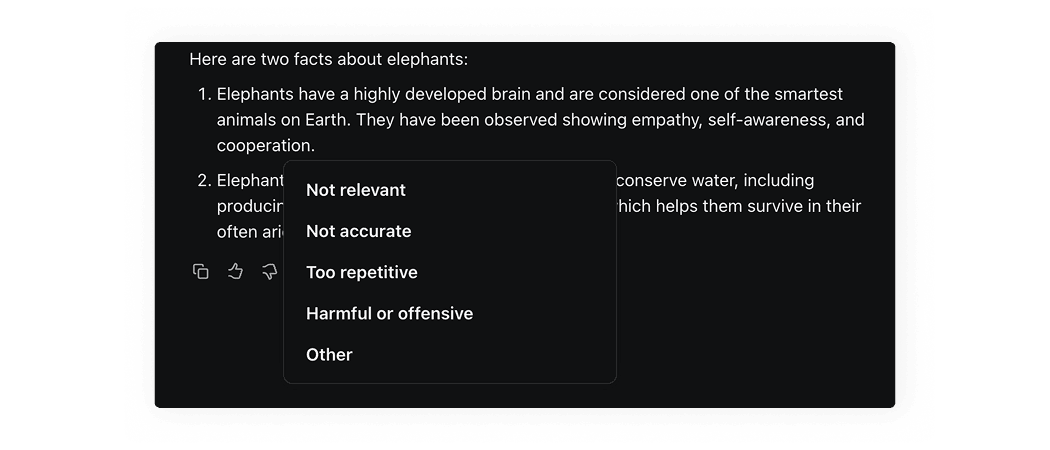
Meta AI shows thumbs buttons. When you click on one of them, a expandable menu appears, where the user can pick relevant option.
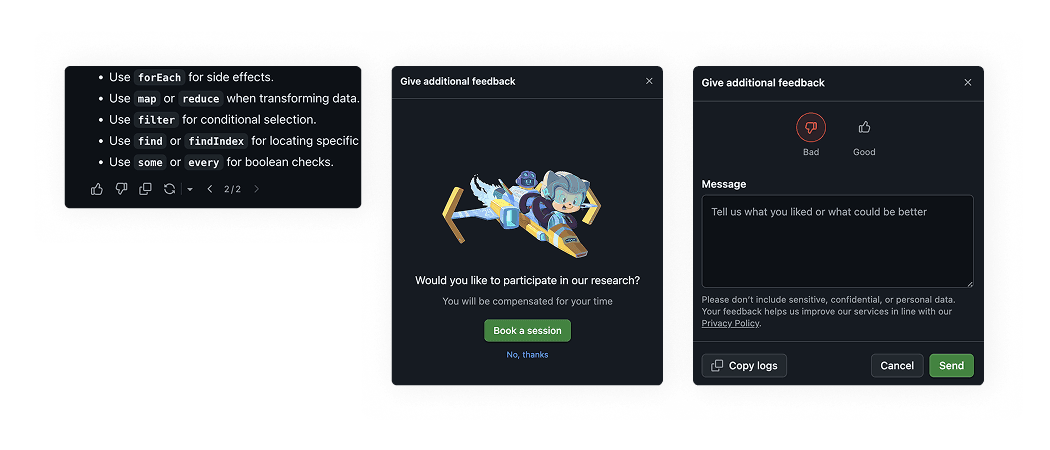
GitHub Copilot shows thumbs buttons, and when one is clicked, a modal window appears asking the user to participate in a UX research session. The next modal allows the user to fill in a free text area details, reminding not to include sensitive information. Additionally, it provides the option to copy logs.
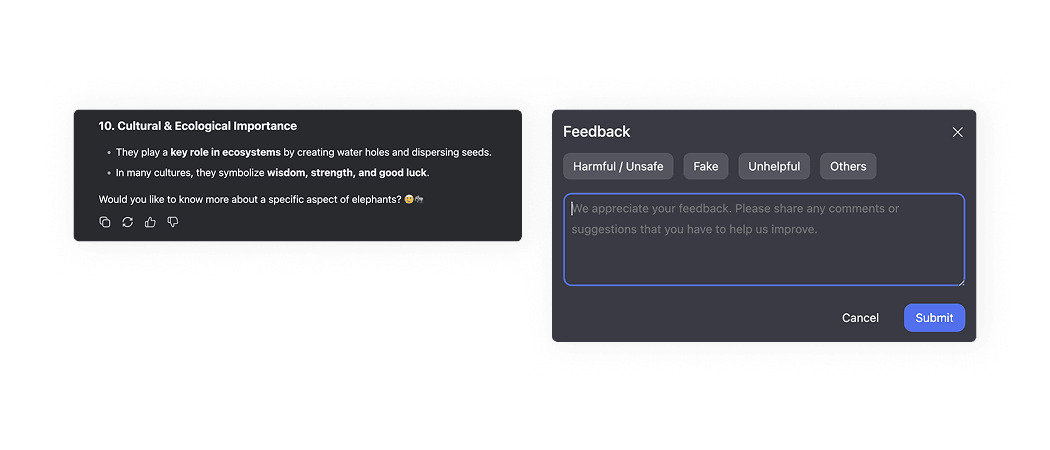
DeepSeek shows thumbs buttons. When you click on one of them, a modal window appears and asks you for detailed feedback with selectable options and optional free text area.
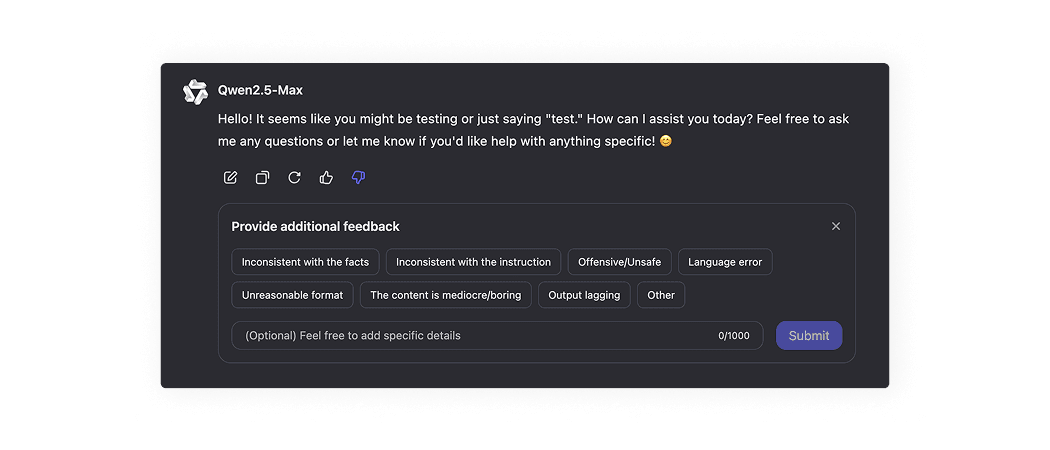
Qwen Perplexity shows thumbs buttons. When you click on one of them, a optional non-modal window appears, where the user can pick details or add information into a free text field.
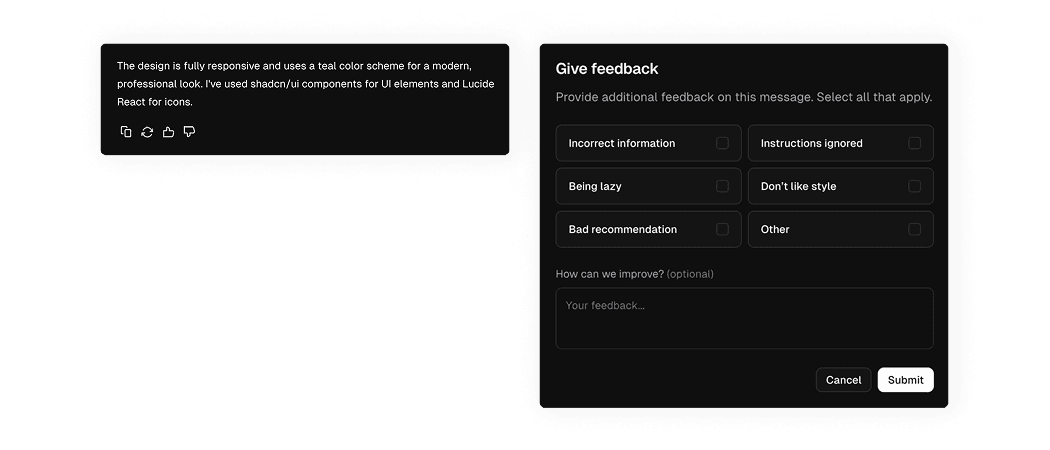
v0 shows thumbs buttons. When you click on one of them, a modal window appears and asks you for detailed feedback with selectable options and optional free text area.
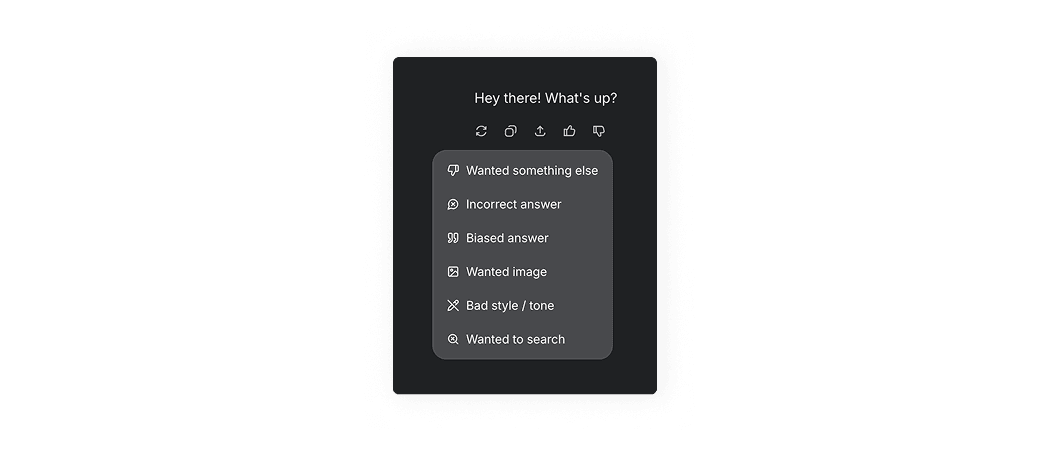
Grok shows thumbs buttons. When you click on one of them, a expandable menu appears, where the user can pick relevant option.
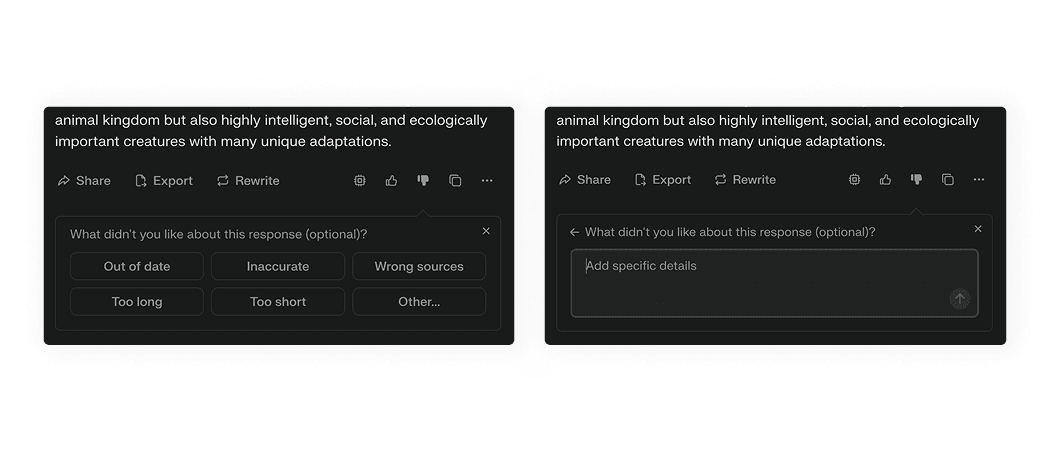
Perplexity shows thumbs buttons. When you click on one of them, a optional non-modal window appears, where the user can pick details or click “Other” to open a free text area.
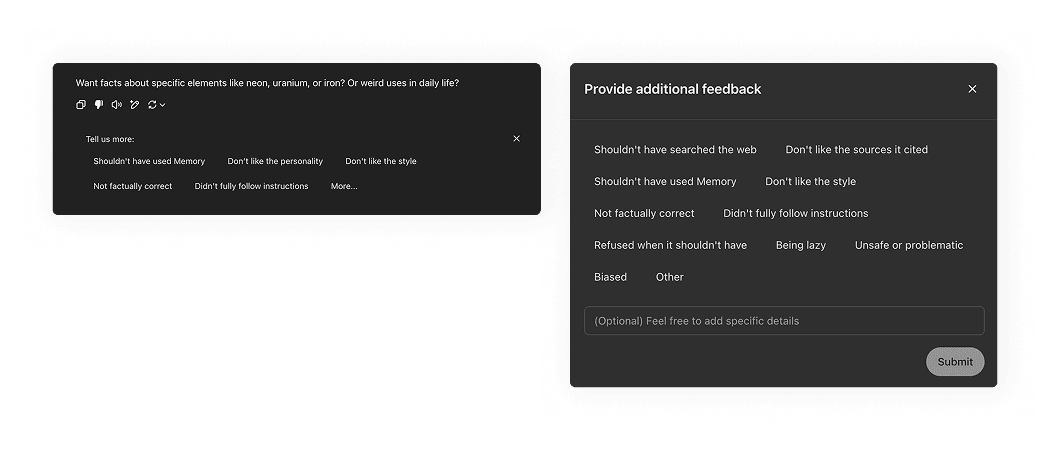
ChatGPT shows thumbs buttons. When you click on one of them, a non-modal window appears, where the user can pick details or click “More” to open a modal window with additional detail options.
AI patterns checklist
PDF, 220 MB