 Software Development
 Security Services
 Cloud Services
 AI Services
 Other Services















 TechMagic Academy


Summarize
When there’s too much to read or review, a good summary can feel like magic. The Summarise with AI feature delivers exactly that. A quick, focused overview of long content – emails, threads, documents, reports – generated on demand, right where the user is.
The feature often appears as a small button labeled “Summarise with AI” above or near a block of content. It doesn’t assume the user needs it, but offers a helpful escape hatch from information overload. One click and the system distills the essentials – key points, action items, sentiment, or structure – into something that’s easy to scan and act on.
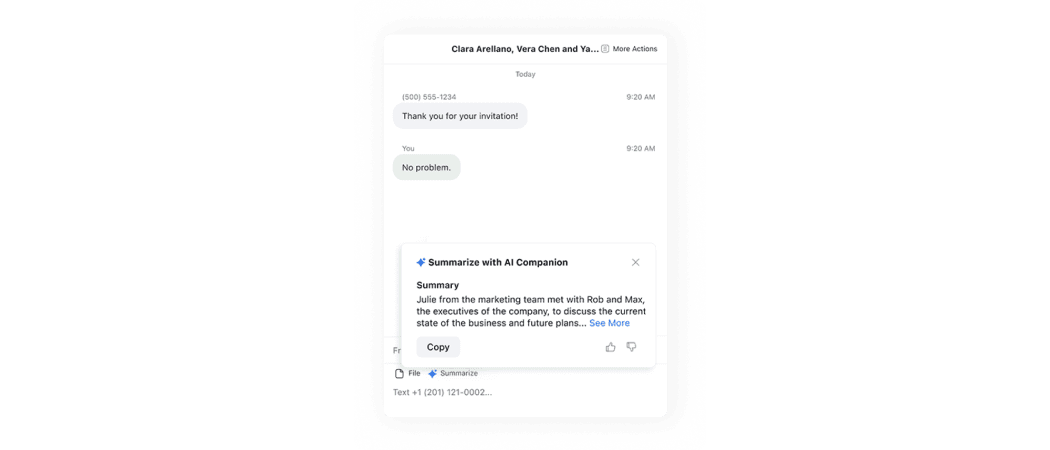
Zoom AI Chat provides the user with a “Summarise” button with spark icon, which opens non-modal window. It provides a summary and all relevant actions.
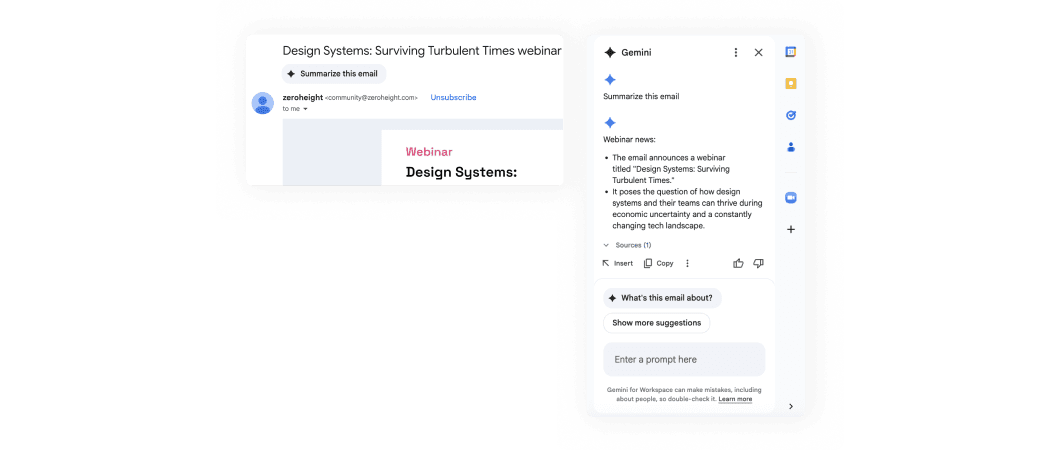
Gmail provides the user with a “Summarize this email” button, which opens Gemini in a side panel. It provides a summary and all relevant actions.
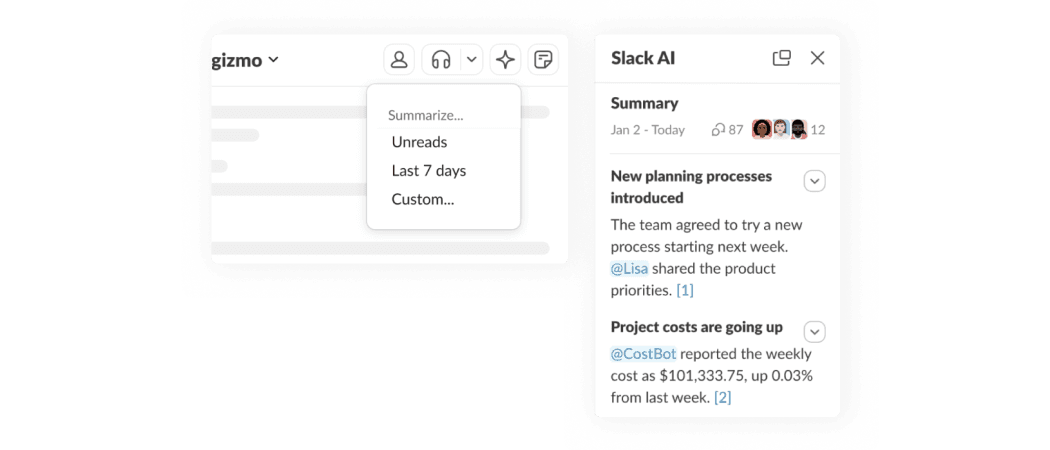
Slack provides the user with a sparks icon-button, which opens Slack AI in a side panel. It provides a summary and all relevant actions.
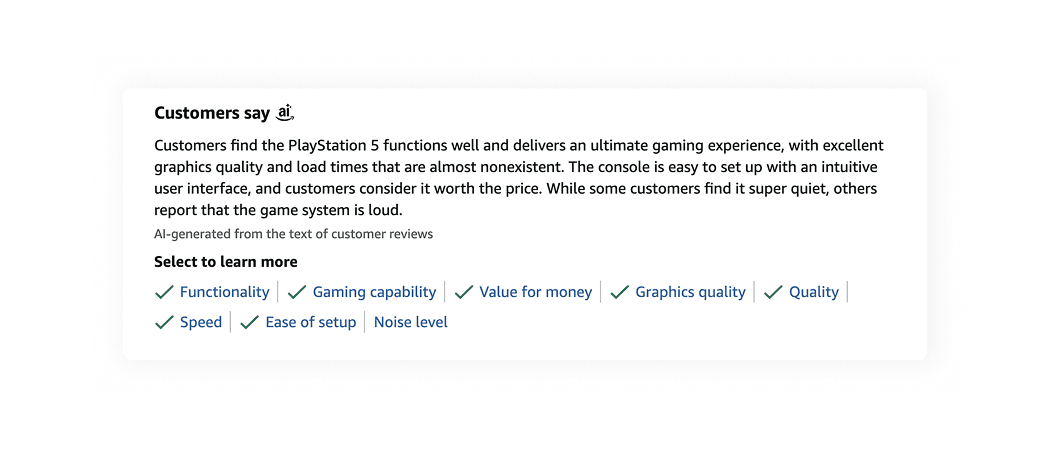
Amazon provides the user with a summary without any initiation. It is always presented above the feedback section and marked with the Amazon AI icon.
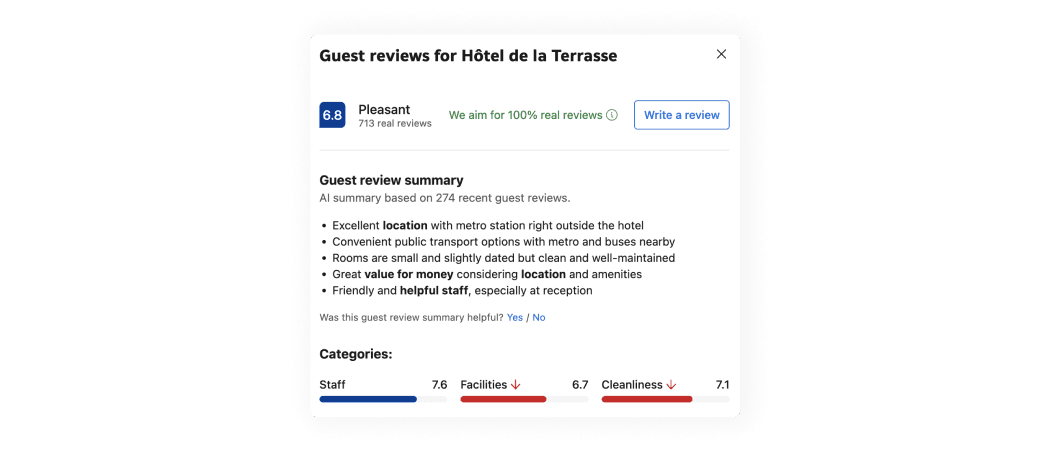
Booking provides the user with a summary without any initiation. It is always presented above the feedback section and marked as AI summary.
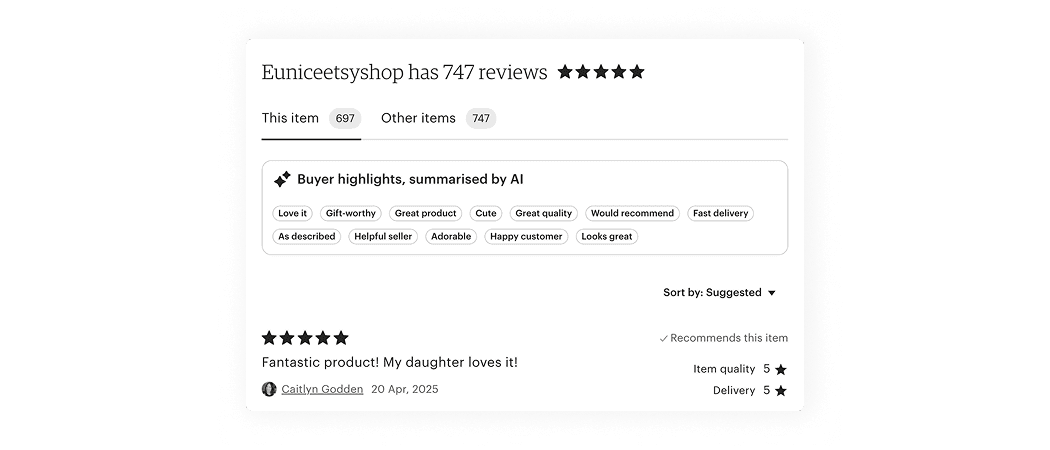
Etsy provides the user with a summary without any initiation. It is always presented above the reviews section and marked with the sparks icon.
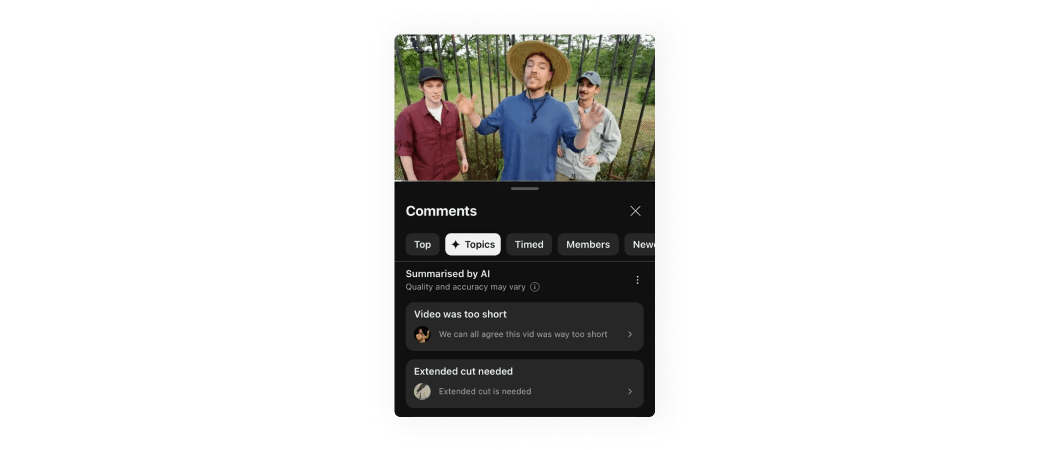
YouTube provides the user with a sparks icon tab, which summarizes comments based on topics.
AI patterns checklist
PDF, 220 MB