
 Software Development
 Security Services
 Cloud Services
 AI Services
 Other Services















 TechMagic Academy


Write (fields)
Sometimes, the hardest part is just getting started. That’s exactly where the write feature shines – appearing inside text inputs, text areas and comment boxes. Whether it’s a blank email, a support reply, or a short post, AI gently offers to help with a small “Write with AI” button.
This pattern feels lightweight but powerful. Instead of forcing users to leave the page or think of a new ideas from scratch, it meets them exactly where they are. Users can preview results, pick the one they like, or ignore them all.
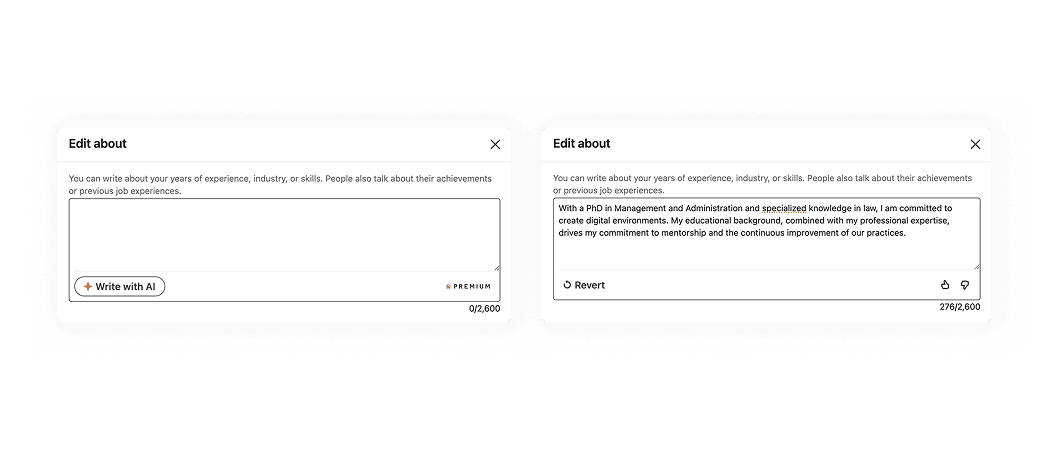
LinkedIn shows the user a “Write with AI” button, which fills the text area and provides ability to revert generation.
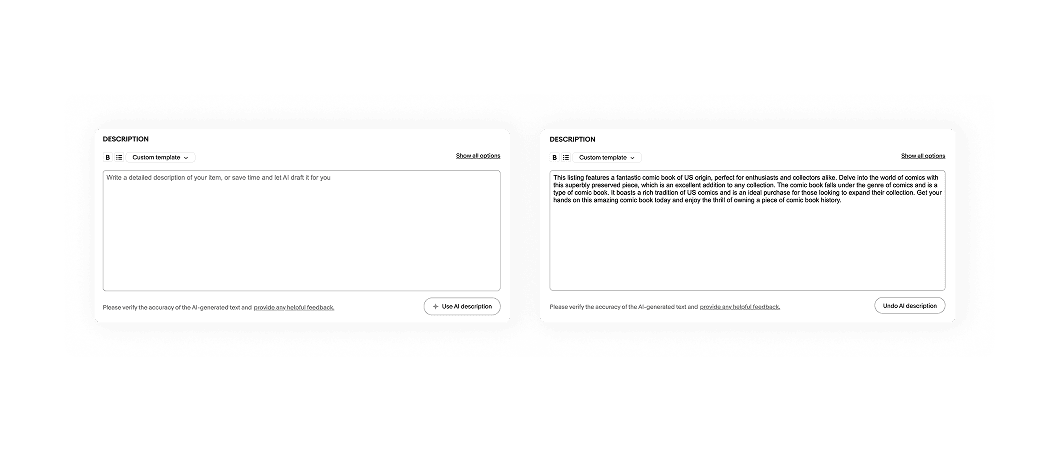
eBay shows the user a “Use AI description” button, which fills the text area and provides ability to undo generation.

Shopify shows the user a button with a sparks icon, which opens a non-modal window containing all the details. After generation, the user can preview the results, keep them, or adjust and regenerate.
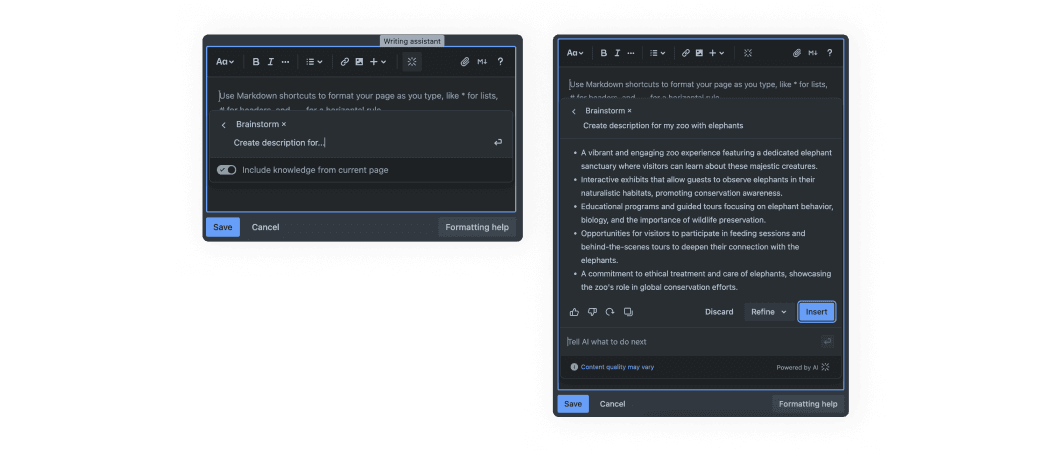
Trello shows the user a button with a Trello AI icon, which opens a non-modal window. After generation, the user can preview the results, insert them, copy or refine and regenerate. Additionally, Trello can use knowledge from the current page.
AI patterns checklist
PDF, 220 MB