















Benefits of Automation Testing: Definition, Types, Advantages and More
Last updated:4 March 2026


Testing a software product before release is a mandatory stage for every software development company.
It is a core part of quality assurance. Testing catches defects early, protects the user experience, and, what is no less important, keeps costly problems from slipping through after launch. This is the main reason why automation testing now sits at the center of most modern software projects. It makes testing faster and more reliable, and it scales as the product grows.
In this article, we’ll explain why automation testing matters for startups and what business value this essential component brings. You’ll see the fundamental benefits of automation testing and why, as products grow and release cycles speed up, maintaining web app quality manually becomes harder, slower, and less efficient.
Let’s start!
Key Takeaways
- Automation lets teams improve software development process and ship faster without letting quality slip.
- Automation of testing process cuts repetitive manual work and scales across development cycles.
- You catch bugs earlier and get feedback faster with automated test scripts.
- Automated software testing improves coverage, test accuracy, and result reliability when done right.
- It pays off most for startups and teams shipping frequent updates.
- Over time, the payoff outweighs the setup cost by automating repetitive tasks, as well as cutting risk and rework.
What Is Test Automation?
Test automation means using tools and scripts to run software tests on their own, so no one has to repeat the same manual checks every time the product changes. In practice it verifies functionality, catches defects, and keeps quality steady across builds, releases, and environments. Its sweet spot is the repetitive, high-volume, business-critical checks.
Manual testing alone can't keep up once a product ships often. So automation gets built into the development process, where it shortens feedback loops and catches regressions before they spread. That said, it isn't a replacement. Predictable checks go to automation; exploratory testing, usability, and the judgment calls stay with real people, human testers.
Overview of the Main Types of Automated Testing
Automated testing has picked up a long list of testing types over the years. Before it, development teams leaned on manual processes to catch defects, and those had a ceiling: less coverage, slower runs.
Here are the main types of test automation services. Below, we look at where each one fits best.
Unit testing
Unit tests check the smallest pieces of code in isolation, which is where logic errors are cheapest to catch and refactoring is safest. Solid coverage here stops the silly bugs before they ever reach production.
Integration testing
Modules can each pass on their own and still fall apart the moment they talk to each other. Integration testing is what catches that, and it matters most for cloud-based and distributed systems, where the seams are everywhere.
Functional testing
Does the app actually do what the requirements say? Functional testing answers that, following real user flows and features to confirm the product works from a business point of view.
Regression testing
Automated regression testing makes sure new changes don't break what already works. And, it is often the only practical way to run those checks on every release without slowing delivery down for fast-moving teams shipping often.
Smoke testing
Smoke tests are a fast gut-check after a build. Core features work, or they don't. Most teams run them automatically in CI/CD before anything deeper starts.
End-to-end testing
End-to-end tests follow a real user journey across the whole system. They check that the front end, backend, and integrations all hold together. This type of testing is slower and more fragile than other tests, so save it for your critical flows.
API testing
API testing looks at how systems actually talk, so the requests, the responses, the authentication, and it does this faster and more reliably than driving the UI. A lot of serious logic and security bugs surface here first.
UI testing
UI testing covers what the user sees and touches, confirming the interface holds up in real conditions. But use it with restraint. UI tests break easily.
Acceptance testing
Acceptance tests are the business's sign-off, usually written against user stories or agreed criteria. They keep what the team ships in line with what was actually asked for.
Performance testing
Performance testing puts the system under pressure, across load, stress, spike, and endurance, to see where it bends. Better you find the scalability limit than your users do.
Security testing
Security testing looks for the holes before an attacker finds them. It layers SAST, DAST, and dependency scanning to cover both the code and what happens at runtime. Build it in from the start; a security pass bolted on at the end rarely holds up.
Penetration testing support automation
Automation can take some of the load off penetration testing by scanning for the common, well-known vulnerabilities and pointing to where a human should dig deeper. It won't replace an expert, though.
Accessibility testing
Can everyone actually use the product, including people with different abilities? Accessibility testing checks that. Automated tools flag the obvious problems, a missing label, weak contrast, and give you a baseline for compliance.
Cross-browser and cross-platform testing
Browsers, devices, operating systems: they don't all render the same, and cross-platform testing makes sure your product behaves consistently across them. For a wide user base, automating those combinations is the only way it stays practical.
Visual regression testing
By comparing screenshots build to build, visual regression testing catches the UI changes nobody meant to ship, a shifted layout, a broken style, an element that quietly vanished. Design-heavy products lean on it hardest.
Database testing
Database testing guards the data itself. It checks integrity, schema changes, and queries so an update can't quietly corrupt something or break business logic. Permissions and transactions get safer too.
Sanity testing
Where a smoke test scans everything shallowly, a sanity test zooms in on one recent change to confirm it behaves. It's the quick did-my-fix-work check before broader testing begins.
What Are the Key Benefits of Automation Testing?
Scaling delivery without dropping quality is hard to do by hand. As a product grows, the repetitive checks pile up and complexity creeps in, and manual testing turns slow and mistake-prone. Automating that work is what lets a team standardize validation, lower risk, and ship without holding its breath. So what do teams actually gain? A few advantages come up again and again.
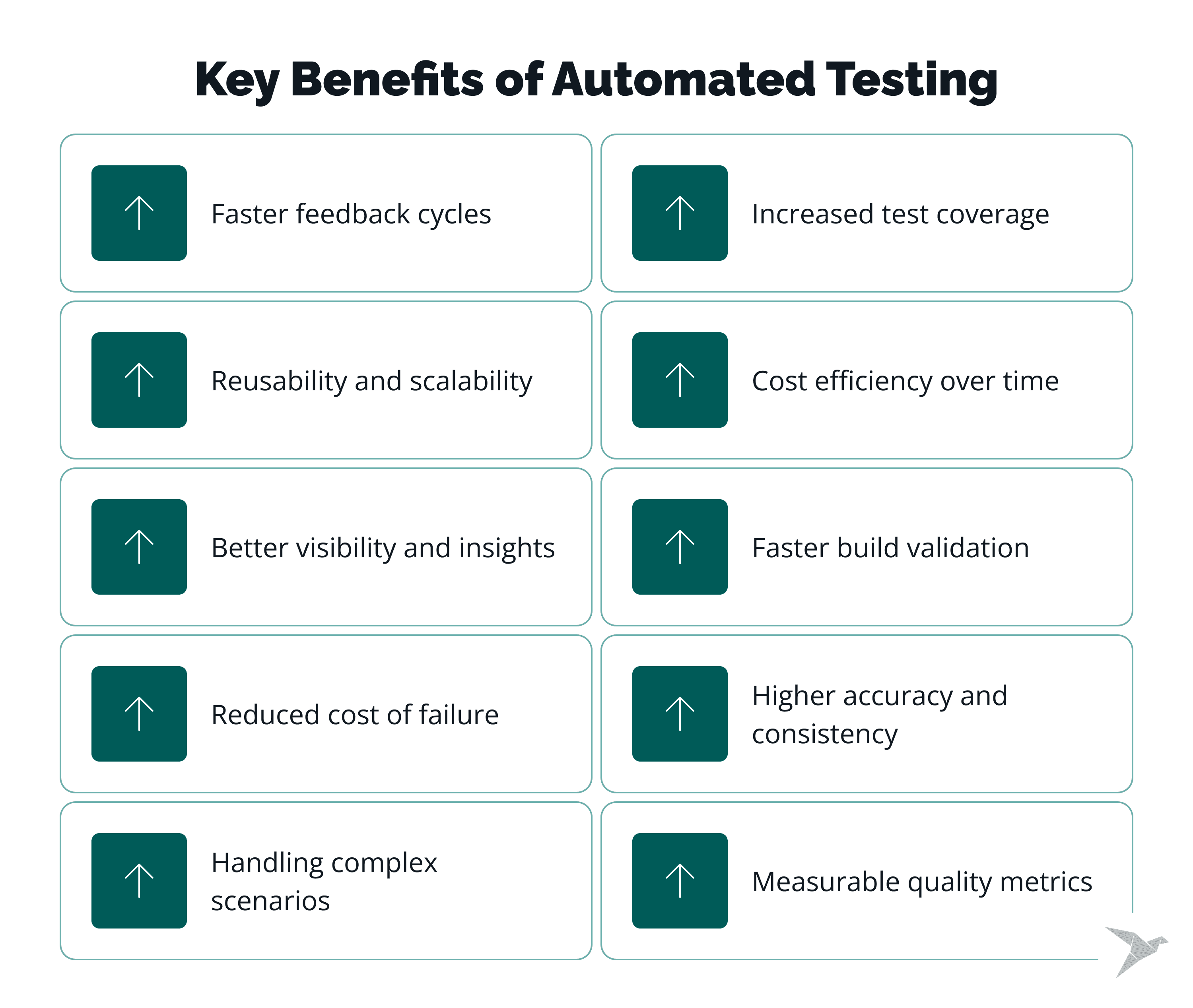
#1 Faster feedback cycles
Manual validation is slow, and it's slowest exactly when features are changing fast. Automation runs continuously, feeding back at every stage instead of dumping everything at the end. Catch a problem early and it costs you minutes; catch it late and it costs you a release.
#2 Increased test coverage
There's only so much one tester can cover by hand. Automation runs orders of magnitude more, edge cases and data-driven scenarios included, so far fewer issues slip through unseen.
#3 Reusability and scalability
Write an automated test once and it keeps paying off, across releases, environments, even other projects. No redoing the setup each time. Over a few months, that means less manual babysitting and a suite that stays predictable to maintain.
#4 Cost efficiency over time
Yes, the setup costs money. After that, though, automation quietly lowers the bill: fewer people stuck on repetitive checks, fewer defects reaching production, less rework and support to pay for later. For a growing team the trade usually pays for itself within a few release cycles.
#5 Better visibility and insights
Every run leaves a trail, what failed, how it performed, how the system behaved. Engineers reach the root cause faster with that in front of them, and the whole team works from the same picture. Better information, better calls.
#6 Faster build validation
Builds get validated continuously, without anyone standing over them. Each release has to clear a baseline before it moves on, so the manual sign-off steps that used to slow delivery just fall away. Stability checks come back faster, and you trust them more.
#7 Reduced cost of failure
A bug in production is expensive. Sometimes it's a lot worse than expensive. Automation pulls detection earlier, before a user ever hits the problem, which is how a small defect stays small instead of becoming a business one.
#8 Higher accuracy and consistency
People slip, especially under a deadline. A script doesn't; it runs the same way on the thousandth pass as the first. That consistency sharpens accuracy and removes the drift you get from one tester to the next.
#9 Handling complex scenarios
Some scenarios are just too tangled for manual work, dozens of inputs, several integrations, branching workflows. Automation can grind through those combinations without losing patience or focus. People are still better at the open-ended, judgment-heavy cases, which is exactly why the smart setup uses both.
#10 Measurable quality metrics
You can't improve what you can't see. Modern tools put code coverage, performance, and technical debt into numbers, so teams track progress and spot risk early instead of guessing. Quality stops being a feeling and becomes a trend line.
Final Thoughts and What to Be Ready for in the Future
Test automation is a core part of modern delivery. As this article shows, the advantages of automation testing go far beyond speed: teams get broader coverage, instant feedback, more stable releases, and more confidence when they run tests across frequent updates.
Yes, it requires a significant upfront investment, but the long-term automation testing benefits, including fewer escaped defects, more predictable quality, and stronger delivery performance, usually outweigh that cost. For startups and growing products, the benefits of automation testing in software testing are especially clear when release cycles get faster and complex test cases become harder to manage manually.
Looking ahead, software developers will rely even more on test automation tools built directly into continuous integration pipelines, where checks run automatically on every meaningful change. We also expect teams to use smarter automation for risk-based testing, broader API and security coverage, and faster analysis of failures with more accurate results.
In other words, the biggest software test automation benefits in the next few years will come from tighter integration with engineering workflows, not from isolated QA activity. If you want to build a testing approach that scales with your product, TechMagic can help you set it up the right way.
FAQ

Test automation is simply using tools and scripts to run software tests on their own. It lets a team check functionality, catch bugs, and hold quality steady without doing everything by hand. For a growing team, the real draw is scaling those checks without slowing releases.
Faster development cycles, better accuracy, wider coverage, lower long-term cost, those are the big ones. Automation also catches issues sooner, so releases go out with less nail-biting. For startups and teams that ship often, that adds up quickly.
The trigger is usually pain: manual testing gets too slow or too repetitive to keep up. That tends to hit as the product grows, releases speed up, or quality problems start dragging on delivery. That's the moment automation starts earning its place.
No, and it isn't meant to. Automation handles the repeatable checks; people still own exploratory testing, usability, and the edge cases that need judgment. The two work together, and the process still needs human intuition.
Yes, arguably more than anyone. A small team with limited resources is exactly who gains from moving faster, cutting risk, and holding quality steady all at once.